ChatGPT search icon

ChatGPT search Chrome Extension Analysis

AI & Writing Assistants

Chrome extension ID: ejcfepkfckglbgocfkanmcdngdijcgld

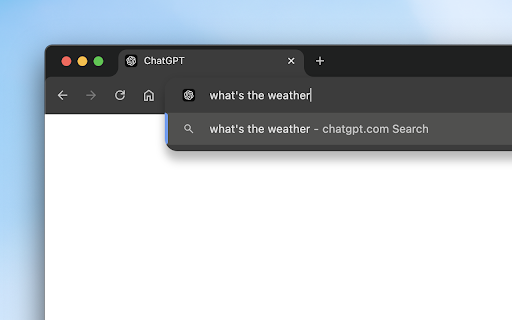
This tool intercepts browser search queries and redirects them to the ChatGPT search interface. It is designed to provide conversational, source-backed answers for queries that would typically be handled by traditional search engines.

Developer:OpenAI
Version:1.11
Size:11.81KiB
Last updated:

Overview

Installs

4.0M+

Rating

3.3

1,553 reviews

Languages

1 locales

Includes English (United States)

Market analysis

Review-backed positioning, friction, and market signals for this Chrome extension.

Backed by review samples

Macro category

AI & Writing Assistants

Pricing friction

Low review signal

Complaint intensity

High review signal

Listing & review signals
Observed signals from store listing text and review samples.

Listing positioning

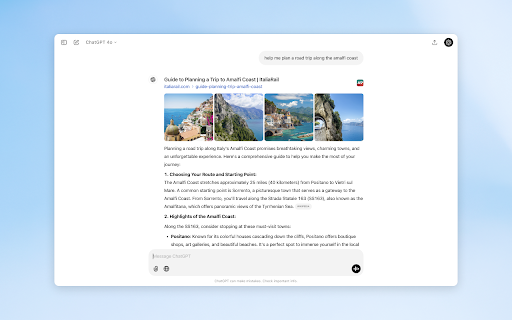
The extension positions itself as an official bridge to integrate ChatGPT as the default browser search engine. It emphasizes seamless access to AI-generated answers, real-time data, and source linking directly from the browser URL bar.

Inferred product pattern

Search engine interceptor for AI model integration.

Review-backed pain points

Users frequently report that the extension stops redirecting correctly, fails to load the search interface, or conflicts with browser settings.

Observed feature gaps

Lack of a persistent sidebar interface, broken escape-to-Google command functionality, and inconsistent browser integration.

Tags
Search EngineAI SearchProductivityOpenAI
Target users

- Power users of ChatGPT

- Search engine users looking for AI-generated summaries

Primary use cases

- Direct search via URL bar

- Quick access to AI-powered research

- Bypassing traditional search interfaces

Positive themes

- Initial satisfaction with AI research quality

- Valued source-linking features

- Perceived as competitive with Perplexity

Negative themes

- Broken redirect functionality (e.g., !g command)

- Loading errors and blank screens

- Failure to set as default engine

- Preference for sidebar integration over page redirection

Observed friction

- Performance complaints detected

- No direct pricing friction observed; the extension is free but requires an active OpenAI account.

Evidence boundary: Evidence is drawn from 1,549 reviews and developer-provided store listing descriptions. Performance and functional reliability are the primary negative signals. Review sentiment is heavily skewed by reports of technical bugs, which may not represent the experience of all users.
Complaint summaries
Review-backed complaint signals grouped by operational area.

Support

Users express frustration regarding the lack of functional maintenance, specifically regarding broken redirect commands.

Reliability

High incidence of reports regarding infinite loading, blank screens, and failure to interface with the browser's search settings.

Privacy

No specific privacy complaints found in the analyzed sample.

Access & pricing

- Free usage observed

- Login needed for core features

- Free plan or free usage claimed

Store listing facts

Listing assets

- Screenshots: 5

- Videos: 0

- Languages: 1

Trust signals

- Privacy policy

- Developer contact

- Official website

Store metadata

- Version: 1.11

- Size: 11.81KiB

- Last updated:

Store description excerpt
Short excerpt from the public Chrome Web Store listing; full copy is available on the official store page.
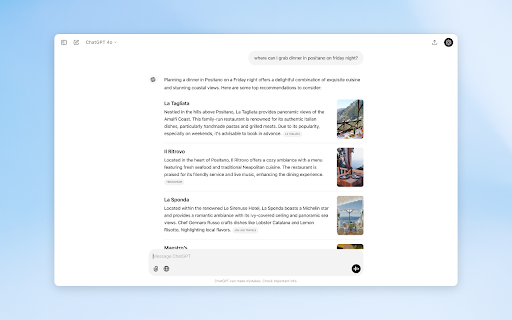
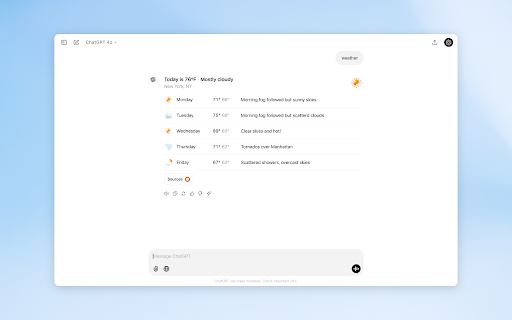
Note: You must be logged in to chatgpt.com to use ChatGPT search. This extension will make ChatGPT your default search engine in Chrome. Once ChatGPT has been set as your default search engine, you can search directly via your browser URL bar. ChatGPT You can get fast, timely answers with links to relevant web sources, which you would have previously needed to go to a search engine for. This blends the benefits of a natural language interface with the value of up-to-date sports scores, news, stock quotes, and more. Chats also now include links to sources, such as news articles and blog posts, giving you a way to learn more. In order to redirect a query to Google search, type "!g [your query]" (e.g. !g foobar) directly in your browser URL bar. You can read more about ChatGPT search and access OpenAI's Privacy Policy here: https://help.openai.com/en/articles/9237897-chatgpt-search

Listing SEO keywords

Search intent keywords
Keyword signals for evaluating how users may discover, compare, or search for this extension category.

Core discovery

ChatGPT search chrome extensionMake ChatGPT default search engine

Comparison

ChatGPT vs Google searchAI search alternatives

Problem

extension not workingsearch redirect failed

Alternative

Perplexity AI chromeAI search sidebar

Similar extensions

Jump to related discovery paths:

FAQ

What is ChatGPT search mainly used for?
This tool intercepts browser search queries and redirects them to the ChatGPT search interface. It is designed to provide conversational, source-backed answers for queries that would typically be handled by traditional search engines.
What market signals stand out?
Large installed base with substantial review base. Last known update: 12/18/2024.
What should builders compare before entering this space?
Compare install concentration, rating quality, update recency, screenshots, developer portfolio, listing claims, and review-backed friction signals.
Is this page review-backed?
Backed by review samples. This page combines store metadata with selected review signals, while raw store metrics remain visible for comparison.

Screenshots

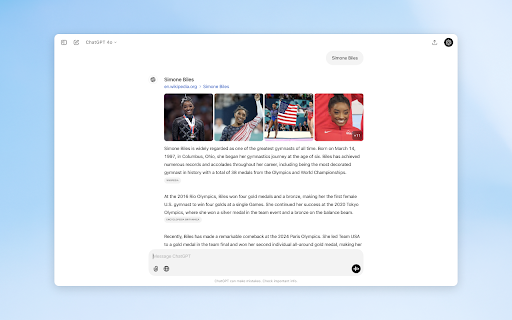
ChatGPT search screenshot

Links

Recommended Chrome extensions

Related listings from the same category, trending peers, and the same publisher portfolio.

Browse workflow