Webpage Screenshot - Entire page screenshot! icon

Webpage Screenshot Chrome Extension Analysis

Automation & Workflow Efficiency

Store listing title: Webpage Screenshot - Entire page screenshot!

Chrome extension ID: akgpcdalpfphjmfifkmfbpdmgdmeeaeo

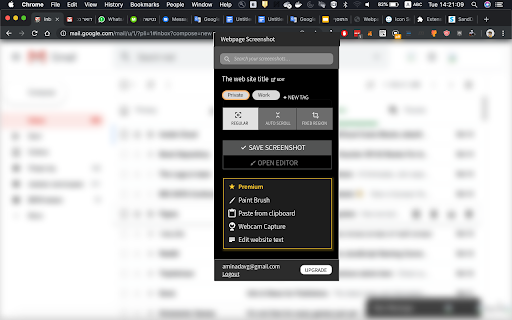
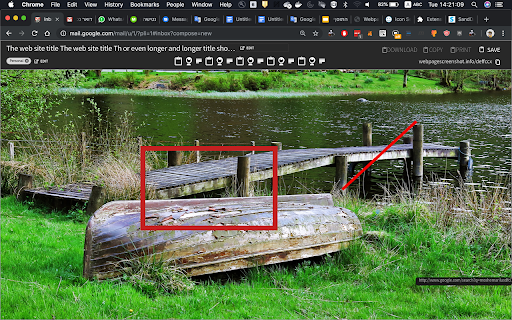
A Chrome extension that allows users to capture either the visible area or the full length of a webpage. It includes features for one-click sharing to social networks and local saving.

Version:60.0.0
Size:798KiB
Last updated:

Overview

Installs

200K+

Rating

4.7

10,752 reviews

Languages

30 locales

Includes Deutsch, English, Indonesia, Nederlands...

Market analysis

Review-backed positioning, friction, and market signals for this Chrome extension.

Backed by review samples

Macro category

Automation & Workflow Efficiency

Pricing friction

Low review signal

Complaint intensity

High review signal

Listing & review signals
Observed signals from store listing text and review samples.

Listing positioning

The product positions itself as a fast, simple, and privacy-focused tool for capturing entire webpages. It emphasizes its open-source nature and the provision of free unlimited storage for hosted images.

Inferred product pattern

Open-source utility tool leveraging a free-to-use model to achieve high user volume.

Review-backed pain points

Users report that full-page captures often result in fuzzy images, superimposed elements, or total browser freezes. There is significant frustration regarding the lack of customer support and perceived product abandonment.

Observed feature gaps

Lack of precise region capture accuracy compared to competitors like FireShot and instability in the auto-scroll capture mechanism.

Tags
Full Page ScreenshotWeb CaptureOpen SourceScreen Grabber
Target users

- Researchers

- Web Designers

- Content Creators

- General Web Users

Primary use cases

- Capturing long-form web content

- Archiving webpages as images

- Sharing website snapshots via URLs

Positive themes

No positive theme data.

Negative themes

- Image blurring and artifacts during scrolling

- Extension freezing at the bottom of pages

- Lack of developer responsiveness

- Broken functionality after updates

- Intrusive redirects to developer website

Observed friction

- Performance complaints detected

- Privacy complaints detected

- No pricing friction observed as the product is marketed as free and open source.

Evidence boundary: Analysis based on store listing data and a sample of low-rating helpful reviews. The provided review samples are exclusively negative and do not represent the distribution of the overall 4.67 star rating.
Complaint summaries
Review-backed complaint signals grouped by operational area.

Support

Users explicitly state that developers do not answer help requests and ignore ratings/feedback.

Reliability

Multiple reports of the extension becoming completely unusable or 'broken' following updates, with specific failures in the 'Whole Page Screenshot' feature.

Privacy

Some users describe the extension as deceptive, claiming it displays advertisements for other software and forces redirects to the developer's website upon browser launch.

Access & pricing

- Free usage observed

- No account requirement observed

- Free plan or free usage claimed

Store listing facts

Listing assets

- Screenshots: 2

- Videos: 0

- Languages: 30

Trust signals

- Privacy policy

- Developer contact

- Official website

Store metadata

- Version: 60.0.0

- Size: 798KiB

- Last updated:

Store description excerpt
Short excerpt from the public Chrome Web Store listing; full copy is available on the official store page.
Overview Transform how you capture, save, and share web content with our powerful screenshot extension. Built for speed and simplicity, while respecting your privacy. Key Features Full-page screenshots: Capture entire webpages, including both horizontal and vertical content Flexible capture options: Choose between full-page or visible area screenshots One-click sharing: Instantly share to social networks or save locally Free unlimited storage: Host and share as many images as you need, forever 100% open source: Transparent, community-driven development Privacy First We take your privacy seriously: Image privacy: Your screenshots remain private unless you choose to share them Minimal storage: When you click "Share," we only store the image data needed to generate a sharing URL Open Source Community Join our growing community: GitHub Repository: https://github.com/aminag/openscreenshot Co…

Listing SEO keywords

Search intent keywords
Keyword signals for evaluating how users may discover, compare, or search for this extension category.

Core discovery

full page screenshot extensioncapture entire webpageopen source screenshot toolwebpage image capture

Comparison

Webpage Screenshot vs GoFullPageWebpage Screenshot vs FireShotWebpage Screenshot vs PicPick

Problem

how to capture whole webpagewebpage screenshot blurryfull page screen capture freezing

Alternative

GoFullPage alternativeFireShot alternativefree full page screen capture

Similar extensions

Jump to related discovery paths:

FAQ

What is Webpage Screenshot mainly used for?
A Chrome extension that allows users to capture either the visible area or the full length of a webpage. It includes features for one-click sharing to social networks and local saving.
What market signals stand out?
Established adoption with very deep review base. Last known update: 02/22/2025.
What should builders compare before entering this space?
Compare install concentration, rating quality, update recency, screenshots, developer portfolio, listing claims, and review-backed friction signals.
Is this page review-backed?
Backed by review samples. This page combines store metadata with selected review signals, while raw store metrics remain visible for comparison.

Screenshots

Webpage Screenshot - Entire page screenshot! screenshot

Links

Recommended Chrome extensions

Related listings from the same category, trending peers, and the same publisher portfolio.

Browse workflow