

YouTube To Text Chrome Extension Analysis
Automation & Workflow EfficiencyChrome extension ID: apnedodbofogffiagpekmbeflilkcbgf
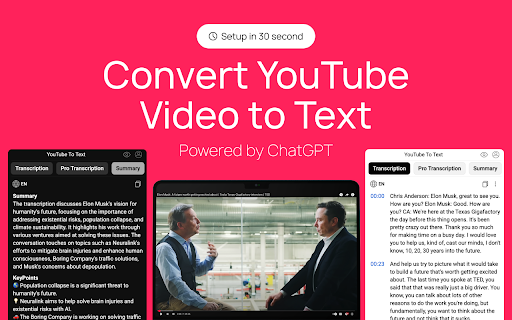
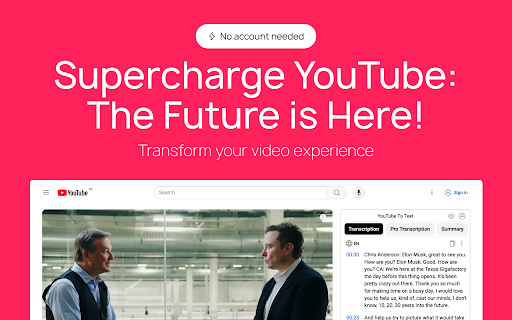
A Chrome extension that extracts transcripts from YouTube videos, providing time-coded text. It allows users to search through textual content, save transcriptions, and organize them into playlists for easy reference.
Overview
Installs
200K+
Rating
★ 4.6
1,489 reviews
Languages
52 locales
Includes Deutsch, English, Filipino, Indonesia...
Market analysis
Review-backed positioning, friction, and market signals for this Chrome extension.
Macro category
Automation & Workflow Efficiency
Pricing friction
High review signal
Complaint intensity
High review signal
Listing positioning
The product positions itself as a time-saving utility for content creators, students, and researchers to convert YouTube videos into searchable text. It emphasizes accessibility, SEO enhancement for video creators, and language learning capabilities.
Inferred product pattern
Freemium tool with an aggressive paywall transition that contradicts the store listing's 'free' claims.
Review-backed pain points
Users report a 'bait-and-switch' experience where the listing claims the tool is free, but they encounter paywalls or high costs ($99 mentioned) after limited use. Others cite a total lack of customer service when the extension stops functioning.
Observed feature gaps
Lack of punctuation in generated transcripts, poor translation quality for certain language pairs (e.g., English to Hindi), and lack of ability to configure custom LLM models.
- Content Creators
- Students
- Researchers
- Language Learners
- Individuals with hearing impairments
- Converting video content for repurposing/editing
- Searching for specific quotes within a video
- Creating closed captions for accessibility
- Studying video-based lectures
- High utility and speed
- General ease of use
- Unexpected paywalls and high subscription costs
- Mandatory account login
- Technical glitches and unresponsive UI
- Lack of customer support
- Payment required for meaningful usage
- Free-tier complaints detected
- Performance complaints detected
- Privacy complaints detected
- Severe friction; listing claims the extension is free with no limitations, but reviews consistently report a transition to a paid model with high costs after a few uses.
Support
Users report that buttons stop responding and there is no accessible customer service to resolve technical issues.
Reliability
Reports of UI errors where the transcription window shifts positions or becomes unclickable.
Privacy
Contradiction between the listing's claim of operating locally without data collection and user reports of mandatory Google account logins.
- Free entry with paid features
- Login needed for core features
- Limited free usage observed
Store listing facts
- Screenshots: 2
- Videos: 0
- Languages: 52
- Privacy policy
- Developer contact
- Official website
- Version: 2.15.6
- Size: 712KiB
- Last updated:
Listing SEO keywords
Core discovery
Comparison
Problem
Alternative
Similar extensions
Jump to related discovery paths:
FAQ
Screenshots
Links
Website: youtube-to-text.app
Privacy policy: https://docs.google.com/document/d/10xewwnGKjHp5FclWgHwp5R_0DAPRYJA8j9VF1iIvMLc


