Avira Password Manager icon

Avira Password Manager Chrome Extension Analysis

Privacy, Security & Ad Blockers

Chrome extension ID: caljgklbbfbcjjanaijlacgncafpegll

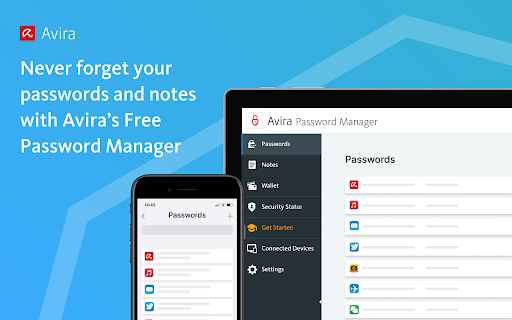
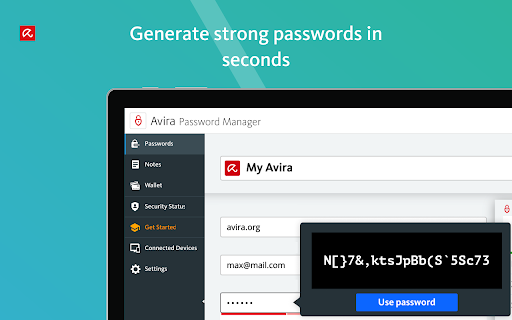
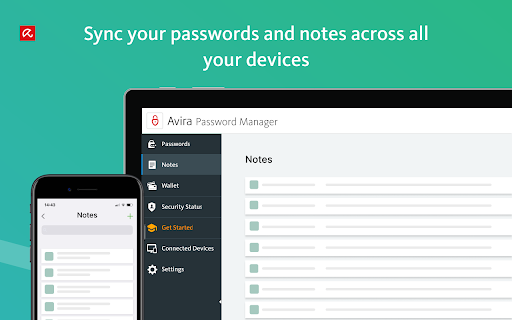
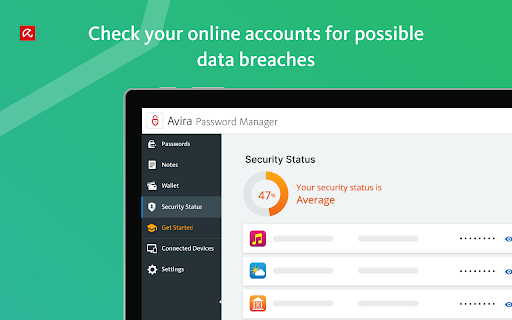
Avira Password Manager is a browser extension and mobile application designed to store, sync, and autofill credentials across multiple devices. It includes a password generator, a digital wallet for payment information, and security status monitoring.

Developer:Avira
Version:2.21.0.5015
Size:8.09MiB
Last updated:

Overview

Installs

8.0M+

Rating

3.7

560 reviews

Languages

12 locales

Includes Deutsch, English, Nederlands, Türkçe...

Market analysis

Review-backed positioning, friction, and market signals for this Chrome extension.

Backed by review samples

Macro category

Privacy, Security & Ad Blockers

Pricing friction

Moderate review signal

Complaint intensity

High review signal

Listing & review signals
Observed signals from store listing text and review samples.

Listing positioning

Avira positions its password manager as a secure, cross-device vault that replaces manual password tracking with a single master password. The listing emphasizes security features, including 256-bit AES encryption, an integrated digital wallet, and a security dashboard to monitor compromised accounts.

Inferred product pattern

Legacy security suite utility struggling with web-extension parity and modern browser release cycles.

Review-backed pain points

Users frequently report being unable to access their password vault due to login loops, sync failures, or the extension becoming unresponsive, specifically after Chrome browser updates.

Observed feature gaps

Reviewers note a lack of reliable synchronization between mobile and desktop versions, frequent session expiration, and intermittent failure of the autofill/save functionality.

Tags
Password ManagerSecurityAutofillDigital WalletCredential Management
Target users

- General users

- Avira security suite subscribers

- Cross-device users

Primary use cases

- Storing passwords

- Autofilling web logins

- Generating strong passwords

- Managing payment methods

Positive themes

- Initial ease of use

- Effective password generation capabilities

- Convenience of central account management

Negative themes

- Frequent logout issues

- Sync failures across devices

- Extension breakage after browser updates

- Master password entry loops

- Poor customer support response

Observed friction

- Free-tier complaints detected

- Account blocking complaints detected

- Refund complaints detected

- Performance complaints detected

- Users express frustration regarding subscription pricing, specifically regarding perceived 'hidden' costs for multi-device usage and lack of support for paid tiers.

Evidence boundary: Review data indicates severe dissatisfaction regarding technical reliability, account accessibility, and support quality, with a notable pattern of failure following browser updates. Evidence is drawn from 14 high-complaint reviews which may skew towards users experiencing critical technical failure rather than the total user base.
Complaint summaries
Review-backed complaint signals grouped by operational area.

Support

Extensive reports of unresponsive or ineffective customer support, with users citing long wait times and inability to resolve critical account lockout issues.

Reliability

High incidence of reports regarding the tool failing to open, constant logout loops, and synchronization errors between extension and web dashboard.

Privacy

No specific privacy or data harvesting complaints observed, though users fear permanent data loss due to the reliability issues described.

Access & pricing

- Free entry with paid features

- Account required for core usage

- Limited free usage observed

Store listing facts

Listing assets

- Screenshots: 5

- Videos: 0

- Languages: 12

Trust signals

- Privacy policy

- Developer contact

Store metadata

- Version: 2.21.0.5015

- Size: 8.09MiB

- Last updated:

Store description excerpt
Short excerpt from the public Chrome Web Store listing; full copy is available on the official store page.
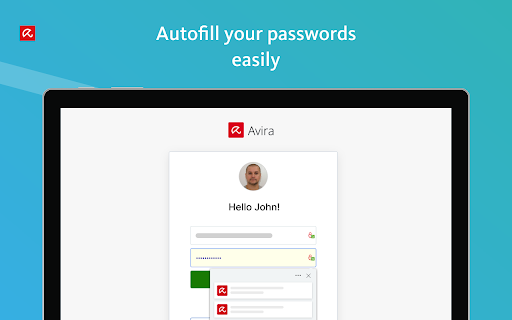
Say goodbye to handwritten notes creating chaos on your desktop. This password organizer makes it a breeze to bring order to your work and personal life. Avira Password Manager can now also check the security status of your user accounts directly via your Avira Password Manager dashboard. This ensures you enjoy maximum protection, as we want you to be as well-protected as possible. Avira Password Manager synchronizes every change you make, and can be used on a wide range of devices and operating systems as well as with popular browsers via an extension. ◆ ONE PASSWORD FOR ALL DEVICES ◆ With Avira Password Manager you only need to remember one single password – the master password. It's like the key to an uncrackable password vault, in which your logins are safely stored. ◆ AUTO-FILL LOGIN FORMS ◆ Easy, convenient, time-saving: The Avira Password Manager browser extension auto-fills your…

Listing SEO keywords

Search intent keywords
Keyword signals for evaluating how users may discover, compare, or search for this extension category.

Core discovery

secure password managerpassword autofill extensionAvira password vaultmanage loginspassword generator

Comparison

Avira vs Dashlanebest chrome password managerfree password manager alternatives

Problem

Avira password manager not workingcannot login to Avira password managerpassword sync error

Alternative

Bitwarden1PasswordLastPass

Similar extensions

Jump to related discovery paths:

FAQ

What is Avira Password Manager mainly used for?
Avira Password Manager is a browser extension and mobile application designed to store, sync, and autofill credentials across multiple devices. It includes a password generator, a digital wallet for payment information, and security status monitoring.
What market signals stand out?
Large installed base with moderate review base. Last known update: 03/12/2025.
What should builders compare before entering this space?
Compare install concentration, rating quality, update recency, screenshots, developer portfolio, listing claims, and review-backed friction signals.
Is this page review-backed?
Backed by review samples. This page combines store metadata with selected review signals, while raw store metrics remain visible for comparison.

Screenshots

Avira Password Manager screenshot

Links

Recommended Chrome extensions

Related listings from the same category, trending peers, and the same publisher portfolio.

Browse workflow