Process Feedback - Writing Process Reports for Google Docs icon

Process Feedback Chrome Extension Analysis

Automation & Workflow Efficiency

Store listing title: Process Feedback - Writing Process Reports for Google Docs

Chrome extension ID: chcbikmmlhbbdkfiaaaljabpefdfajnb

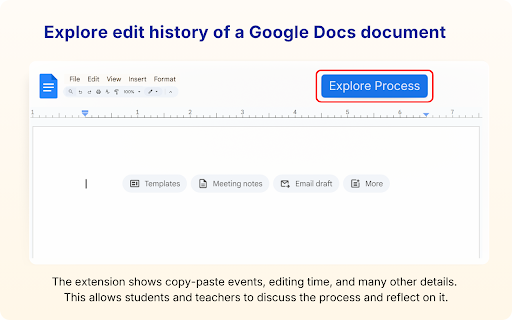
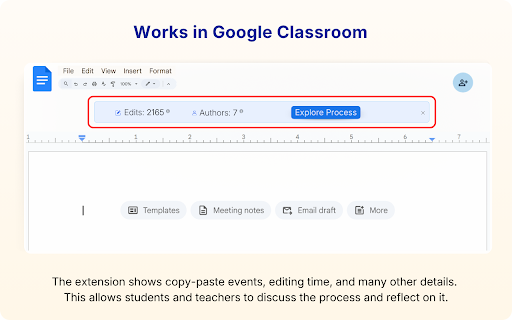
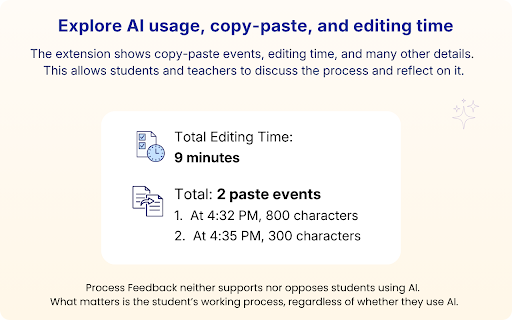
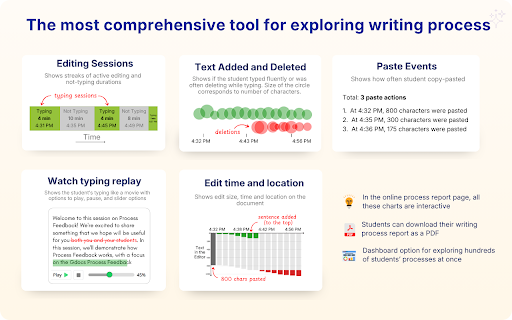
A Chrome extension that extracts the existing edit history from Google Docs to create an interactive writing process report. It allows users to analyze typing time, revision frequency, and the sequence of edits via a playback feature. Users can export these reports as PDFs or share them via links.

Version:4.2.1
Size:2.61MiB
Last updated:

Overview

Installs

90K+

Rating

5.0

436 reviews

Languages

2 locales

Includes English, dansk

Market analysis

Review-backed positioning, friction, and market signals for this Chrome extension.

Backed by review samples

Macro category

Automation & Workflow Efficiency

Pricing friction

Low review signal

Complaint intensity

Low review signal

Listing & review signals
Observed signals from store listing text and review samples.

Listing positioning

The product is positioned as a tool for teachers and students to visualize the writing process by turning Google Docs edit history into detailed reports. It emphasizes academic integrity, self-reflection, and the ability to track copy-paste events and typing fluency. It explicitly markets itself as a feature-rich, free alternative to tools like Draftback and Originality.ai.

Inferred product pattern

Academic integrity and writing process visualization tool for Google Workspace.

Review-backed pain points

Teachers report frustration with having to watch entire playback videos to identify suspicious activity due to a lack of automated flagging. There is also a noted issue where voice typing and grammar checks are misinterpreted as paste events.

Observed feature gaps

Automatic flagging/alerting for large copy-paste events and the ability to download the playback video as a file.

Tags
Writing ProcessEducationPlagiarism DetectionGoogle DocsStudent Tracking
Target users

- Educators

- Students

- Academic Administrators

Primary use cases

- Detecting AI-generated content

- Verifying human authorship

- Tracking student time management and effort

- Analyzing student revision strategies

Positive themes

- Highly effective for identifying plagiarism and AI use

- Detailed playback video is a game-changer for verification

- Extremely high value as a free tool

- Simplifies the process of holding students accountable

Negative themes

- Voice typing incorrectly flagged as paste events

- Manual playback required to find copy-paste events

- Lack of video export functionality

Observed friction

- No pricing friction observed; users are explicitly grateful that the tool remains free.

Evidence boundary: Analysis based on store listing and 19 review samples including high-rating and low-rating (4-star) feedback. Review samples are predominantly from educators, potentially skewing the perspective away from the student user segment.
Complaint summaries
Review-backed complaint signals grouped by operational area.

Support

No support or account-related complaints observed in the provided samples.

Reliability

No significant reliability issues, though one user noted the playback shows edits in 3-5 second chunks rather than perfectly real-time.

Privacy

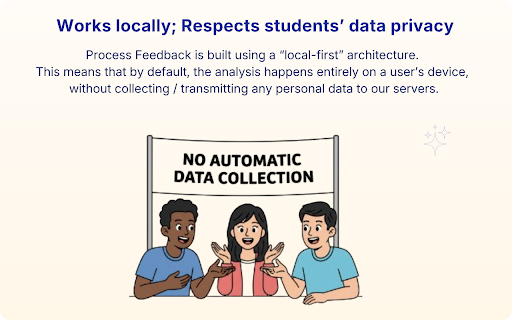
No privacy complaints observed; the listing states data is processed locally by default.

Access & pricing

- Free usage observed

- No account requirement observed

- Free plan or free usage claimed

Store listing facts

Listing assets

- Screenshots: 5

- Videos: 1

- Languages: 2

Trust signals

- Privacy policy

- Developer contact

- Official website

Store metadata

- Version: 4.2.1

- Size: 2.61MiB

- Last updated:

Store description excerpt
Short excerpt from the public Chrome Web Store listing; full copy is available on the official store page.
🏆 Used by 100,000+ teachers and students · 400+ verified reviews · Free for individuals Process Feedback turns the edit history of any Google Docs document into a detailed Writing Process Report. It shows the data users need to explore possible AI use, along with typing time, copy-paste events, revision patterns, and more. It is a free, research backed alternative to tools like Draftback, Revision History, and Grammarly Authorship, with rich process insights, privacy focused sharing, and support for teachers and students. For students: understand your own writing process and share it to show your learning journey. For teachers: see how students wrote, not just what they submitted. 📌 What is the Process Feedback extension? The extension reads the edit history Google already maintains for every document and turns the full writing journey into an interactive writing process report. It do…

Listing SEO keywords

Search intent keywords
Keyword signals for evaluating how users may discover, compare, or search for this extension category.

Core discovery

Google Docs edit historywriting process reportstudent writing trackerGoogle Docs playback

Comparison

Draftback alternativeOriginality.ai alternativeRevision History alternativeGrammarly Authorship alternative

Problem

detect AI writingcheck for plagiarismverify human authorshiptrack student editing

Alternative

free Draftback alternativewriting process visualization tool

Similar extensions

Jump to related discovery paths:

FAQ

What is Process Feedback mainly used for?
A Chrome extension that extracts the existing edit history from Google Docs to create an interactive writing process report. It allows users to analyze typing time, revision frequency, and the sequence of edits via a playback feature. Users can export these reports as PDFs or share them via links.
What market signals stand out?
Visible niche traction with moderate review base. Last known update: 06/02/2026.
What should builders compare before entering this space?
Compare install concentration, rating quality, update recency, screenshots, developer portfolio, listing claims, and review-backed friction signals.
Is this page review-backed?
Backed by review samples. This page combines store metadata with selected review signals, while raw store metrics remain visible for comparison.

Screenshots

Process Feedback - Writing Process Reports for Google Docs screenshot

Links

Recommended Chrome extensions

Related listings from the same category, trending peers, and the same publisher portfolio.

Browse education
Process Feedback icon

Process Feedback

Process Feedback

Track, explore, and reflect on your writing process in online editors and LMSs (Canvas, D2L, etc.)

Installs

158

Rating

5.0

Transcript - AI Homework Helper icon

Transcript - AI Homework Helper

Transcript

Streamline your study experience with AI: Instant answers, deep insights, and personalized learning across subjects.

Installs

100K+

Rating

3.4

Revision History: Writing Process Visibility for Google Docs & Slides icon

Revision History: Writing Process Visibility for Google Docs & Slides

Revision History

Built for teachers: See how students write, not just what they wrote. View the writing process in Google Docs & Slides.

Installs

100K+

Rating

3.7

Passei Direto – Ferramentas de Estudo icon

Passei Direto – Ferramentas de Estudo

pd.services

A extensão que te ajuda a achar as respostas para suas perguntas, utilizando a maior rede de estudantes do Brasil.

Installs

100K+

Rating

3.7

SolvelyAI - AI Homework Tutor &  Study Helper icon

SolvelyAI - AI Homework Tutor & Study Helper

cws-test-group-1

SolvelyAI is your AI Homework Helper—instant screenshot solving, step-by-step AI Answers, AI Summary, and Study Helper tools.

Installs

100K+

Rating

4.6

Readlang Web Reader icon

Readlang Web Reader

readlang

Read websites in the language you're learning, translate words you don't know, and we'll create flashcards to help you remember.

Installs

100K+

Rating

4.3

Talk & Comment - Voice notes anywhere icon

Talk & Comment - Voice notes anywhere

TalkandComment.com

Voice notes for classrooms and teams. Give feedback students actually hear.

Installs

100K+

Rating

4.1

You Shall Not Pass by TeacherMagic.org icon

You Shall Not Pass by TeacherMagic.org

JamesTyler

Blocks proxy sites, filter evasion exploits, tab spam, and Google Sites abuse on student Chromebooks. Free forever.

Installs

100K+

Rating

1.7

Dualsub - YouTube Subtitle Translator icon

Dualsub - YouTube Subtitle Translator

Dualsub Studio

Translate and display dual subtitles on YouTube and other video websites.

Installs

100K+

Rating

3.6

Education Pro Browser Extension MV3 icon

Education Pro Browser Extension MV3

Ativion

Education Pro Browser Extension MV3 for use on Windows and Mac with EdPro client installed

Installs

100K+

Rating

1.0