Lightning Studio icon

Lightning Studio Chrome Extension Analysis

Developer & Designer Tools

Chrome extension ID: ehkpneicmpbdejpoancidgkejlkahjgo

This Chrome extension provides an integrated development environment (IDE) layer over Salesforce orgs, allowing users to write, edit, and deploy code without leaving the browser. It is designed to serve as a lightweight alternative to VS Code for quick debugging and component management.

Version:4.0.4
Size:4.19MiB
Last updated:

Overview

Installs

100K+

Rating

โ˜… 3.9

287 reviews

Languages

1 locales

Includes English (United States)

Market analysis

Review-backed positioning, friction, and market signals for this Chrome extension.

Backed by review samples

Macro category

Developer & Designer Tools

Pricing friction

Low review signal

Complaint intensity

High review signal

Listing & review signals
Observed signals from store listing text and review samples.

Listing positioning

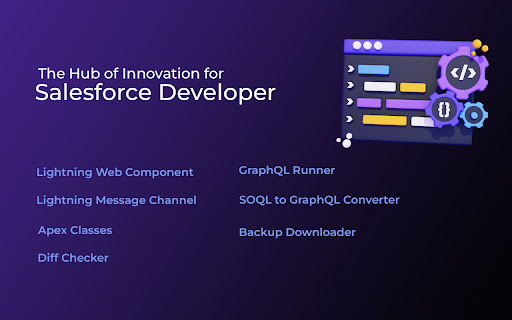
Lightning Studio positions itself as a streamlined, browser-based IDE for Salesforce developers to manage LWC, Aura, and Apex components. It emphasizes rapid development, local data security, and the ability to perform complex tasks like GraphQL exploration directly within the Salesforce interface.

Inferred product pattern

Browser-based Salesforce IDE plugin that suffers from high technical debt and stability issues linked to rapid release cycles.

Review-backed pain points

Users frequently report critical failures after updates (e.g., extension failing to open, blank component lists, or deployment errors), causing work stoppage and loss of unsaved progress.

Observed feature gaps

Reviewers have identified missing features like 'Code Search' (removed in later versions), inconsistent line tracking in the editor UI, and intermittent loss of LWC component visibility.

Tags
SalesforceLWC DevelopmentApex EditorCode Productivity
Target users

- Salesforce Developers

- Salesforce Administrators

- Technical Consultants

Primary use cases

- Building Lightning Web Components

- Anonymous Apex execution

- Metadata deployment and backup

- GraphQL API testing

Positive themes

- Significant productivity boost for quick tasks

- Effective alternative to heavy IDEs for older hardware

- Fast accessibility for debugging orgs

- Responsiveness of support for specific technical bugs

Negative themes

- Frequent post-update instability and failure to launch

- Performance degradation and slow UI responsiveness

- Issues with file saving and component visibility/loading

- Poor UI changes impacting code navigation workflow

Observed friction

- Performance complaints detected

- No direct complaints about pricing; the primary friction relates to product stability and feature regression.

Evidence boundary: Data is based on a mix of long-term high-rating user advocacy and acute negative sentiment concentrated around specific product updates that caused functional regressions. Review data is highly polarized; positive sentiment often praises utility, while negative sentiment highlights critical, version-specific reliability blockers.
Complaint summaries
Review-backed complaint signals grouped by operational area.

Support

Mixed; some users praise the support team for quick fixes, while others express frustration over persistent bugs and update-related outages.

Reliability

High; significant reports of the extension failing to initialize after updates, slow performance, and errors during code deployment or saving.

Privacy

No privacy complaints; the listing emphasizes local-only data processing.

Access & pricing

- No clear monetization signal

- Account required for core usage

- Free plan or free usage claimed

Store listing facts

Listing assets

- Screenshots: 4

- Videos: 0

- Languages: 1

Trust signals

- Privacy policy

- Developer contact

- Official website

Store metadata

- Version: 4.0.4

- Size: 4.19MiB

- Last updated:

Store description excerpt
Short excerpt from the public Chrome Web Store listing; full copy is available on the official store page.
๐Ÿ’ป ๐‘ฏ๐’๐’˜ ๐’•๐’ ๐‘ผ๐’”๐’† ๐‘ณ๐’Š๐’ˆ๐’‰๐’•๐’๐’Š๐’๐’ˆ ๐‘บ๐’•๐’–๐’…๐’Š๐’: โ— Log in to Salesforce and click the Lightning Studio icon located in the browserโ€™s top-right corner (Standard Chrome extension toolbar). โ— Wait for the icon to turn blue, indicating itโ€™s ready to use. โ— For first-time installations, refresh the page before accessing the extension. ๐Ÿ”Ž๐‘ญ๐’†๐’‚๐’•๐’–๐’“๐’†๐’”:โ”€โ”€โ”€โ”€โ”€โ”€โ”€โ”€โ”€โ”€โ”€โ”€โ”€โ”€โ”€โ”€โ”€โ”€โ”€โ”€โ”€โ”€โ”€โ”€โ”€โ”€โ”€โ”€โ”€โ”€โ”€โ”€โ”€โ”€โ”€โ”€โ”€โ”€โ”€โ”€โ”€โ”€โ”€โ”€โ”€โ”€โ”€โ”€โ”€โ”€โ”€โ”€โ”€ โœ” ๐‘๐š๐ฉ๐ข๐ ๐ƒ๐ž๐ฏ๐ž๐ฅ๐จ๐ฉ๐ฆ๐ž๐ง๐ญ: Build and manage Lightning Web Components (LWC), Aura Components, Apex Classes, Lightning Message Service (LMS), Visualforce Pages and Components, and Lightning Types from a single interface. โœ” ๐…๐ข๐ฅ๐ž ๐Œ๐š๐ง๐š๐ ๐ž๐ฆ๐ž๐ง๐ญ: Create and maintain individual files for LWC, Aura, and Lightning Type components with ease. โœ” ๐ƒ๐ž๐ฉ๐ฅ๐จ๐ฒ๐ฆ๐ž๐ง๐ญ โฝแต‡แต‰แต—แตƒโพ: Deploy Salesforce metadata using package ZIP files for controlled and reliable deployments. โœ” ๐๐š๐œ๐คโ€ฆ

Listing SEO keywords

Search intent keywords
Keyword signals for evaluating how users may discover, compare, or search for this extension category.

Core discovery

Salesforce IDE extensionLWC editor ChromeApex development toolSalesforce metadata manager

Comparison

VS Code alternative Salesforcebest browser IDE for Salesforce

Problem

Lightning Studio not workingSalesforce extension slowLWC components not loading

Alternative

Salesforce InspectorVS Code Salesforce Extension Pack

Similar extensions

Jump to related discovery paths:

FAQ

What is Lightning Studio mainly used for?
This Chrome extension provides an integrated development environment (IDE) layer over Salesforce orgs, allowing users to write, edit, and deploy code without leaving the browser. It is designed to serve as a lightweight alternative to VS Code for quick debugging and component management.
What market signals stand out?
Established adoption with moderate review base. Last known update: 06/09/2026.
What should builders compare before entering this space?
Compare install concentration, rating quality, update recency, screenshots, developer portfolio, listing claims, and review-backed friction signals.
Is this page review-backed?
Backed by review samples. This page combines store metadata with selected review signals, while raw store metrics remain visible for comparison.

Screenshots

Lightning Studio screenshot

Links

Recommended Chrome extensions

Related listings from the same category, trending peers, and the same publisher portfolio.

Browse developer