Note Sidebar icon

Note Sidebar Chrome Extension Analysis

Tab & Bookmark Productivity

Chrome extension ID: emiochiflnnegkecnjndifbobmbepdne

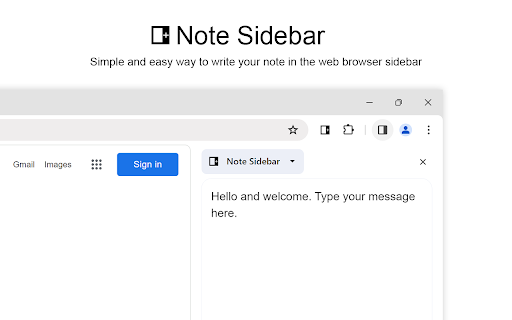
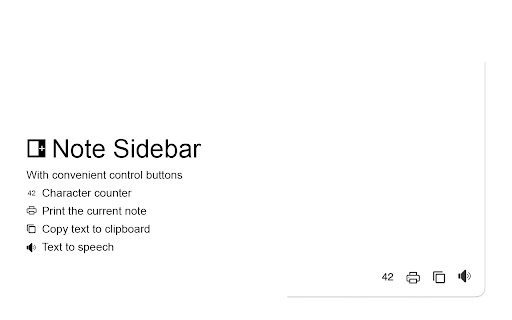
A browser extension that provides a customizable side panel for quick note-taking. It features rich text editing, text-to-speech capabilities, and automatic saving to help users record information without leaving their current tab.

Developer:Stefan vd
Version:1.0.40
Size:574KiB
Last updated:

Overview

Installs

50K+

Rating

4.4

112 reviews

Languages

55 locales

Includes Deutsch, English, English (Australia), English (United Kingdom)...

Market analysis

Review-backed positioning, friction, and market signals for this Chrome extension.

Backed by review samples

Macro category

Tab & Bookmark Productivity

Pricing friction

Low review signal

Complaint intensity

High review signal

Listing & review signals
Observed signals from store listing text and review samples.

Listing positioning

Note Sidebar positions itself as a lightweight and minimalist tool for capturing thoughts, to-do lists, and meeting notes directly within the browser sidebar. It emphasizes customization options like background styles and font settings, alongside automatic synchronization across browsers.

Inferred product pattern

A feature-rich productivity sidebar that currently suffers from critical data persistence and UI usability bugs.

Review-backed pain points

Users report critical reliability issues where notes disappear or auto-save reverts to old content, leading to significant loss of work. Additionally, the lack of a scrollbar in the sidebar makes long notes inaccessible.

Observed feature gaps

Users identified a lack of site-specific note context (currently only supports one global note) and the absence of a manual save button to mitigate auto-save errors.

Tags
Note TakingBrowser SidebarTo-Do ListProductivity Tool
Target users

- Students

- Teachers

- Managers

- IT Professionals

- Medical Professionals

Primary use cases

- Taking meeting notes

- Creating to-do lists

- Recording YouTube video notes

- Quickly jotting down research thoughts

Positive themes

- Neat and useful concept

- Simple and easy to use interface

Negative themes

- Severe data loss from auto-save failures

- Lack of scrolling for large amounts of text

- Buggy print functionality

- Annoying promotional popups

Observed friction

- Performance complaints detected

- No pricing friction reported, though users noted annoyance with promotional popups for other extensions.

Evidence boundary: Analysis based on the official product description and user reviews highlighting both functional features and critical technical failures. The review sample is relatively small and skewed toward low-rating experiences highlighting bugs.
Complaint summaries
Review-backed complaint signals grouped by operational area.

Support

Users expressed frustration regarding the difficulty of getting support without registering on an external website.

Reliability

Significant reliability issues reported regarding the auto-save feature, which frequently fails or overwrites new data with old content, causing data loss.

Privacy

No privacy complaints observed.

Access & pricing

- No clear monetization signal

- Login needed for core features

- No clear pricing signal

Store listing facts

Listing assets

- Screenshots: 5

- Videos: 1

- Languages: 55

Trust signals

- Privacy policy

- Developer contact

- Official website

- Support link

Store metadata

- Version: 1.0.40

- Size: 574KiB

- Last updated:

Store description excerpt
Short excerpt from the public Chrome Web Store listing; full copy is available on the official store page.
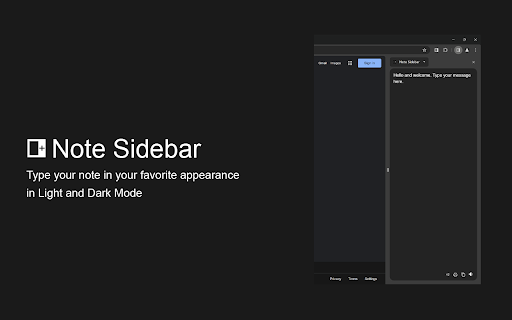
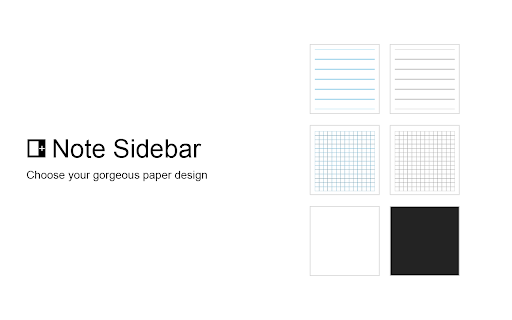
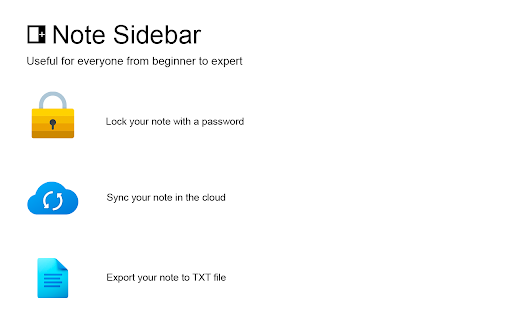
Note Sidebar is a lightweight and useful add-in designed for taking notes from the sidebar of your web browser. With this browser extension, you can customize the note paper according to your preferences, whether it is your favorite background color, squared graph paper, or lined paper. It serves as a secure notepad extension for writing notes in a minimalist design. Everything you type is automatically saved securely in your web browser. The Note Sidebar can be used for various purposes, such as creating a to-do list for tasks you plan to work on later in the day, jotting down any thoughts, taking notes on YouTube videos in the simplest way possible, or even recording meeting notes. It is ideal for students, teachers, managers, IT experts, influencers, engineers, and business owners. Additionally, it is suitable for medical professionals who need to write therapy notes, urgent care doc…

Listing SEO keywords

Search intent keywords
Keyword signals for evaluating how users may discover, compare, or search for this extension category.

Core discovery

note sidebarbrowser notepadchrome extension notessidebar to-do listmeeting notes extension

Comparison

Google DocsNotion sidebarEvernote extension

Problem

note lossbrowser sidebar lagauto-save failurenotes disappearing

Alternative

sidebar notepadbrowser noteson-screen notepad

Similar extensions

Jump to related discovery paths:

FAQ

What is Note Sidebar mainly used for?
A browser extension that provides a customizable side panel for quick note-taking. It features rich text editing, text-to-speech capabilities, and automatic saving to help users record information without leaving their current tab.
What market signals stand out?
Visible niche traction with moderate review base. Last known update: 06/13/2026.
What should builders compare before entering this space?
Compare install concentration, rating quality, update recency, screenshots, developer portfolio, listing claims, and review-backed friction signals.
Is this page review-backed?
Backed by review samples. This page combines store metadata with selected review signals, while raw store metrics remain visible for comparison.

Screenshots

Note Sidebar screenshot

Links

Recommended Chrome extensions

Related listings from the same category, trending peers, and the same publisher portfolio.

Browse workflow