

Samsung Browser Chrome Extension Analysis
Tab & Bookmark ProductivityChrome extension ID: epejdmjgfibjaffbmojllapapjejipkh
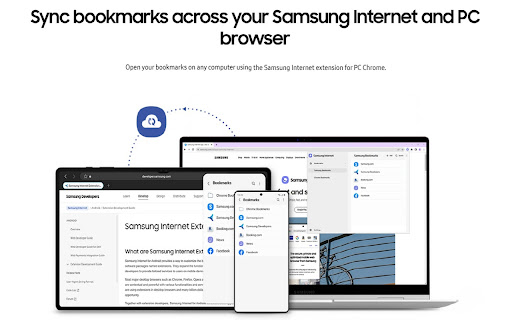
This tool enables users to synchronize their web browser bookmarks with the Samsung Internet mobile browser. It requires a Samsung account to function and operates by creating a dedicated folder to facilitate data transfer between desktop browsers and mobile devices.
Overview
Installs
100K+
Rating
★ 2.9
1,212 reviews
Languages
51 locales
Includes Deutsch, English, English (United Kingdom), English (United States)...
Market analysis
Review-backed positioning, friction, and market signals for this Chrome extension.
Macro category
Tab & Bookmark Productivity
Pricing friction
Low review signal
Complaint intensity
High review signal
Listing positioning
The extension is positioned as a utility to sync Chrome bookmarks to the Samsung Internet browser for Android. It emphasizes integration with the Samsung Cloud ecosystem and cross-platform accessibility between mobile and PC browsers.
Inferred product pattern
Single-purpose utility for mobile-to-desktop browser synchronization, currently experiencing critical functional degradation.
Review-backed pain points
Users report chronic login failures, synchronization errors (the icon stays grayed out), and an inability to maintain consistent bookmark states between devices.
Observed feature gaps
Lack of bi-directional sync, inability to manage/delete folders within the extension effectively, and incompatibility with large bookmark sets.
- Samsung Galaxy users
- Cross-device browser users
- Samsung Internet mobile users
- Syncing Chrome bookmarks to Samsung Internet on Android
- Managing bookmarks across mobile and desktop environments
- Utility for bridging gaps between desktop browsers and Samsung mobile ecosystem
- Persistent login loops
- Failure to sync data
- Broken functionality after updates
- Limitation to basic sync rather than bi-directional management
- Dependency issues on the new Samsung Internet for Windows app
- Account blocking complaints detected
- Performance complaints detected
- None; the product is free.
Support
Users express frustration regarding the lack of fixes for long-standing sync and login bugs.
Reliability
The extension is widely reported as broken, with frequent login loops and failed synchronization preventing core usage.
Privacy
No privacy complaints found.
- Free usage observed
- Account required for core usage
- Free plan or free usage claimed
Store listing facts
- Screenshots: 1
- Videos: 0
- Languages: 51
- Privacy policy
- Developer contact
- Version: 2.8.27
- Size: 16.53MiB
- Last updated:
Listing SEO keywords
Core discovery
Comparison
Problem
Alternative
Similar extensions
Jump to related discovery paths:
FAQ
Screenshots
Links
Privacy policy: https://v3.account.samsung.com/policies/privacy-notices/latest




