Annotate Chrome Extension Analysis
Automation & Workflow EfficiencyStore listing title: Annotate: Web Annotations with Screen Sharing
Chrome extension ID: gdojjgflncpbcfmenbkndfhoamlhajmf
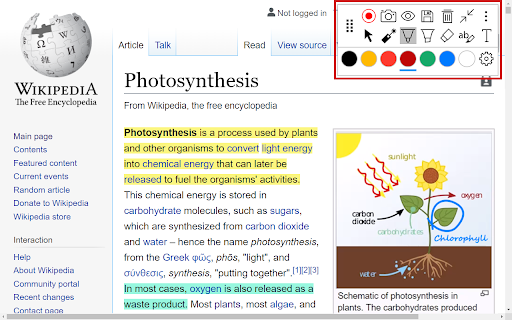
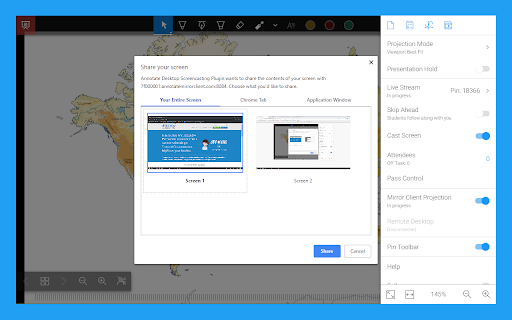
A browser extension that provides drawing and highlighting tools for live web content and documents. It supports screen sharing with audio streaming and allows users to save annotations to a personal account for later review.
Overview
Installs
100K+
Rating
★ 4.2
221 reviews
Languages
1 locales
Includes English (United States)
Market analysis
Review-backed positioning, friction, and market signals for this Chrome extension.
Macro category
Automation & Workflow Efficiency
Pricing friction
Moderate review signal
Complaint intensity
Moderate review signal
Listing positioning
The product positions itself as an engagement tool for educators and presenters, allowing real-time annotation over web pages, PDFs, Google Slides, and Google Docs. It emphasizes seamless integration with Google Meet and Google Classroom for remote learning environments.
Inferred product pattern
Education-focused presentation overlay for real-time web and document markup.
Review-backed pain points
Users report significant friction during the mandatory registration process, including system errors and privacy concerns regarding requested personal information like birth dates. There is also frustration over the limited functionality of the free tier.
Observed feature gaps
Reviews indicate a need for a modernized UI, improved synchronization speed for saving annotations, and more inclusive free-tier access to basic tool customizations (e.g., pen colors).
- Teachers
- Online Instructors
- Remote Presenters
- Students
- Annotating live web pages during presentations
- Marking up PDFs and Google Slides
- Remote teaching via Google Meet
- Creating digital assignments via Google Classroom
- Functional basic drawing and highlighting tools
- Utility of sticky annotations
- Registration and sign-up process failures
- Excessive personal data requirements during onboarding
- Dated user interface
- Aggressive paywalling of basic features
- Performance lag and slow saving speeds
- Free-tier complaints detected
- Performance complaints detected
- Privacy complaints detected
- Users find the free plan too restrictive, noting that basic features like color and thickness choices are paywalled and the annotation limit is too low.
Support
Multiple users reported being unable to complete the registration process due to 'cannot process registration' errors.
Reliability
Users mentioned lagging performance, slow saving of annotations, and issues with the pen tool not registering consistently after updates.
Privacy
Users expressed strong dissatisfaction with the requirement to provide sensitive personal information, such as birth date and salutation, to use the extension.
- Free entry with paid features
- Account required for core usage
- Limited free usage observed
Store listing facts
- Screenshots: 2
- Videos: 1
- Languages: 1
- Privacy policy
- Developer contact
- Official website
- Version: 8.64
- Size: 3.44MiB
- Last updated:
Listing SEO keywords
Core discovery
Comparison
Problem
Alternative
Similar extensions
Jump to related discovery paths:
FAQ
Screenshots