Enhanced Image Viewer icon

Enhanced Image Viewer Chrome Extension Analysis

Niche Lifestyle & Gaming Hacks

Chrome extension ID: gefiaaeadjbmhjndnhedfccdjjlgjhho

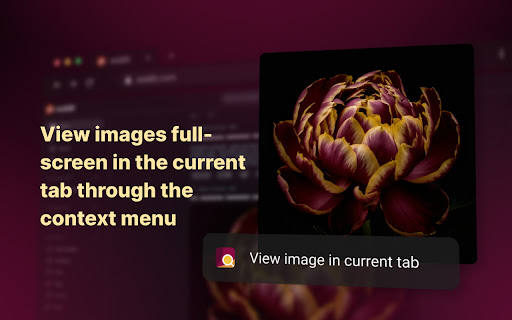
Enhanced Image Viewer is a Chrome extension that provides advanced controls for viewing, scaling, rotating, and manipulating images directly within the browser. It allows users to handle local files, incognito mode, and image galleries with a suite of keyboard and mouse shortcuts.

Version:6.21
Size:6.42MiB
Last updated:

Overview

Installs

60K+

Rating

4.5

508 reviews

Languages

35 locales

Includes Deutsch, English, Indonesia, Nederlands...

Market analysis

Review-backed positioning, friction, and market signals for this Chrome extension.

Backed by review samples

Macro category

Niche Lifestyle & Gaming Hacks

Pricing friction

Low review signal

Complaint intensity

High review signal

Listing & review signals
Observed signals from store listing text and review samples.

Listing positioning

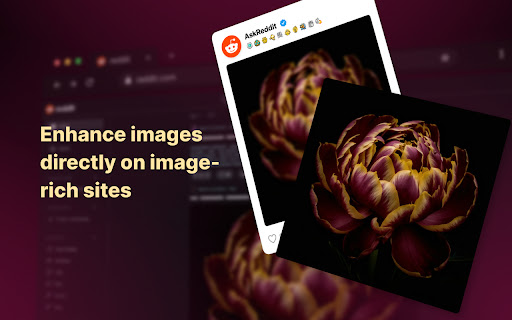
The store listing positions this tool as a comprehensive upgrade to Chrome's native image viewing capabilities, transforming the browser into a professional-grade lighttable. It emphasizes support for modern workflows, specifically highlighting integrations with AI platforms like ChatGPT and content sites like Reddit.

Inferred product pattern

Browser-based media utility designed for power-user workflow optimization.

Review-backed pain points

Users reported frustration with restrictive zoom-on-cursor behavior, lack of metadata display (H+W pixels), and occasional conflicts where the extension intercepts necessary website hotkeys.

Observed feature gaps

Missing features include integrated image saving, lack of dedicated metadata panels, and the absence of an auto-trigger button for image previews.

Tags
Image ViewerProductivityDesign ToolBrowser Enhancement
Target users

- Designers

- AI Researchers

- Power Users

- Pixel Artists

Primary use cases

- Viewing high-resolution assets

- Auditing image galleries on Reddit

- Viewing AI-generated images in ChatGPT/Claude

- Inspecting pixel art

Positive themes

- Intuitive keyboard/mouse shortcuts

- Seamless integration with AI chat interfaces

- High utility for design-heavy workflows

- Lightweight and easy to use

Negative themes

- Allegations of data privacy violations

- Incompatibility with certain sites like Google Images

- Missing advanced features found in competitors

- Annoying default behaviors like zoom-on-cursor

Observed friction

- Performance complaints detected

- Privacy complaints detected

- None identified; product appears to be free with no clear payment gating.

Evidence boundary: Analysis based on 495 reviews, including high-rating praise for productivity and low-rating alerts concerning data privacy and functional site compatibility. Review samples represent a subset of the user base; privacy allegations are user-reported and were not independently audited in this scope.
Complaint summaries
Review-backed complaint signals grouped by operational area.

Support

No direct support complaints, though users express dissatisfaction with the pace of feature development and site-specific breakage.

Reliability

Users report site-specific breakage (Google Images, pop-ups) and minor UI bugs like font switching issues on YouTube.

Privacy

A high-severity complaint exists regarding potential data exfiltration and unauthorized transmission of chat logs to third parties.

Access & pricing

- Free usage observed

- No account requirement observed

- Free plan or free usage claimed

Store listing facts

Listing assets

- Screenshots: 5

- Videos: 0

- Languages: 35

Trust signals

- Privacy policy

- Developer contact

- Official website

Store metadata

- Version: 6.21

- Size: 6.42MiB

- Last updated:

Store description excerpt
Short excerpt from the public Chrome Web Store listing; full copy is available on the official store page.
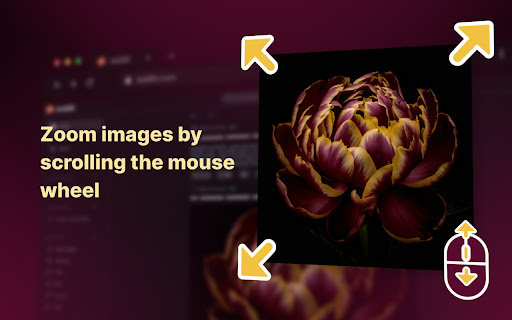
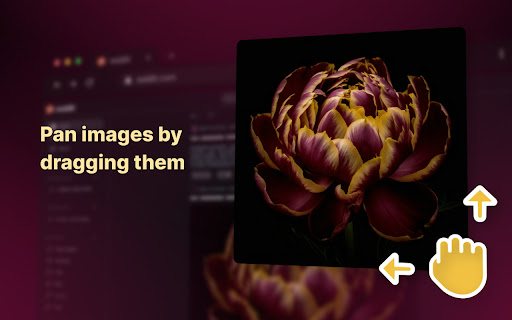
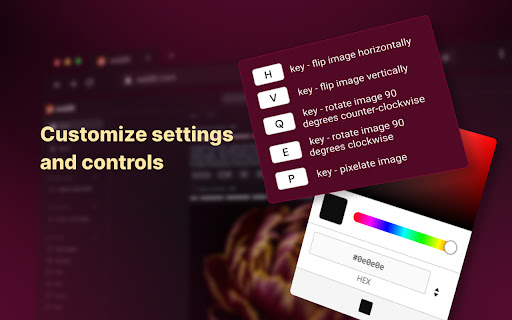
Features: ✓ Position images in center or top left corner ✓ Set custom background color ✓ Zoom, rotate, pan and scroll images with improved controls ✓ Flip images horizontally and vertically ✓ Pixelate images for viewing pixel art and lossless formats ✓ Hide scrollbars ✓ View images in the current tab ✓ Works with local files and incognito mode ✓ Enhances images on Reddit • No more headers and footers on images opened directly • Works with single images and image galleries in an overlay ✓ Enhances images on image hosting sites • Skips the continue button • Shows the image full-screen automatically ✓ Enhances images on AI assistant sites (ChatGPT, Claude etc.) • Enhances AI generated images • View all conversation images in gallery view All controls: • Left mouse button click - scale image to fit window or to actual size • Left mouse button drag - pan image • Alt + Left mouse button drag…

Listing SEO keywords

Search intent keywords
Keyword signals for evaluating how users may discover, compare, or search for this extension category.

Core discovery

chrome image viewerbrowser image zoomimage rotation extension

Comparison

Imagus Reborn alternativechrome image viewer vs imagus

Problem

chrome images not zoominghow to rotate images in chrome

Alternative

better image viewer for chromechrome extension for pixel art

Similar extensions

Jump to related discovery paths:

FAQ

What is Enhanced Image Viewer mainly used for?
Enhanced Image Viewer is a Chrome extension that provides advanced controls for viewing, scaling, rotating, and manipulating images directly within the browser. It allows users to handle local files, incognito mode, and image galleries with a suite of keyboard and mouse shortcuts.
What market signals stand out?
Visible niche traction with moderate review base. Last known update: 06/11/2026.
What should builders compare before entering this space?
Compare install concentration, rating quality, update recency, screenshots, developer portfolio, listing claims, and review-backed friction signals.
Is this page review-backed?
Backed by review samples. This page combines store metadata with selected review signals, while raw store metrics remain visible for comparison.

Screenshots

Enhanced Image Viewer screenshot

Links

Recommended Chrome extensions

Related listings from the same category, trending peers, and the same publisher portfolio.

Browse art
Image Extractor icon

Image Extractor

Unknown developer

Use the image extractor extension to download images from websites and capture background pictures with this photo downloader.

Installs

40K+

Rating

4.5

Web Paint for Google Chrome™ icon

Web Paint for Google Chrome™

Free Apps

Draw on any website with simple drawing tools, then print the result.

Installs

40K+

Rating

3.9

One-click image downloader - Grabit icon

One-click image downloader - Grabit

Grabit Team

Download images in one click. A powerful downloader with original-size saving, bulk downloads, and auto-scroll capture.

Installs

30K+

Rating

3.6

Photo editor PhotoStudio for images icon

Photo editor PhotoStudio for images

RedcoolMedia

PhotoStudio to create and edit photos and images online

Installs

30K+

Rating

3.6

Bulk Image Downloader - HImage icon

Bulk Image Downloader - HImage

addonx

Easily batch download images from web pages

Installs

30K+

Rating

4.2

Exif Viewer icon

Exif Viewer

LinangData

View the EXIF data in your photos. Select photos on your device or on a web page. Simply right-click on an image in a web page.

Installs

30K+

Rating

2.8

Snag - Save as image icon

Snag - Save as image

Jesse Jones

Save and convert images to JPG, PNG, WebP, GIF, and more.

Installs

20K+

Rating

3.9

Higgsfield Instant icon

Higgsfield Instant

mobile.higgsfield

Instant AI creation from anywhere on the web - reference styles or swap faces with one click.

Installs

20K+

Rating

4.4

Behance saver icon

Behance saver

qwertykqwertov

Скачивание невероятных картинок в максимально доступном разрешении с https://www.behance.net/ !

Installs

20K+

Rating

4.1

Dreamy - Anime HD New Tab Sharing App icon

Dreamy - Anime HD New Tab Sharing App

dreamy-new-tab

Fill your new tab with stunning HD scenery from anime and games. Share your photos and videos with the community.

Installs

20K+

Rating

4.9