Proton Pass (BETA) icon

Proton Pass (BETA) Chrome Extension Analysis

Privacy, Security & Ad Blockers

Chrome extension ID: hlaiofkbmjenhgeinjlmkafaipackfjh

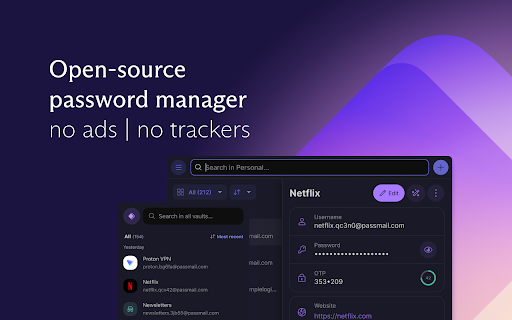
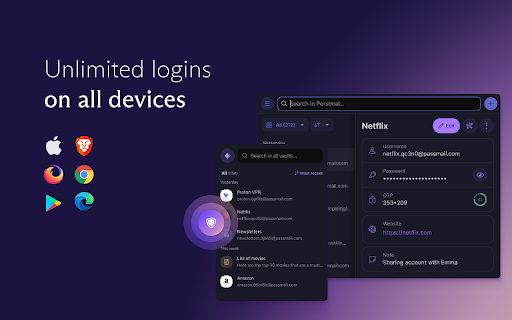
Proton Pass is a security extension that stores and manages user passwords and login credentials using full encryption. This specific version serves as a beta testing ground for new features before they reach the stable release.

Developer:Proton AG
Version:1.37.2
Size:7.46MiB
Last updated:

Overview

Installs

2K+

Rating

5.0

5 reviews

Languages

1 locales

Includes English

Market analysis

Review-backed positioning, friction, and market signals for this Chrome extension.

Backed by review samples

Macro category

Privacy, Security & Ad Blockers

Pricing friction

Low review signal

Complaint intensity

Low review signal

Listing & review signals
Observed signals from store listing text and review samples.

Listing positioning

The product is positioned as a free and fully encrypted password manager designed to keep logins safe. It is explicitly presented as a BETA/experimental version, directing users who prefer stability to the official standard extension.

Inferred product pattern

Beta testing channel for a security-focused freemium password management service.

Review-backed pain points

No review-backed pain points identified in the provided sample.

Observed feature gaps

The listing identifies this as a beta version, implying it may lack the stability of the official release.

Tags
Password ManagerEncryptionSecurity ToolBeta Software
Target users

- Security-conscious users

- Early adopters

- Proton ecosystem users

Primary use cases

- Secure password storage

- Encrypted login management

- Beta testing security software

Positive themes

- High value across both free and paid tiers

Negative themes

No negative theme data.

Observed friction

- No pricing friction observed in available review data.

Evidence boundary: Evidence derived from the store listing and one high-rating review sample. Very low review sample size limits the ability to identify broader sentiment or common technical bugs.
Complaint summaries
Review-backed complaint signals grouped by operational area.

Support

No support or account complaints observed in available review data.

Reliability

No reliability complaints observed in reviews, though the listing warns users that this is an experimental version.

Privacy

No privacy complaints observed in available review data.

Access & pricing

- Free entry with paid features

- Account required for core usage

- Limited free usage observed

Store listing facts

Listing assets

- Screenshots: 2

- Videos: 0

- Languages: 1

Trust signals

- Privacy policy

- Developer contact

- Support link

Store metadata

- Version: 1.37.2

- Size: 7.46MiB

- Last updated:

Store description excerpt
Short excerpt from the public Chrome Web Store listing; full copy is available on the official store page.
*** BETA version *** This is the beta/experimental version of Proton Pass extension. If you are looking for a more stable version, please use the official extension instead at https://chrome.google.com/webstore/detail/proton-pass-free-password/ghmbeldphafepmbegfdlkpapadhbakde Important: if you already installed the official standard version, please uninstall or disable it before installing this BETA version.

Listing SEO keywords

Search intent keywords
Keyword signals for evaluating how users may discover, compare, or search for this extension category.

Core discovery

encrypted password managerProton Pass betafree password vault

Comparison

Proton Pass vs BitwardenProton Pass vs LastPass

Problem

password securityforgetting loginsunencrypted passwords

Alternative

Proton Pass alternativesbest free encrypted password manager

Similar extensions

Jump to related discovery paths:

FAQ

What is Proton Pass (BETA) mainly used for?
Proton Pass is a security extension that stores and manages user passwords and login credentials using full encryption. This specific version serves as a beta testing ground for new features before they reach the stable release.
What market signals stand out?
Early or small audience with limited review base. Last known update: 05/27/2026.
What should builders compare before entering this space?
Compare install concentration, rating quality, update recency, screenshots, developer portfolio, listing claims, and review-backed friction signals.
Is this page review-backed?
Backed by review samples. This page combines store metadata with selected review signals, while raw store metrics remain visible for comparison.

Screenshots

Proton Pass (BETA) screenshot

Links

Recommended Chrome extensions

Related listings from the same category, trending peers, and the same publisher portfolio.

Browse workflow
Proton Pass: Free Password Manager icon

Proton Pass: Free Password Manager

Proton AG

Free and fully encrypted password manager to keep your logins and passwords safe.

Installs

1.0M+

Rating

4.8

ClassLink OneClick Extension icon

ClassLink OneClick Extension

ClassLink

ClassLink OneClick Extension

Installs

3.0M+

Rating

1.7

Awesome Screen Recorder & Screenshot icon

Awesome Screen Recorder & Screenshot

Screen Recorder

The best screen recorder and screen capture & screenshot tool to record screen.

Installs

3.0M+

Rating

4.7

Free Download Manager icon

Free Download Manager

Free Download Manager.ORG

Free Download Manager integration with browser

Installs

3.0M+

Rating

4.2

夸克网盘-网页嗅探 icon

夸克网盘-网页嗅探

广州市动悦信息技术有限公司

识别到网页资源时,可一键存夸克网盘

Installs

3.0M+

Rating

1.7

Mendeley Web Importer icon

Mendeley Web Importer

Mendeley

Fast, convenient import of references and PDFs to your Mendeley Reference Manager library.

Installs

3.0M+

Rating

2.3

Enable local file links icon

Enable local file links

Takashi Sugimoto (tksugimoto)

Make it possible to open by click a link to a local file that is disabled by Chrome.

Installs

3.0M+

Rating

3.9

Pop up blocker for Chrome™ - Poper Blocker icon

Pop up blocker for Chrome™ - Poper Blocker

dingosolutions

Block popups, ads, cookie requests, trackers, notifications, ads on social media & more. A clean browsing experience starts today.

Installs

2.0M+

Rating

4.8

Momentum icon

Momentum

Momentum

Transform your browser into a beautifully designed tab that helps you feel calm, keep focus, and stay energized.

Installs

2.0M+

Rating

4.5

Google Scholar PDF Reader icon

Google Scholar PDF Reader

scholar-chrome-extensions

Supercharge your paper reading: follow references, skim outline, jump to figures, cite and save.

Installs

2.0M+

Rating

4.1