Content Server Browser Web Extension Chrome Extension Analysis
Automation & Workflow EfficiencyChrome extension ID: hlphpjodcfdblfmbbdjodbfmlonmidfh
A specialized enterprise browser extension designed to integrate with OpenText Content Server. It allows users to perform complex document management tasks and access desktop-specific functionalities while browsing.
Overview
Installs
2.0M+
Rating
★ 2.7
40 reviews
Languages
1 locales
Includes English (United States)
Market analysis
Review-backed positioning, friction, and market signals for this Chrome extension.
Macro category
Automation & Workflow Efficiency
Pricing friction
Low review signal
Complaint intensity
High review signal
Listing positioning
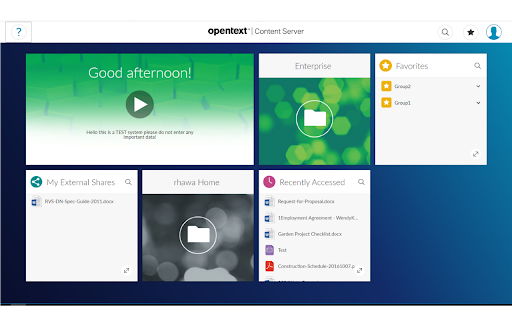
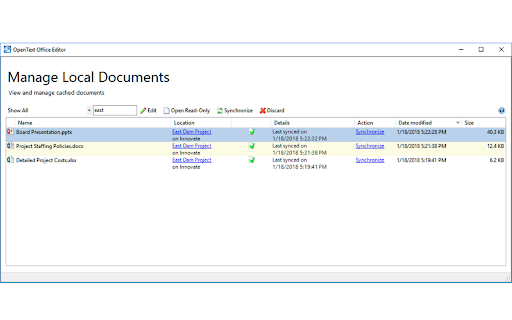
The extension is positioned as a bridge to extend the functionality of the OpenText Content Server web interface. It aims to provide users with access to desktop-level component features directly within the Chrome browser.
Inferred product pattern
Enterprise-grade integration tool that relies on complex local-to-web handshakes between browser extensions and desktop client software.
Review-backed pain points
Users experience frequent COM exceptions, errors regarding missing 'Office Editor Launcher' components, and the need to constantly toggle the extension to make it work.
Observed feature gaps
The extension appears heavily dependent on local desktop installations (like Office Editor Launcher) which frequently fail to communicate or are not detected correctly.
- Enterprise employees
- OpenText Content Server users
- Document management professionals
- Managing Content Server documents via Chrome
- Accessing desktop component features in a web interface
- Streamlining enterprise content workflows
No positive theme data.
- Severe technical instability
- Broken dependencies with desktop software
- Failure to launch or execute core functions
- Performance complaints detected
- Privacy complaints detected
- No pricing information or friction observed in the provided data.
Support
No specific support desk complaints, but significant user frustration regarding unaddressed technical failures.
Reliability
Extreme reliability issues reported, including the extension failing to open documents, throwing system exceptions, and requiring frequent re-enabling.
Privacy
One user reported the extension was installed without their consent.
- No clear monetization signal
- No clear access signal
- No clear pricing signal
Store listing facts
- Screenshots: 2
- Videos: 0
- Languages: 1
- Developer contact
- Version: 3.0.0.0
- Size: 32.99KiB
- Last updated:
Listing SEO keywords
Core discovery
Comparison
Problem
Alternative
Similar extensions
Jump to related discovery paths:
FAQ
Screenshots