Super Highlighter icon

Super Highlighter Chrome Extension Analysis

Tab & Bookmark Productivity

Chrome extension ID: ifnlkhhhhklpmjjbdpnpenpgbndniedg

A lightweight browser extension that allows users to mark text on websites using a marker tool. It saves highlighted sections locally on the user's device so they persist across page reloads.

Developer:extfun
Version:1.2.2
Size:93.35KiB
Last updated:

Overview

Installs

3K+

Rating

4.1

21 reviews

Languages

2 locales

Includes English, 中文(中国)

Market analysis

Review-backed positioning, friction, and market signals for this Chrome extension.

Backed by review samples

Macro category

Tab & Bookmark Productivity

Pricing friction

Low review signal

Complaint intensity

Moderate review signal

Listing & review signals
Observed signals from store listing text and review samples.

Listing positioning

The product is positioned as the easiest way to highlight text on any webpage via right-click or keyboard shortcuts. It emphasizes a low-friction experience with customizable colors and local data persistence.

Inferred product pattern

Local-first, lightweight utility for web content marking without cloud synchronization.

Review-backed pain points

Users expressed frustration over the lack of a commenting system and reported that highlights may disappear on dynamic pages or after refreshes. Some noted a regression in color customization in newer versions.

Observed feature gaps

Missing ability to add notes/comments to highlights and limited stability on non-static web pages.

Tags
Web HighlighterProductivity ToolText MarkerLocal Storage
Target users

- Students

- Researchers

- Web Readers

- Content Curators

Primary use cases

- Marking key information in online articles

- Saving important excerpts for future reference

- Organizing reading material via visual cues

Positive themes

- No account or login required

- Intuitive and user-friendly

- Ability to delete highlights

- Customizable colors and shortcuts

Negative themes

- Lack of annotation/commenting features

- Persistence issues on dynamic pages

- UI conflicts with specific sites like YouTube

- Functional confusion for some users

Observed friction

- Performance complaints detected

- No pricing friction observed; users specifically praised the lack of a login requirement.

Evidence boundary: Analysis based on the official store listing and 10 sampled reviews in English, Chinese, and Russian. Small total review count (21) may not represent the entire user base experience.
Complaint summaries
Review-backed complaint signals grouped by operational area.

Support

No direct support complaints, though some users reported confusion regarding the tool's basic operation.

Reliability

Some reports of highlights failing to save, conflicts with site elements (YouTube titles), and missing features after updates.

Privacy

No privacy or security complaints observed.

Access & pricing

- Free usage observed

- No account requirement observed

- Free plan or free usage claimed

Store listing facts

Listing assets

- Screenshots: 2

- Videos: 0

- Languages: 2

Trust signals

- Privacy policy

- Developer contact

Store metadata

- Version: 1.2.2

- Size: 93.35KiB

- Last updated:

Store description excerpt
Short excerpt from the public Chrome Web Store listing; full copy is available on the official store page.
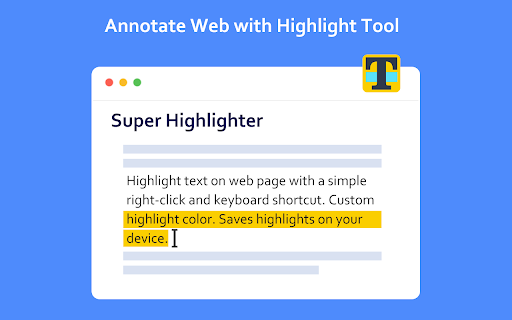
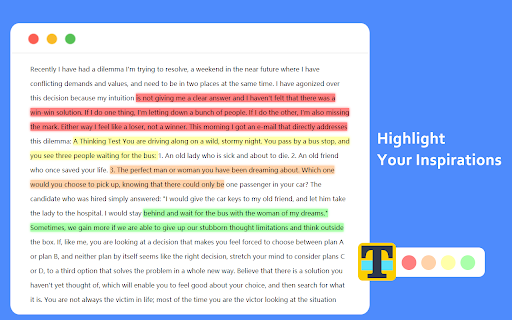
Highlight text on websites with a simple right-click or keyboard shortcut. Saves highlights on your device. Easiest way to highlight text on any webpage! Simply select text, then right click it to select the "Highlight" option. Alternatively, use the default keyboard shortcut 'Alt+H'. You can customize the colors of the highlighter, and you can switch these colors through shortcut keys. You can customize shortcut keys and use all functions without mouse. All highlighted texts are saved so that your highlights are not lost when exiting a page! Simply re-opening that page will bring back all the highlights.

Listing SEO keywords

Search intent keywords
Keyword signals for evaluating how users may discover, compare, or search for this extension category.

Core discovery

chrome highlighter extensionweb page markersave highlights on webtext highlighter for chrome

Comparison

best chrome highlightersimple web highlightersuper highlighter vs other markers

Problem

how to highlight text on websitesave highlighted text chromemarker for web pages

Alternative

web highlighter alternativetext marker extensionfree web highlighter

Similar extensions

Jump to related discovery paths:

FAQ

What is Super Highlighter mainly used for?
A lightweight browser extension that allows users to mark text on websites using a marker tool. It saves highlighted sections locally on the user's device so they persist across page reloads.
What market signals stand out?
Early or small audience with limited review base. Last known update: 05/23/2024.
What should builders compare before entering this space?
Compare install concentration, rating quality, update recency, screenshots, developer portfolio, listing claims, and review-backed friction signals.
Is this page review-backed?
Backed by review samples. This page combines store metadata with selected review signals, while raw store metrics remain visible for comparison.

Screenshots

Super Highlighter screenshot

Links

Recommended Chrome extensions

Related listings from the same category, trending peers, and the same publisher portfolio.

Browse workflow