Mobility Print icon

Mobility Print Chrome Extension Analysis

Automation & Workflow Efficiency

Chrome extension ID: ndakideadaglgpbblmppfonobpdgggin

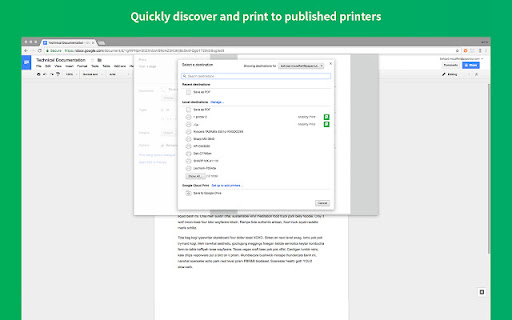
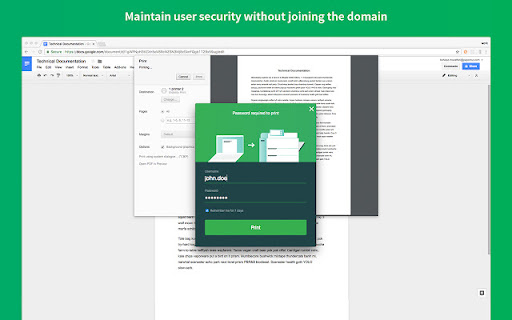
A Chrome extension that allows users on Chromebooks to connect to PaperCut Mobility Print servers. It supports managed deployments via Google Workspace and BYOD configurations for printing in schools and businesses.

Version:1.4.5
Size:1.64MiB
Last updated:

Overview

Installs

5.0M+

Rating

2.5

32 reviews

Languages

13 locales

Includes Deutsch, English, Türkçe, català...

Market analysis

Review-backed positioning, friction, and market signals for this Chrome extension.

Backed by review samples

Macro category

Automation & Workflow Efficiency

Pricing friction

Low review signal

Complaint intensity

High review signal

Listing & review signals
Observed signals from store listing text and review samples.

Listing positioning

The product is positioned as an ultra-easy printing solution for Chromebooks within organizations. It emphasizes seamless connectivity to any printer brand or model, locally or via the internet, reducing helpdesk dependency for IT admins.

Inferred product pattern

Enterprise-managed print client for ChromeOS ecosystem.

Review-backed pain points

Users report the extension failing to find printers despite servers being accessible, total loss of printer access after updates, and a lack of support for older Chromebooks that cannot update their OS.

Observed feature gaps

Lack of backward compatibility for legacy ChromeOS versions; inconsistency in printer discovery for non-managed devices.

Tags
Chromebook PrintingNetwork PrintingPaperCutBYOD PrintingEnterprise Print
Target users

- Students

- Teachers

- Enterprise Employees

- IT Administrators

- Chromebook Users

Primary use cases

- Printing from a Chromebook in a school or office environment

- Secure remote printing over the internet via Cloud Print

- Connecting BYOD devices to organizational print servers

Positive themes

- Review-backed positive themes are not available in the provided samples.

Negative themes

- Printer discovery failure

- OS incompatibility with older hardware

- Administrative restriction frustrations

- General instability

Observed friction

- Performance complaints detected

- No direct pricing friction observed for the extension, as it serves as a client for organizational infrastructure.

Evidence boundary: Analysis based on the public store listing, detailed release notes, and a sample of 10 low-rating reviews. The provided review samples consist entirely of low-rating feedback, preventing the extraction of positive user themes.
Complaint summaries
Review-backed complaint signals grouped by operational area.

Support

Users expressed frustration over the inability to resolve printer discovery issues and limitations imposed by system administrators.

Reliability

Reports of the extension being 'broken', unreliable, and requiring frequent re-installation or failing to discover known hosts.

Privacy

No specific privacy complaints observed in samples.

Access & pricing

- Enterprise pricing observed

- Account required for core usage

- No clear pricing signal

Store listing facts

Listing assets

- Screenshots: 2

- Videos: 0

- Languages: 13

Trust signals

- Privacy policy

- Developer contact

- Official website

Store metadata

- Version: 1.4.5

- Size: 1.64MiB

- Last updated:

Store description excerpt
Short excerpt from the public Chrome Web Store listing; full copy is available on the official store page.
This extension requires Chrome version 114+ Simplify printing from your own ChromeBook for organizations using PaperCut Mobility Print This extension makes it ultra-easy to print to any brand or model of printer, locally, or over the internet. Your network administrator has done the hard work for you by publishing all available printers, meaning you don’t need to worry about anything other than installing this extension and printing! For the Administrator OK… so if you’ve read down this far, you’re probably a real techie and likely a Sys Admin! Hello friend :-) If this is your first taste of Mobility Print, pop over and take the tour, or sit back and relax and watch on YouTube. TL;DR PaperCut Mobility Print offers a simple mobile & BYOD print solution across multiple vendors, servers, apps and technologies. It’s perfect for businesses supporting a mobile workforce, or schools/colleges/c…

Listing SEO keywords

Search intent keywords
Keyword signals for evaluating how users may discover, compare, or search for this extension category.

Core discovery

ChromeOS printingPaperCut Mobility PrintChromebook network printer

Comparison

PaperCut vs native Chrome printingMobility Print vs Cloud Print

Problem

Chromebook cannot find printerMobility Print not workinghow to print from Chromebook to network printer

Alternative

PaperCut alternativesChromebook print client alternatives

Similar extensions

Jump to related discovery paths:

FAQ

What is Mobility Print mainly used for?
A Chrome extension that allows users on Chromebooks to connect to PaperCut Mobility Print servers. It supports managed deployments via Google Workspace and BYOD configurations for printing in schools and businesses.
What market signals stand out?
Large installed base with limited review base. Last known update: 04/14/2026.
What should builders compare before entering this space?
Compare install concentration, rating quality, update recency, screenshots, developer portfolio, listing claims, and review-backed friction signals.
Is this page review-backed?
Backed by review samples. This page combines store metadata with selected review signals, while raw store metrics remain visible for comparison.

Screenshots

Mobility Print screenshot

Links

Recommended Chrome extensions

Related listings from the same category, trending peers, and the same publisher portfolio.

Browse workflow