Cursor Trails - Custom Cursor Trails icon

Cursor Trails Chrome Extension Analysis

Niche Lifestyle & Gaming Hacks

Store listing title: Cursor Trails - Custom Cursor Trails

Chrome extension ID: ihbpmnmphkggmijhpofecgepllfmliki

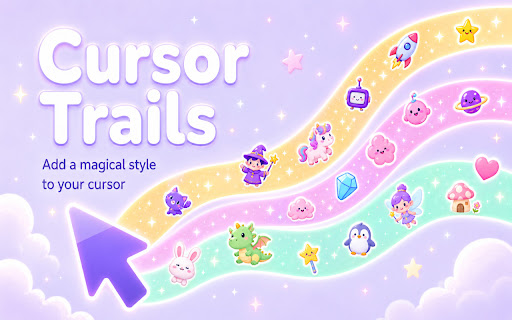
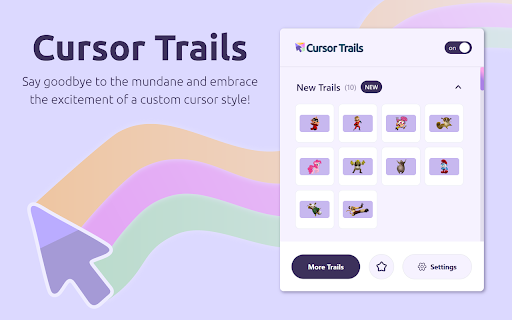
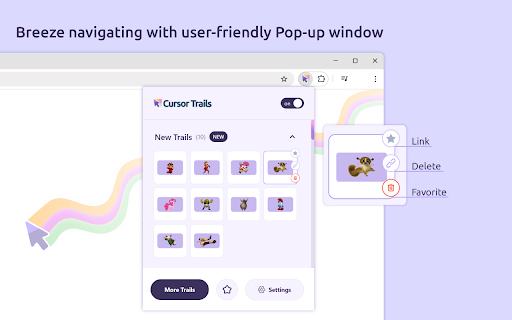
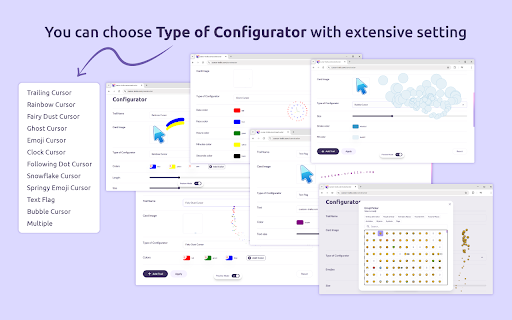
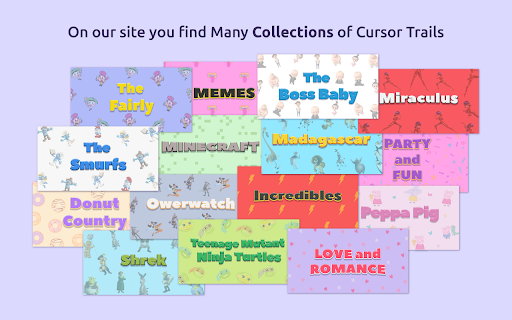
Cursor Trails is a browser customization tool that overlays visual animations and sparkling effects onto the mouse cursor. Users can select from various trail styles to customize the look and feel of their web browsing.

Developer:Clean Iron
Version:2.1.8
Size:407KiB
Last updated:

Overview

Installs

6K+

Rating

4.2

22 reviews

Languages

54 locales

Includes Deutsch, English, English (United Kingdom), English (United States)...

Market analysis

Review-backed positioning, friction, and market signals for this Chrome extension.

Backed by review samples

Macro category

Niche Lifestyle & Gaming Hacks

Pricing friction

Low review signal

Complaint intensity

Moderate review signal

Listing & review signals
Observed signals from store listing text and review samples.

Listing positioning

The extension positions itself as a fun, lightweight way to personalize the browser experience with animated cursor trails. It emphasizes ease of use and visual excitement to transform standard navigation into an interactive activity.

Inferred product pattern

A simple browser-based CSS/Canvas injection tool designed for aesthetic UI customization.

Review-backed pain points

Users frequently report errors claiming the extension is not installed even after installation, as well as instances where the visual effects disappear or fail to render entirely.

Observed feature gaps

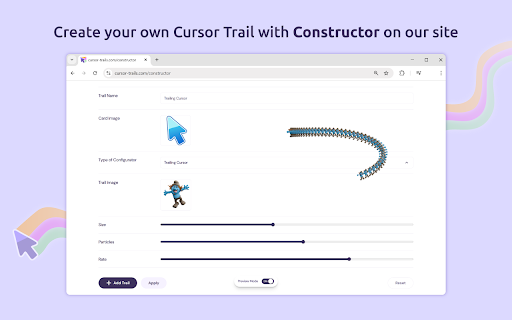
Lack of advanced customization options (e.g., line trails) and reported instability when adding new trail assets.

Tags
Custom CursorBrowser AestheticsMouse EffectsVisual Enhancement
Target users

- Casual browser users

- Customization enthusiasts

- People looking for nostalgic internet aesthetics

Primary use cases

- Adding aesthetic visual effects to the cursor

- Personalizing the browser interface

Positive themes

- Easy to use

- Visually appealing animations

- Nostalgic value

Negative themes

- Installation detection errors

- Intermittent functionality

- Limited customization options

Observed friction

- Performance complaints detected

- No pricing friction reported; appears to be a free utility.

Evidence boundary: Evidence is drawn from 10 user reviews, highlighting a clear split between users enjoying the aesthetic and users experiencing technical installation/rendering bugs. The sample size is small and reflects primarily functional complaints rather than a broad spectrum of user sentiment.
Complaint summaries
Review-backed complaint signals grouped by operational area.

Support

Technical issues regarding installation status detection and trail rendering are the primary source of user complaints.

Reliability

High incidence of 'not installed' error messages and functional instability where trails disappear from the screen.

Privacy

No privacy or security concerns identified in reviews.

Access & pricing

- Free usage observed

- No account requirement observed

- Free plan or free usage claimed

Store listing facts

Listing assets

- Screenshots: 6

- Videos: 0

- Languages: 54

Trust signals

- Privacy policy

- Developer contact

- Official website

- Support link

Store metadata

- Version: 2.1.8

- Size: 407KiB

- Last updated:

Store description excerpt
Short excerpt from the public Chrome Web Store listing; full copy is available on the official store page.
Cursor Trails is a fun and simple Chrome extension that adds animated cursor trail effects to your browser. Make your web browsing more colorful, playful, and personal with sparkling stars, bright trails, and creative mouse cursor effects that follow your pointer around the screen. Tired of the standard cursor with no visual effects? With Cursor Trails, every movement of your mouse can feel more dynamic. Add a glowing trail, a star effect, or a colorful animation that follows your cursor as you move across websites. It is an easy way to personalize your Chrome browser and make everyday browsing feel more fun. Cursor Trails is designed for users who want to add more personality to their browser without complicated settings. Choose the cursor trail style you like, turn on the effect, and enjoy a brighter browsing experience. Whether you want something magical, colorful, cute, or simply mo…

Listing SEO keywords

Search intent keywords
Keyword signals for evaluating how users may discover, compare, or search for this extension category.

Core discovery

custom cursor chromecursor trails extensionbrowser customizationmouse pointer effects

Comparison

cursor customizer alternativebest chrome themes

Problem

cursor trail not workingextension not detected

Alternative

mouse pointer changercustom cursor for chrome

Similar extensions

Jump to related discovery paths:

FAQ

What is Cursor Trails mainly used for?
Cursor Trails is a browser customization tool that overlays visual animations and sparkling effects onto the mouse cursor. Users can select from various trail styles to customize the look and feel of their web browsing.
What market signals stand out?
Early or small audience with limited review base. Last known update: 06/23/2026.
What should builders compare before entering this space?
Compare install concentration, rating quality, update recency, screenshots, developer portfolio, listing claims, and review-backed friction signals.
Is this page review-backed?
Backed by review samples. This page combines store metadata with selected review signals, while raw store metrics remain visible for comparison.

Screenshots

Cursor Trails - Custom Cursor Trails screenshot

Links

Recommended Chrome extensions

Related listings from the same category, trending peers, and the same publisher portfolio.

Browse fun