Converter for PowerPoint icon

Converter for PowerPoint Chrome Extension Analysis

Automation & Workflow Efficiency

Chrome extension ID: ioeknboggdleihgbbbpmagmjiddagofp

A Chrome extension designed to convert and view PowerPoint slides within the web browser. It aims to provide mobility for users who need to access presentations on devices without full Microsoft Office suites.

Version:3.0.0
Size:1.7MiB
Last updated:

Overview

Installs

20K+

Rating

3.8

400 reviews

Languages

39 locales

Includes Deutsch, English, Filipino, Indonesia...

Market analysis

Review-backed positioning, friction, and market signals for this Chrome extension.

Backed by review samples

Macro category

Automation & Workflow Efficiency

Pricing friction

Low review signal

Complaint intensity

High review signal

Listing & review signals
Observed signals from store listing text and review samples.

Listing positioning

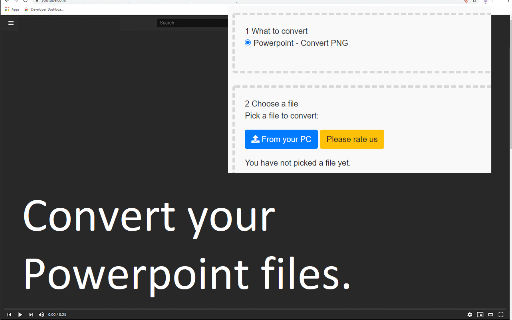
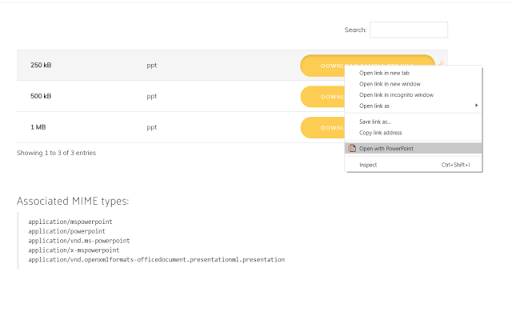
The product is positioned as a way to view Microsoft PowerPoint presentations without needing desktop software. It promises to allow users to convert PPTX files into PNG or JPEG formats via a right-click context menu.

Inferred product pattern

A utility-based file converter that suffers from high UX friction due to aggressive rating prompts and technical instability.

Review-backed pain points

Users report extreme frustration with the extension requesting a rating before allowing them to use the core functionality. There are also significant complaints regarding the inability to find where to input links or files.

Observed feature gaps

The extension lacks support for slides containing video and does not provide a clear, intuitive interface for file/link input as suggested by user confusion.

Tags
PowerPoint ConverterPPTX ViewerSlide ConverterFile Utility
Target users

- Students

- Mobile professionals

- Chromebook users

Primary use cases

- Viewing PPTX files in a browser

- Converting PowerPoint slides to image formats

Positive themes

- No positive themes found in the provided review samples.

Negative themes

- Aggressive rating solicitation

- Poor user experience/onboarding

- Technical execution failures

Observed friction

- Performance complaints detected

- No direct pricing friction observed; user frustration is focused on UX and rating prompts.

Evidence boundary: Analysis based on store listing claims and user reviews focusing on UX friction and technical errors. The provided review samples consist entirely of low-rating reviews, which may skew the perception of overall user sentiment.
Complaint summaries
Review-backed complaint signals grouped by operational area.

Support

Users report terrible instructions and difficulty understanding how to trigger the extension's functions.

Reliability

Users reported 'Failed to fetch' errors, issues on Chromebooks, and errors when attempting to process files with video.

Privacy

No privacy complaints were found in the provided samples.

Access & pricing

- No clear monetization signal

- No clear access signal

- No clear pricing signal

Store listing facts

Listing assets

- Screenshots: 4

- Videos: 0

- Languages: 39

Trust signals

- Developer contact

- Official website

Store metadata

- Version: 3.0.0

- Size: 1.7MiB

- Last updated:

Store description excerpt
Short excerpt from the public Chrome Web Store listing; full copy is available on the official store page.
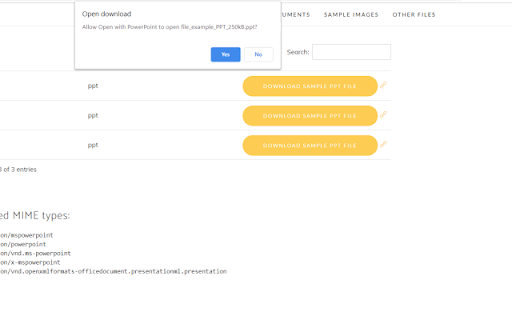
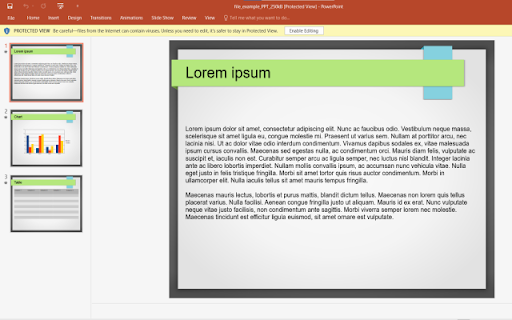
Bring your Presentations which were made with Microsoft Powerpoint with you wherever you go. Want to convert Microsoft Powerpoint presentations so you can view the slides without having to use a desktop software? You can do so now after you install our software extension. To begin using our software extension for powerpoint online, here are the steps you need to do. Ensure you have the Microsoft Powerpoint slides on your computer. Install our software extension "Converter for Powerpoint" Once you install our software, please refresh all your existing Chrome Tabs/close Chrome browser and restart Chrome browser to let the software work for powerpoint. Choose the presentation link/pptx files you wish to convert with powerpoint viewer via the right click context menu button. Its that simple, just use the right click context menu to choose our software when you want to convert a presentation…

Listing SEO keywords

Search intent keywords
Keyword signals for evaluating how users may discover, compare, or search for this extension category.

Core discovery

PowerPoint converterview PPTX onlineconvert PPT to JPGPowerPoint viewer extension

Comparison

PowerPoint vs Chrome viewerMicrosoft PowerPoint alternative

Problem

cannot open PowerPointPPTX error Chromeview slides without desktop

Alternative

PPT viewerslide converter

Similar extensions

Jump to related discovery paths:

FAQ

What is Converter for PowerPoint mainly used for?
A Chrome extension designed to convert and view PowerPoint slides within the web browser. It aims to provide mobility for users who need to access presentations on devices without full Microsoft Office suites.
What market signals stand out?
Visible niche traction with moderate review base. Last known update: 10/17/2023.
What should builders compare before entering this space?
Compare install concentration, rating quality, update recency, screenshots, developer portfolio, listing claims, and review-backed friction signals.
Is this page review-backed?
Backed by review samples. This page combines store metadata with selected review signals, while raw store metrics remain visible for comparison.

Screenshots

Converter for PowerPoint screenshot

Links

Recommended Chrome extensions

Related listings from the same category, trending peers, and the same publisher portfolio.

Browse workflow