WhatFont icon

WhatFont Chrome Extension Analysis

Developer & Designer Tools

Chrome extension ID: jabopobgcpjmedljpbcaablpmlmfcogm

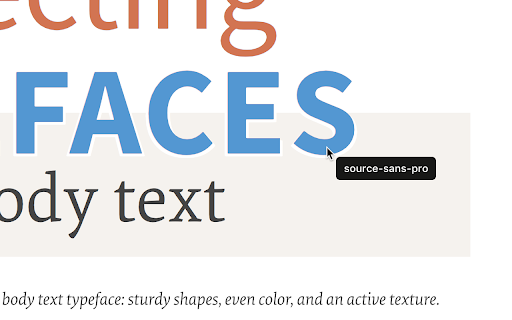
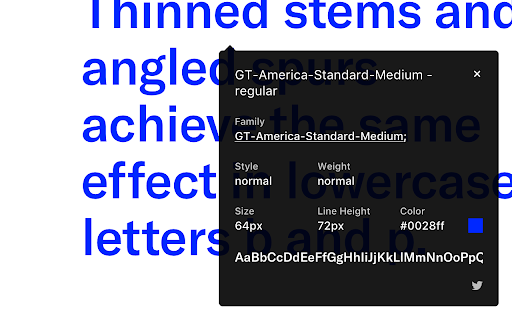
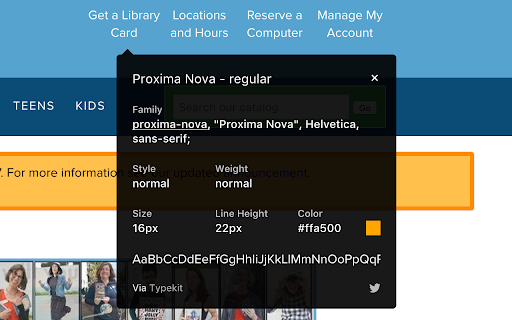
WhatFont is a browser extension that allows users to identify fonts used on any webpage. It provides detailed CSS information including font size, weight, color, and line-height through a visual overlay.

Developer:Chengyin Liu
Version:3.2.0
Size:741KiB
Last updated:

Overview

Installs

3.0M+

Rating

4.0

2,051 reviews

Languages

1 locales

Includes English

Market analysis

Review-backed positioning, friction, and market signals for this Chrome extension.

Backed by review samples

Macro category

Developer & Designer Tools

Pricing friction

Low review signal

Complaint intensity

Moderate review signal

Listing & review signals
Observed signals from store listing text and review samples.

Listing positioning

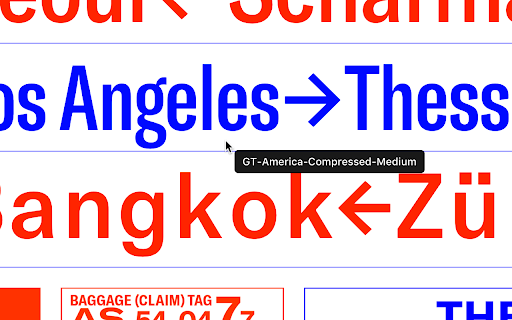
The product is positioned as an effortless alternative to complex developer tools for identifying web typography. It emphasizes a simple hover-and-click interface to reveal font details, colors, and styles.

Inferred product pattern

A high-scale utility tool facing reliability and privacy perception challenges.

Review-backed pain points

Users report the extension can be temperamental or fail on certain websites. Some users noted it incorrectly identifies fonts in a stack, and one user reported aggressive tracking of tab and website activity.

Observed feature gaps

Users noted a lack of support for local HTML files, no font detection for images, and a desire for 'rem' unit display alongside 'px'.

Tags
Font IdentifierTypography ToolWeb Design UtilityCSS Inspector
Target users

- Web Developers

- Graphic Designers

- UI/UX Designers

- Typography Enthusiasts

Primary use cases

- Identifying web fonts

- Inspecting CSS typography styles

- Quickly gathering design inspiration from websites

Positive themes

- Ease of use and visual interface

- Comprehensive style detection (color, size, etc.)

- Helpful font previews

Negative themes

- Inconsistent reliability and bugs

- Inaccurate font stack detection

- Privacy and data tracking concerns

Observed friction

- Performance complaints detected

- Privacy complaints detected

- No pricing information or friction observed in the provided data.

Evidence boundary: Analysis based on the official Chrome Web Store listing and a sample of user reviews. The review sample size is relatively small compared to the total user base, which may not represent the entire user sentiment.
Complaint summaries
Review-backed complaint signals grouped by operational area.

Support

No support-specific complaints observed in the provided data.

Reliability

Users report bugs, failure to work on specific pages (such as Google-owned pages), and inability to function on local files.

Privacy

One reviewer explicitly flagged observed aggressive user tracking regarding tab openings and website visits.

Access & pricing

- No clear monetization signal

- No account requirement observed

- No clear pricing signal

Store listing facts

Listing assets

- Screenshots: 4

- Videos: 0

- Languages: 1

Trust signals

- Developer contact

- Official website

Store metadata

- Version: 3.2.0

- Size: 741KiB

- Last updated:

Store description excerpt
Short excerpt from the public Chrome Web Store listing; full copy is available on the official store page.
Say goodbye to the complexity of developer tools for identifying fonts. With WhatFont, discovering the fonts used on websites becomes as effortless as hovering over text. Want more details? A simple click on any element reveals the styles applied, making it easier than ever to uncover the secrets behind beautiful typography. Recommended by Wired WebMonkey, Lifehacker, and SwissMiss. ——————————————————————————— History: • 3.2.0 - Improved toolbar icon compatibility • 3.1.1 - Removed unnecessary developer logging • 3.1.0 - Added multiple color format support • 3.0.1 - Restored escape key to exit • 3.0.0 - Completely Rewritten: The entire extension has been rebuilt for better performance and usability. - Updated Permission Model: We've revised permissions to better respect user privacy while maintaining functionalities. - Refreshed Appearance: The look has been updated for a more modern fe…

Listing SEO keywords

Search intent keywords
Keyword signals for evaluating how users may discover, compare, or search for this extension category.

Core discovery

identify fonts on webfont finder extensiontypography inspectorweb font detector

Comparison

Serifio

Problem

font detection bugprivacy tracking extensionfont stack inaccuracy

Alternative

Chrome developer toolsSerifioGemini

Similar extensions

Jump to related discovery paths:

FAQ

What is WhatFont mainly used for?
WhatFont is a browser extension that allows users to identify fonts used on any webpage. It provides detailed CSS information including font size, weight, color, and line-height through a visual overlay.
What market signals stand out?
Large installed base with substantial review base. Last known update: 03/04/2024.
What should builders compare before entering this space?
Compare install concentration, rating quality, update recency, screenshots, developer portfolio, listing claims, and review-backed friction signals.
Is this page review-backed?
Backed by review samples. This page combines store metadata with selected review signals, while raw store metrics remain visible for comparison.

Screenshots

WhatFont screenshot
WhatFont screenshot
WhatFont screenshot
WhatFont screenshot

Links

Recommended Chrome extensions

Related listings from the same category, trending peers, and the same publisher portfolio.

Browse developer