
Tag Assistant Companion Chrome Extension Analysis
Developer & Designer ToolsChrome extension ID: jmekfmbnaedfebfnmakmokmlfpblbfdm
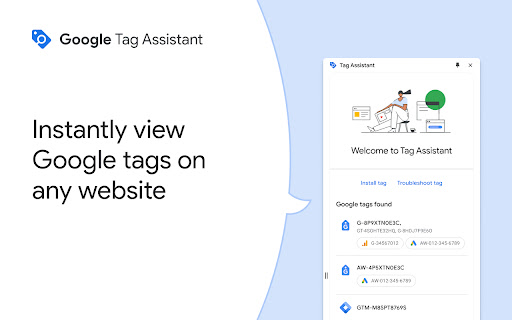
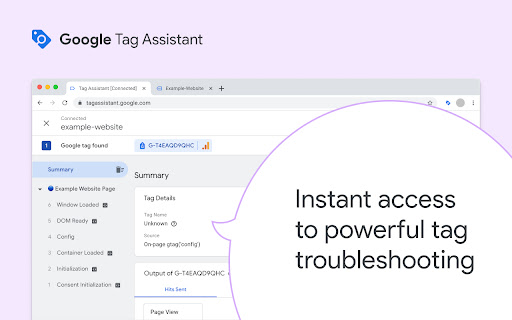
A technical utility developed by Google to assist developers and marketers in debugging website tracking tags. It integrates with the Tag Assistant web interface to provide a preview mode for Google Tag Manager containers.
Overview
Installs
600K+
Rating
★ 3.1
207 reviews
Languages
39 locales
Includes Deutsch, English, English (Australia), English (United Kingdom)...
Market analysis
Review-backed positioning, friction, and market signals for this Chrome extension.
Macro category
Developer & Designer Tools
Pricing friction
Low review signal
Complaint intensity
High review signal
Listing positioning
The extension is positioned as a companion tool for troubleshooting the installation of gtag.js and Google Tag Manager. The current listing primarily serves as a deprecation notice, informing users that its functionality is being merged into the original Tag Assistant extension.
Inferred product pattern
Deprecated technical utility for analytics debugging and verification.
Review-backed pain points
Users report frequent 'timeout' errors when connecting to sites, a lack of intuitive on-page information compared to the legacy version, and frustration over the tool failing to detect tags that are correctly installed in the source code.
Observed feature gaps
Users express a need for the immediate on-site tag visibility found in the legacy version, rather than being redirected to a separate debugging website.
- Web Developers
- Digital Marketers
- Analytics Implementers
- SEO Specialists
- Troubleshooting GTM installations
- Debugging gtag.js
- Verifying tag firing via preview mode
No positive theme data.
- Connection timeouts
- Loss of legacy on-page visibility
- Extension conflicts
- Account synchronization issues
- Poor support experience
- Performance complaints detected
- No pricing friction observed as the tool is free.
Support
Users describe support as unhelpful, claiming they are directed to generic YouTube tutorials or endless links rather than receiving direct technical assistance.
Reliability
Significant reliability issues reported, including connection timeouts, failure to detect tags on certain OS/browsers, and conflicts with other extensions like TikTok Pixel Helper.
Privacy
No privacy-specific complaints observed in the provided samples.
- Free usage observed
- Account required for core usage
- Free plan or free usage claimed
Store listing facts
- Screenshots: 3
- Videos: 1
- Languages: 39
- Privacy policy
- Developer contact
- Official website
- Support link
- Version: 26.167.2.46
- Size: 227KiB
- Last updated:
Listing SEO keywords
Core discovery
Comparison
Problem
Alternative
Similar extensions
Jump to related discovery paths:
FAQ
Screenshots
Links
Website: google.com
Privacy policy: https://www.google.com/intl/en/policies/privacy/
Support links: https://support.google.com/tagassistant/answer/10039345
Videos: Watch