
Bookmark Sidebar Chrome Extension Analysis
Tab & Bookmark ProductivityChrome extension ID: jdbnofccmhefkmjbkkdkfiicjkgofkdh
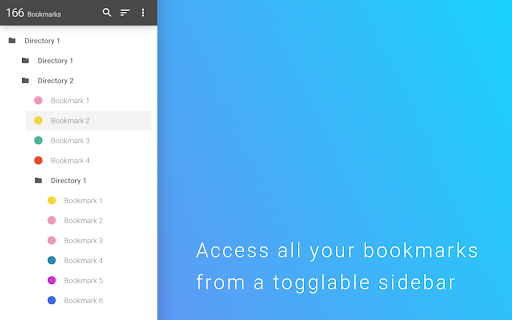
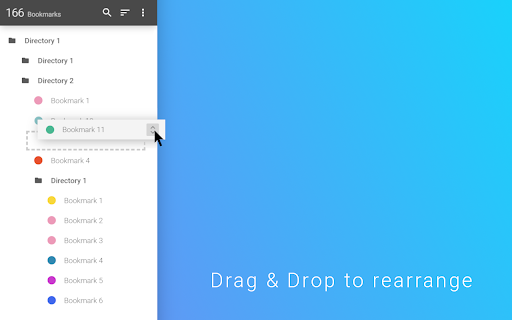
A browser utility that implements a vertical bookmark sidebar on either the left or right edge of the window. It allows users to edit, rearrange, and audit bookmarks, and optionally provides a customized New Tab Page.
Overview
Installs
300K+
Rating
★ 4.5
1,671 reviews
Languages
40 locales
Includes Deutsch, English, English (United States), Indonesia...
Market analysis
Review-backed positioning, friction, and market signals for this Chrome extension.
Macro category
Tab & Bookmark Productivity
Pricing friction
Low review signal
Complaint intensity
High review signal
Listing positioning
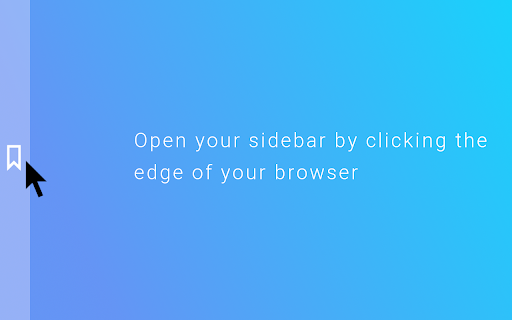
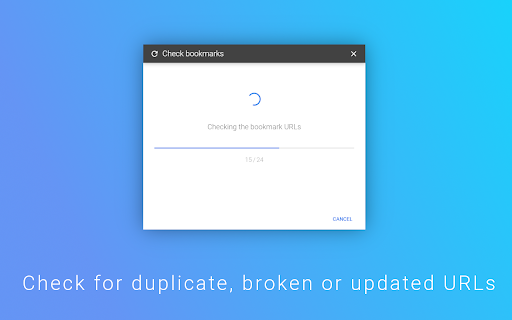
The extension is positioned as a productivity enhancement that adds a toggleable sidebar for quick bookmark access. It emphasizes ease of management through drag-and-drop functionality and utility features like a broken URL checker.
Inferred product pattern
UI wrapper for native browser bookmarks designed to improve accessibility and organization.
Review-backed pain points
Users report severe issues including the accidental deletion of hundreds of bookmarks during a repair process, the sidebar popping up unexpectedly when interacting with the scrollbar, and settings failing to save.
Observed feature gaps
Reviewers noted a lack of comprehensive keyboard shortcuts (specifically the inability to move backward through lists) and poor functionality on pages where JavaScript is disabled.
- Power users with large bookmark libraries
- Users seeking Firefox-like sidebar functionality in Chrome
- Organization-focused browser users
- Rapidly accessing bookmarks without navigating menus
- Organizing bookmarks via drag-and-drop
- Identifying and removing broken bookmark links
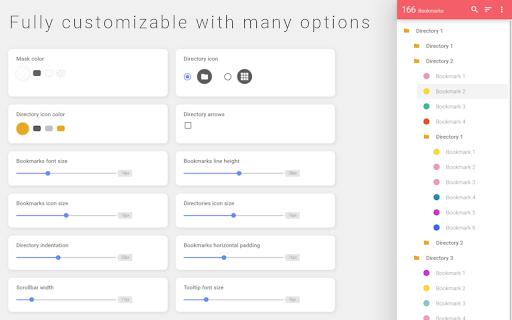
- High level of UI customization
- Effective alternative to native bookmark bars
- Unintended sidebar triggers during scrolling
- Functional instability and browser crashes
- Lack of intuitive keyboard navigation
- Performance complaints detected
- A premium version is mentioned by users, but there are no widespread complaints regarding the cost in the provided samples.
Support
Users expressed frustration over poorly explained features and bugs, though no specific support interaction failures were noted.
Reliability
Reports include immediate crashes on the Brave browser, failure of the 'auto-close' timeout feature, and catastrophic data loss of saved bookmarks.
Privacy
No privacy or security complaints were observed in the provided review samples.
- Free entry with paid features
- No account requirement observed
- Limited free usage observed
Store listing facts
- Screenshots: 5
- Videos: 0
- Languages: 40
- Privacy policy
- Developer contact
- Official website
- Version: 2.5.6
- Size: 845KiB
- Last updated:
Listing SEO keywords
Core discovery
Comparison
Problem
Alternative
Similar extensions
Jump to related discovery paths:
FAQ
Screenshots
Links
Website: extensions.redeviation.com
Privacy policy: https://extensions.redeviation.com/privacy