Leftside Back icon

Leftside Back Chrome Extension Analysis

Automation & Workflow Efficiency

Chrome extension ID: gdcddfacdedphcamippdkojfngoakglg

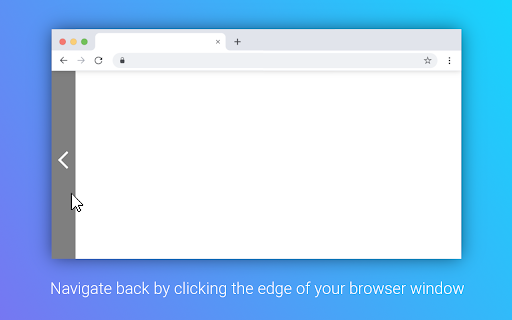
Leftside Back converts the left edge of the browser window into a large clickable button to navigate back in history. It includes customizable settings for indicator bars, tolerance area width, and an option to enable forward navigation via the right screen edge.

Developer:Philipp König
Version:2.0.0
Size:30.82KiB
Last updated:

Overview

Installs

976

Rating

4.5

20 reviews

Languages

2 locales

Includes Deutsch, English

Market analysis

Review-backed positioning, friction, and market signals for this Chrome extension.

Backed by review samples

Macro category

Automation & Workflow Efficiency

Pricing friction

Low review signal

Complaint intensity

Low review signal

Listing & review signals
Observed signals from store listing text and review samples.

Listing positioning

The extension is positioned as a productivity tool that enhances browser navigation by creating a large, interactive 'back' zone along the screen edge. It appeals to users seeking a faster, more accessible alternative to the traditional browser back button.

Inferred product pattern

Utility-focused browser navigation enhancement.

Review-backed pain points

Users have expressed frustration with the extension feeling impractical for multi-monitor setups and have requested more advanced configuration options, such as multi-directional edge support or page reload functionality.

Observed feature gaps

Absence of 'Hold to view history' functionality, lack of customizable edge support (top/bottom), and no native middle-click reload capabilities.

Tags
NavigationBrowser ProductivityMouse GesturesAccessibility
Target users

- Productivity enthusiasts

- Touchscreen device users

- Users with accessibility needs

Primary use cases

- Faster browser navigation

- Simplified back button access for touch devices

Positive themes

- Enhanced usability for touch screens

- Simple and unobtrusive design

- Efficient alternative to standard navigation buttons

Negative themes

- Compatibility issues with multi-monitor setups

- Lack of advanced navigation options

- Interference with desktop UI

Observed friction

- None; the extension is free to use without observed pricing walls.

Evidence boundary: Analysis based on 10 user reviews and public feature descriptions provided in the Chrome Web Store. Review sample size is small; data reflects personal user preferences rather than widespread technical failure.
Complaint summaries
Review-backed complaint signals grouped by operational area.

Support

No specific support or refund complaints identified.

Reliability

Minimal; minor concerns regarding multi-monitor interaction and occasional failure to trigger on certain pages.

Privacy

No privacy or security-related complaints identified.

Access & pricing

- Free usage observed

- No account requirement observed

- Free plan or free usage claimed

Store listing facts

Listing assets

- Screenshots: 1

- Videos: 0

- Languages: 2

Trust signals

- Privacy policy

- Developer contact

- Official website

Store metadata

- Version: 2.0.0

- Size: 30.82KiB

- Last updated:

Store description excerpt
Short excerpt from the public Chrome Web Store listing; full copy is available on the official store page.
---- NOTICE ------ Due to security restrictions, the extension is not working in the Chrome Webstore. So to test the extension simple navigate to another website, where everything should work fine :) --------------------- This extension turns your left side of your browser window into a large back button. It allows you to navigate back by just clicking your mouse button on the left side of your screen. You can configure whether to display an indicator bar, increasing the width of the tolerance area or enabling to also navigate forward by right clicking the edge of the browser window.

Listing SEO keywords

Search intent keywords
Keyword signals for evaluating how users may discover, compare, or search for this extension category.

Core discovery

browser back button extensionnavigate back shortcutscreen edge navigationbrowser productivity tools

Comparison

mouse gestures alternativebrowser navigation extension

Problem

hard to click back buttonslow browser navigation

Alternative

navigation gesturesbrowser shortcuts

Similar extensions

Jump to related discovery paths:

FAQ

What is Leftside Back mainly used for?
Leftside Back converts the left edge of the browser window into a large clickable button to navigate back in history. It includes customizable settings for indicator bars, tolerance area width, and an option to enable forward navigation via the right screen edge.
What market signals stand out?
Early or small audience with limited review base. Last known update: 01/25/2023.
What should builders compare before entering this space?
Compare install concentration, rating quality, update recency, screenshots, developer portfolio, listing claims, and review-backed friction signals.
Is this page review-backed?
Backed by review samples. This page combines store metadata with selected review signals, while raw store metrics remain visible for comparison.

Screenshots

Leftside Back screenshot

Links

Recommended Chrome extensions

Related listings from the same category, trending peers, and the same publisher portfolio.

Browse workflow