Email Extractor Chrome Extension Analysis
Web Scraping & Data ExtractionChrome extension ID: jdianbbpnakhcmfkcckaboohfgnngfcc
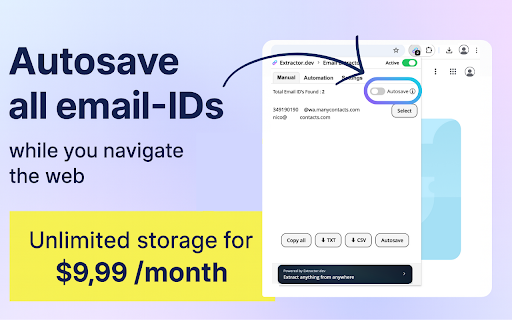
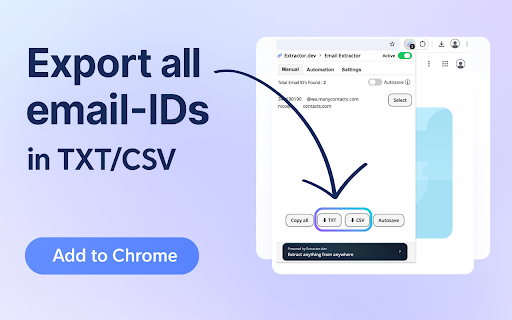
An automated browser extension that crawls web pages to extract valid email addresses from HTML source code and AJAX-loaded content. Users can collect emails locally or automatically save them to cloud storage, with options to download results in TXT or CSV formats. The tool filters out duplicates to ensure only unique addresses are extracted during browsing sessions.
Overview
Installs
400K+
Rating
★ 4.7
3,516 reviews
Languages
1 locales
Includes English
Market analysis
Review-backed positioning, friction, and market signals for this Chrome extension.
Macro category
Web Scraping & Data Extraction
Pricing friction
Low review signal
Complaint intensity
High review signal
Listing positioning
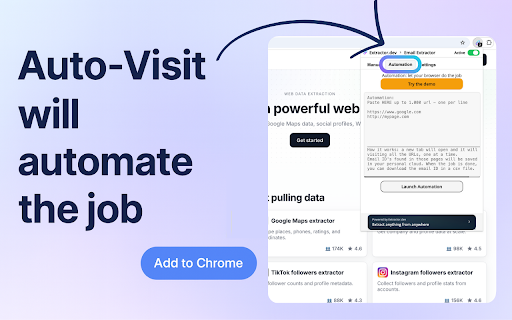
Email Extractor positions itself as an automated, lightweight lead generation utility designed to discover and extract email addresses from web page source code. It highlights advanced automation capabilities like queued URL scanning (up to 1,000 links) and domain-focused searches as inexpensive alternatives to established contact discovery databases. The listing emphasizes that it bypasses visual frontend restrictions to fetch hidden email addresses directly from raw HTML and AJAX elements.
Inferred product pattern
Free local scraper model with paid cloud synchronization and metered token-based automation upgrades.
Review-backed pain points
Users face significant distress when running long automation queues (e.g., thousands of URLs over several hours) only to have the extracted list dynamically disappear or show zero results once complete. Furthermore, those who pay for upgraded token tiers ($50) or monthly subscriptions find themselves unable to use the purchased features, with customer support failing to answer subsequent emails or help requests.
Observed feature gaps
Based on review feedback, there is a critical need for a local backup or auto-save mechanism that prevents data loss during tab switches or automation execution. There is also a lack of built-in transaction troubleshooting or real-time status diagnostics to help users understand why an automated scan resulted in zero emails.
- Sales outreach professionals
- Lead generation specialists
- Growth marketers
- Recruiters
- Extracting hidden or visible email addresses from visited web pages in real time
- Running bulk automated scans across lists of up to 1,000 URLs to harvest contacts
- Targeting and discovering emails associated with specific domain names
- Simple user interface for basic single-page email fetching
- Automation scans run completely but return zero results or fail to present a download button
- Unresponsive or non-existent customer support after payment
- Paid tokens and upgraded subscriptions failing to credit to user accounts
- Scanned data disappearing when switching browser tabs or finishing automation runs
- Refund complaints detected
- Performance complaints detected
- Users report paying for $9.99/month subscriptions or $50 token tiers, only to find the system blocks them from utilizing the upgraded limits, leaving them with no working service and lost funds.
Support
Paying customers state that support is entirely non-existent, noting they have sent multiple emails, screenshots, and video screen-recordings of bugs without receiving any response.
Reliability
The primary automation feature (crawling URLs) is highly unreliable; users report the tool frequently finishes crawls with 0 results, drops extracted emails from memory mid-session, or becomes extremely laggy during tasks.
Privacy
No direct privacy or data leakage complaints were highlighted in the reviewed user samples.
- Free entry with paid features
- Login needed for core features
- Limited free usage observed
Store listing facts
- Screenshots: 4
- Videos: 1
- Languages: 1
- Privacy policy
- Developer contact
- Support link
- Version: 5.1.8
- Size: 231KiB
- Last updated:
Listing SEO keywords
Core discovery
Comparison
Problem
Alternative
Similar extensions
Jump to related discovery paths:
FAQ
Screenshots