Page Marker - Draw on Web icon

Page Marker Chrome Extension Analysis

Automation & Workflow Efficiency

Store listing title: Page Marker - Draw on Web

Chrome extension ID: jfiihjeimjpkpoaekpdpllpaeichkiod

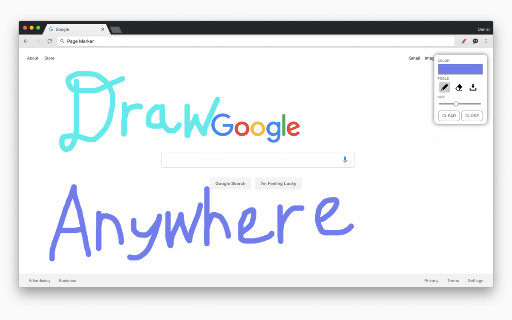
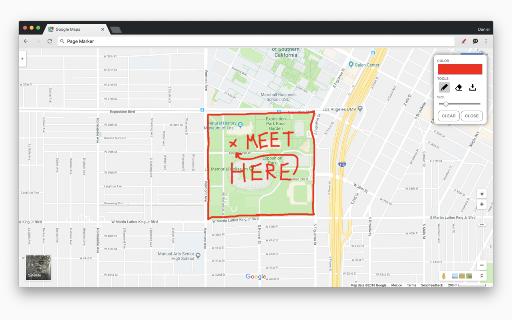
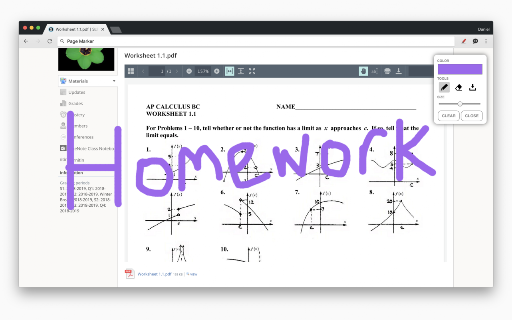
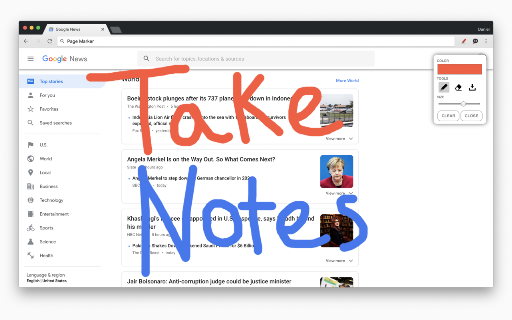
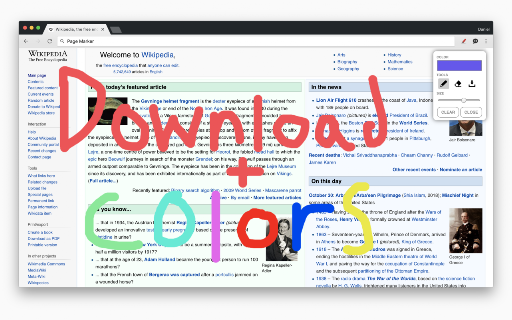
Page Marker is a browser extension designed for visual markup on web pages. Users can apply various shapes, lines, text, and highlights to live web content and save their work to their computer.

Developer:Page Marker
Version:5.7
Size:133KiB
Last updated:

Overview

Installs

500K+

Rating

4.1

622 reviews

Languages

1 locales

Includes English

Market analysis

Review-backed positioning, friction, and market signals for this Chrome extension.

Backed by review samples

Macro category

Automation & Workflow Efficiency

Pricing friction

Low review signal

Complaint intensity

Moderate review signal

Listing & review signals
Observed signals from store listing text and review samples.

Listing positioning

The product is positioned as a real-time web annotation tool that allows users to draw, highlight, and add text directly onto any website or PDF. It emphasizes versatility through mouse, touchscreen, and keyboard shortcut support.

Inferred product pattern

A visual markup utility for web-based workflows that provides high feature accessibility but lacks robust data persistence and stability.

Review-backed pain points

Users report that annotations frequently disappear when closing the page, reopening the browser, or closing the tool panel. Additionally, some users experience browser instability and error pop-ups on long webpages.

Observed feature gaps

Lack of adaptive cursor contrast, absence of long-term note saving/persistence, and lack of a 'draw while scrolling' feature.

Tags
Web AnnotationScreen MarkupDigital HighlighterProductivity Tool
Target users

- Sales professionals

- Students

- Educators

- Content Annotators

Primary use cases

- Annotating websites for feedback

- Highlighting text on web pages

- Adding visual notes to digital documents

- Providing visual instructions on live web content

Positive themes

- Smooth and responsive user interface

- Ease of use for quick tasks

- Effective for sales professionals leaving lead notes

Negative themes

- Lack of annotation persistence across sessions

- Poor cursor visibility on white backgrounds

- Inconsistent text size settings

Observed friction

- Performance complaints detected

- No pricing friction observed in provided reviews.

Evidence boundary: Analysis based on product description features and user reviews highlighting usability, persistence, and stability issues. Review data is limited to the provided sample of 615 comments and may not represent the entire user base.
Complaint summaries
Review-backed complaint signals grouped by operational area.

Support

No specific support or account complaints observed.

Reliability

Users report significant reliability issues including the extension failing to work on specific sites, the mouse disappearing, and causing browser-wide errors on long pages.

Privacy

No privacy or security complaints observed.

Access & pricing

- No clear monetization signal

- No account requirement observed

- No clear pricing signal

Store listing facts

Listing assets

- Screenshots: 5

- Videos: 0

- Languages: 1

Trust signals

- Privacy policy

- Developer contact

- Official website

Store metadata

- Version: 5.7

- Size: 133KiB

- Last updated:

Store description excerpt
Short excerpt from the public Chrome Web Store listing; full copy is available on the official store page.
Draw on any website, add text, add lines, and highlight! With Page Marker, you can use your mouse or touchscreen to draw on the web or on PDFs and save it to your computer. Paint, draw, and mark on any webpage or website. Instructions: 1. Click the puzzle piece-shaped extensions icon in the top right corner of your browser. Pin the Page Marker red marker icon for ease of access. 2. Begin drawing on any webpage with your mouse or touchscreen. 3. To change the color of the marker, click on the color selecting box. 4. To change thickness, use the size slider. 5. Use the highlighter tool to highlight lines of text. 6. Use the eraser tool to erase parts of your drawing. 7. Use the text tool to add text to the website. 8. Use the line tool to draw straight lines. 9. To undo or redo, click the corresponding undo/redo buttons. 10. Change the default color or thickness in the options menu when y…

Listing SEO keywords

Search intent keywords
Keyword signals for evaluating how users may discover, compare, or search for this extension category.

Core discovery

draw on webweb annotatorwebsite highlighterscreen markupbrowser drawing tool

Comparison

web annotation toolsbrowser markup extensions

Problem

save web annotationsdraw on any websitehighlight online text

Alternative

digital markup softwareweb screen painter

Similar extensions

Jump to related discovery paths:

FAQ

What is Page Marker mainly used for?
Page Marker is a browser extension designed for visual markup on web pages. Users can apply various shapes, lines, text, and highlights to live web content and save their work to their computer.
What market signals stand out?
Established adoption with moderate review base. Last known update: 12/21/2023.
What should builders compare before entering this space?
Compare install concentration, rating quality, update recency, screenshots, developer portfolio, listing claims, and review-backed friction signals.
Is this page review-backed?
Backed by review samples. This page combines store metadata with selected review signals, while raw store metrics remain visible for comparison.

Screenshots

Page Marker - Draw on Web screenshot

Links

Recommended Chrome extensions

Related listings from the same category, trending peers, and the same publisher portfolio.

Browse workflow