
Global Speed Chrome Extension Analysis
Automation & Workflow EfficiencyStore listing title: Global Speed - Video Speed Control
Chrome extension ID: jpbjcnkcffbooppibceonlgknpkniiff
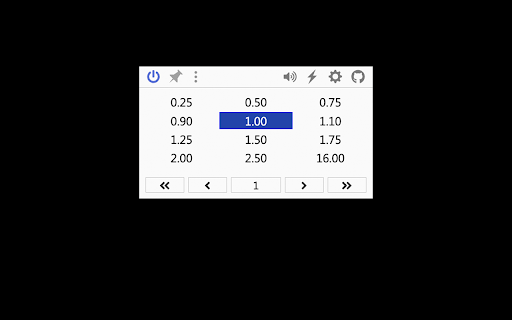
Global Speed offers universal control over video and audio playback speed on websites. It provides customizable hotkeys for playback manipulation, as well as real-time filters and effects like brightness and volume adjustment. The extension aims to give users granular control over their online media experience.
Overview
Installs
700K+
Rating
★ 4.7
800 reviews
Languages
19 locales
Includes Deutsch, English, Indonesia, Melayu...
Market analysis
Review-backed positioning, friction, and market signals for this Chrome extension.
Macro category
Automation & Workflow Efficiency
Pricing friction
Low review signal
Complaint intensity
High review signal
Listing positioning
This extension positions itself as a universal control for online media, allowing users to adjust playback speed, rewind, and customize filters across various streaming platforms. It highlights powerful hotkeys and real-time effects as key features for enhanced media consumption.
Inferred product pattern
Media playback utility extension
Review-backed pain points
Users frequently report that the extension stops working shortly after installation or updates, with some experiencing significant delays in responsiveness. Issues with synchronized audio and video, as well as unexpected changes to playback speed across all windows, are also noted.
Observed feature gaps
Some users desire mouse-based playback control similar to YouTube's functionality, rather than solely relying on keyboard shortcuts. There is also a lack of clear documentation for troubleshooting. Users have also complained about mandatory context menu items.
- Online learners
- Podcast listeners
- Video streamers
- Users seeking to optimize media consumption
- Adjusting video/audio playback speed
- Customizing media hotkeys
- Applying real-time video filters
- Enhancing video accessibility
- The extension is highly versatile and consolidates multiple functionalities previously handled by separate extensions, including video appearance and PiP controls.
- Users appreciate the ability to customize playback speed and hotkeys for a personalized media experience.
- Persistent bugs and issues, particularly with updates, causing features to become ineffective or introduce new problems like delays and unintended speed changes.
- Performance degradation, including lagging playback and unresponsiveness after applying speed changes.
- Compatibility issues across different platforms and sites, such as broken subtitles or distorted audio.
- Difficulty in accessing or using settings, with blank pages reported.
- Performance complaints detected
- The extension is free to use and does not appear to have any reported pricing friction in the reviews.
Support
Users report ongoing issues with bugs that are not consistently fixed with updates, leading to frustration. Some reviews mention a blank settings page, preventing access to configurations.
Reliability
Multiple users report that the extension stops working, becomes unresponsive, or introduces bugs after updates. There are also complaints about slow response times when changing playback speed.
Privacy
The listing explicitly states zero tracking and zero data collection, and no reviews mention privacy concerns.
- Free usage observed
- No account requirement observed
- Free plan or free usage claimed
Store listing facts
- Screenshots: 2
- Videos: 1
- Languages: 19
- Developer contact
- Version: 3.3.16
- Size: 439KiB
- Last updated:
Listing SEO keywords
Core discovery
Comparison
Problem
Alternative
Similar extensions
Jump to related discovery paths:
FAQ
Screenshots

Links
Videos: Watch