
Awesome Custom Cursor Chrome Extension Analysis
Niche Lifestyle & Gaming HacksChrome extension ID: kegeajllnfkfhcljjebedaeedpmkcbpe
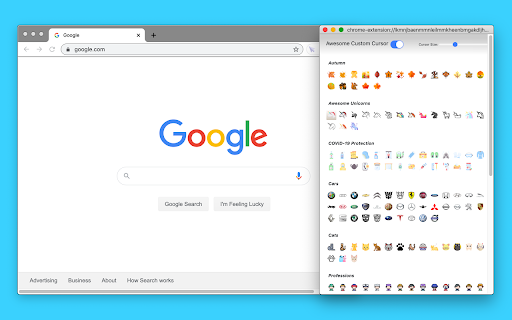
Awesome Custom Cursor is a Chrome extension that allows users to replace their default mouse cursor with a variety of fun and cool designs. The extension offers over 100 cursor options, with some customization settings available for helper cursor style and color. It aims to provide a personalized and enjoyable browsing experience.
Overview
Installs
6K+
Rating
★ 2.9
29 reviews
Languages
1 locales
Includes English
Market analysis
Review-backed positioning, friction, and market signals for this Chrome extension.
Macro category
Niche Lifestyle & Gaming Hacks
Pricing friction
Low review signal
Complaint intensity
High review signal
Listing positioning
The store listing positions Awesome Custom Cursor as a fun and cool way to replace the default boring cursor with over 100 customized options. It highlights the ability to define your own cursor style to enhance the user's browsing experience.
Inferred product pattern
A free browser extension offering cosmetic personalization, facing functional limitations in its core promise due to browser security restrictions and implementation issues.
Review-backed pain points
Users frequently report that the custom cursor only works when they are actively selecting or choosing a cursor, and it disappears or reverts to the default cursor when they move to a different tab, document, or perform other actions. Some users also express frustration about accidentally removing the extension and being unable to revert their cursor settings.
Observed feature gaps
The extension appears to have significant limitations in its ability to consistently apply custom cursors across all browser tabs and web pages, as indicated by user feedback. It also cannot function on internal browser pages, Chrome Web Store pages, or other extension-related pages due to security restrictions.
- Users seeking desktop customization
- Gamers
- Younger demographics
- Personalizing browser appearance
- Adding aesthetic appeal to the user interface
- Expressing individuality through cursor design
- Availability of many different cursor designs
- Cursor not working in other tabs or documents
- Cursor reverting to default after brief use
- Difficulty in applying or keeping custom cursors
- The extension is free to use, and no specific pricing friction was observed in the provided data.
Support
No direct support complaints were observed. However, users who accidentally removed the extension expressed difficulty in changing their cursor back, suggesting a potential need for clearer uninstallation or reset instructions.
Reliability
Users report significant reliability issues, with the custom cursor frequently failing to work consistently across different tabs and sessions, often reverting to the default cursor.
Privacy
No privacy complaints were observed in the provided data.
- Free usage observed
- No clear access signal
- Free plan or free usage claimed
Store listing facts
- Screenshots: 1
- Videos: 0
- Languages: 1
- Privacy policy
- Developer contact
- Official website
- Version: 3.1
- Size: 6.08MiB
- Last updated:
Listing SEO keywords
Core discovery
Comparison
Problem
Alternative
Similar extensions
Jump to related discovery paths:
FAQ
Screenshots
Links
Website: cpstest.app
Privacy policy: https://high-qr-code-generator.com/privacy.txt







![Netflix Picture in Picture now for Prime & D+ [QVI] icon](https://extspot.com/api/v1/assets/googleusercontent/aHR0cHM6Ly9saDMuZ29vZ2xldXNlcmNvbnRlbnQuY29tLzVHUW9jRkFFOWVaWDRURmFmT3BpTTFVRVk0QUJlWm1iYy15MmtBeWlCQkRVSGpxY1lRb2tkNngwUldMQVR0V2hMVlU4R1cxWFNrNHQ0bFlKd251WDV3b3pTQQ)