Tag Assistant icon

Tag Assistant Chrome Extension Analysis

Developer & Designer Tools

Chrome extension ID: kejbdjndbnbjgmefkgdddjlbokphdefk

A browser extension by Google that allows users to verify the presence and correct implementation of various Google tracking tags on a webpage. It provides a diagnostic interface to help resolve installation errors.

Developer:Google
Version:26.167.2.46
Size:227KiB
Last updated:

Overview

Installs

3.0M+

Rating

3.9

1,302 reviews

Languages

39 locales

Includes Deutsch, English, English (Australia), English (United Kingdom)...

Market analysis

Review-backed positioning, friction, and market signals for this Chrome extension.

Backed by review samples

Macro category

Developer & Designer Tools

Pricing friction

Low review signal

Complaint intensity

High review signal

Listing & review signals
Observed signals from store listing text and review samples.

Listing positioning

The product is positioned as the official tool for installing and troubleshooting Google tags, such as Google Analytics, Google Ads, and Tag Manager. It emphasizes a side-panel for quick tag detection and a dedicated 'Troubleshoot' debug mode for deep diagnostics.

Inferred product pattern

Official first-party ecosystem debugging utility.

Review-backed pain points

Users report that recent updates have broken core functionality, leading to 'Code not found' errors for valid containers and a failure to identify GTM tags that were previously detectable.

Observed feature gaps

Lack of specific guidance on how to fix 'Non-standard implementation' errors and broken support links directing users to the defunct Google+.

Tags
Tag DebuggingGoogle Tag ManagerWeb AnalyticsDeveloper Tool
Target users

- Web Developers

- Digital Marketers

- SEO Specialists

- Analytics Implementers

Primary use cases

- Verifying GTM installation

- Debugging gtag.js

- Validating Google Ads tags

- Checking for tag presence on a page

Positive themes

No positive theme data.

Negative themes

- Functional regression compared to legacy version

- Unreliable tag detection

- Lack of actionable error resolution

- Outdated support resources

Observed friction

- Performance complaints detected

- No pricing friction observed as the tool is free.

Evidence boundary: Analyzed store listing and 10 helpful low-rating review samples. Review samples provided were exclusively negative, meaning positive themes could not be extracted from the provided data.
Complaint summaries
Review-backed complaint signals grouped by operational area.

Support

Users express frustration that the support tab links to a non-existent Google+ page.

Reliability

High volume of reports regarding unreliable detection, false positives, and general instability following updates.

Privacy

No privacy complaints observed in the provided samples.

Access & pricing

- Free usage observed

- No account requirement observed

- Free plan or free usage claimed

Store listing facts

Listing assets

- Screenshots: 3

- Videos: 1

- Languages: 39

Trust signals

- Privacy policy

- Developer contact

- Official website

Store metadata

- Version: 26.167.2.46

- Size: 227KiB

- Last updated:

Store description excerpt
Short excerpt from the public Chrome Web Store listing; full copy is available on the official store page.
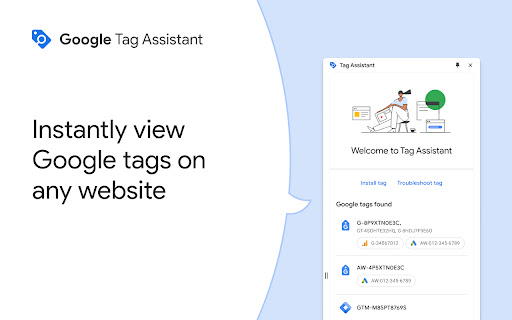
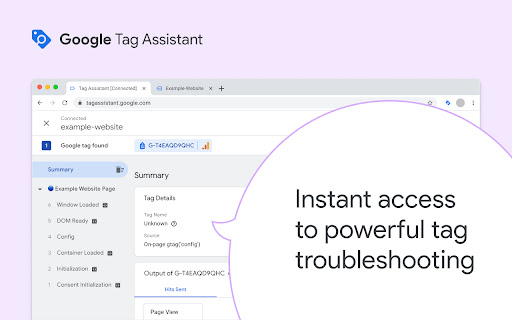
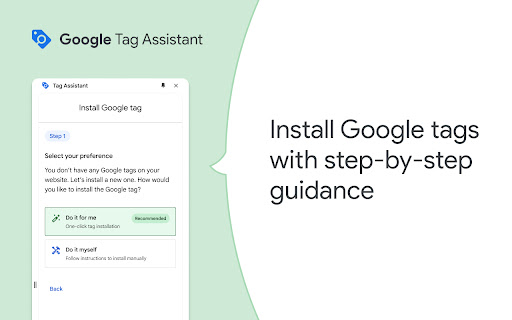
We’re grateful for your feedback—we've listened and will be updating and bringing back the on-page debugging experience. More exciting features are on the way. Tag Assistant helps you install and troubleshoot your Google tags, including Google Analytics, Google Ads, Tag Manager and more. When clicked, the extension displays the Google tags found on the page in a side-panel. Just navigate to any page, and Tag Assistant will tell you which tags are present. We will be adding additional diagnostics in the near future. The “Troubleshoot” button activates our debug mode using tagassistant.google.com. This advanced tool allows you to debug your website, including iframes, within a single session, providing detailed diagnostics to help you validate, diagnose, and resolve your implementation. Session data is available for review on tagassistant.google.com. COMING SOON: Step-by-step guidance to…

Listing SEO keywords

Search intent keywords
Keyword signals for evaluating how users may discover, compare, or search for this extension category.

Core discovery

Google Tag AssistantGTM debuggergtag.js troubleshootingverify google tags

Comparison

Tag Assistant vs Legacy Tag AssistantGTM debugger alternatives

Problem

GTM not detectedGoogle tag non-standard implementationTag Assistant not working

Alternative

GTM debuggerGoogle Analytics debugger

Similar extensions

Jump to related discovery paths:

FAQ

What is Tag Assistant mainly used for?
A browser extension by Google that allows users to verify the presence and correct implementation of various Google tracking tags on a webpage. It provides a diagnostic interface to help resolve installation errors.
What market signals stand out?
Large installed base with substantial review base. Last known update: 06/25/2026.
What should builders compare before entering this space?
Compare install concentration, rating quality, update recency, screenshots, developer portfolio, listing claims, and review-backed friction signals.
Is this page review-backed?
Backed by review samples. This page combines store metadata with selected review signals, while raw store metrics remain visible for comparison.

Screenshots

Tag Assistant screenshot

Links

Recommended Chrome extensions

Related listings from the same category, trending peers, and the same publisher portfolio.

Browse developer