Turbo Download Manager (Classic) icon

Turbo Download Manager (Classic) Chrome Extension Analysis

Video & Image Downloaders

Chrome extension ID: kemfccojgjoilhfmcblgimbggikekjip

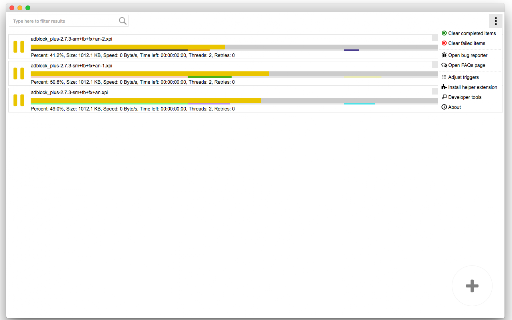
This extension is an open-source download manager that splits files into segments to potentially increase download speeds. It offers a right-click interface for initiating downloads and supports manual link management, functioning as a lightweight alternative to external software like IDM.

Developer:InBasic
Version:0.4.1
Size:829KiB
Last updated:

Overview

Installs

90K+

Rating

3.6

426 reviews

Languages

1 locales

Includes English

Market analysis

Review-backed positioning, friction, and market signals for this Chrome extension.

Backed by review samples

Macro category

Video & Image Downloaders

Pricing friction

Low review signal

Complaint intensity

Moderate review signal

Listing & review signals
Observed signals from store listing text and review samples.

Listing positioning

Turbo Download Manager (Classic) positions itself as a reliable, multi-threaded file downloading utility designed for low-bandwidth connections. It emphasizes its ability to resume interrupted downloads and provide media previews, catering to users who need advanced control over browser downloads.

Inferred product pattern

Legacy-based browser utility transitioning from Chrome App to Manifest V3, focused on technical file transfer optimization.

Review-backed pain points

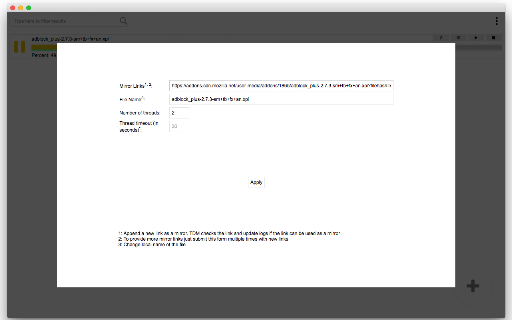
Users report difficulty in triggering the interface, confusion regarding the manual URL entry, and significant storage space consumption caused by unmanaged download cache.

Observed feature gaps

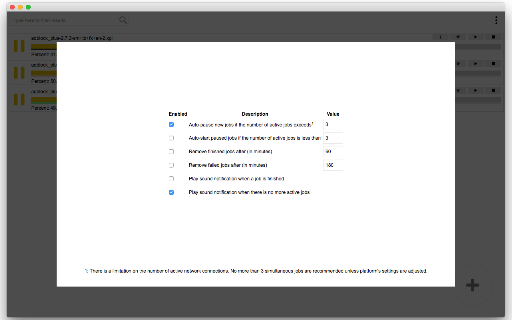
Lack of intuitive UI/UX for common users, insufficient cache management settings, and stability issues with persistent download links across browser sessions.

Tags
Download ManagerFile DownloaderMulti-threadingOpen Source
Target users

- Power users with unstable internet

- Users requiring download resumption

- Developers seeking open-source utilities

Primary use cases

- Accelerating large file downloads

- Resuming interrupted downloads

- Managing download segments manually

Positive themes

- Effective for users who understand the technical workflow

- Open-source nature is appreciated

- Functional in certain specific network environments

Negative themes

- Interface bugs and white-screen issues

- Failure to download the correct file content

- Difficult UX compared to modern browser downloaders

- Cache storage management concerns

Observed friction

- Performance complaints detected

- None; the product is explicitly marketed as open-source and free.

Evidence boundary: Evidence based on a mix of long-term user reviews, technical complaints regarding file integrity, and developer disclosures about the transition from Chrome Apps to Manifest V3. Reviews span a long duration (2015-2026), meaning some complaints may refer to older versions or deprecated technical standards.
Complaint summaries
Review-backed complaint signals grouped by operational area.

Support

Users report confusion navigating the extension, with many suggesting the interface is not user-friendly or broken on newer browser versions.

Reliability

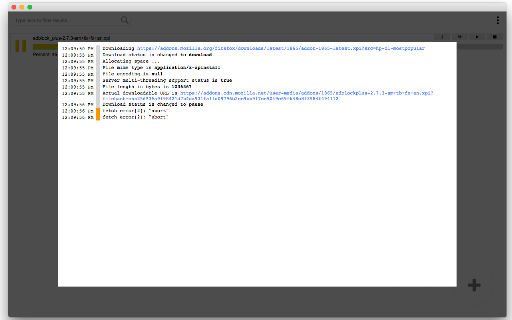
Frequent reports of the extension failing to initiate downloads, downloading partial or corrupted files, and experiencing UI glitches like blank screens.

Privacy

None directly reported, though users expressed concern over large cache files consuming disk space.

Access & pricing

- Free usage observed

- No account requirement observed

- Free plan or free usage claimed

Store listing facts

Listing assets

- Screenshots: 4

- Videos: 1

- Languages: 1

Trust signals

- Privacy policy

- Developer contact

- Official website

Store metadata

- Version: 0.4.1

- Size: 829KiB

- Last updated:

Store description excerpt
Short excerpt from the public Chrome Web Store listing; full copy is available on the official store page.
Turbo Download Manager (Classic) aims to provide reliable file downloading even on low-bandwidth internet connections like 3G networks. Key Features: 1. Speeds up downloads (speed depends on the number of segments and your network capacity) 2. Allows resuming interrupted downloads by introducing fresh links 3. Supports downloading from multiple sources 4. Permits previewing media files while they are being downloaded 5. Extensible and accessible from other extensions and applications 6. Open source and free Please note that this extension is still under development. For bug reports, kindly submit them to https://github.com/inbasic/turbo-download-manager/issues How to Use: Right-click on any link, image, video, or audio element, then select the "Download Now" option. The download manager interface will open, enabling you to initiate the download. Difference between "Turbo Download Manage…

Listing SEO keywords

Search intent keywords
Keyword signals for evaluating how users may discover, compare, or search for this extension category.

Core discovery

chrome download managermulti-thread downloaderresume interrupted downloadsfast file downloader extension

Comparison

IDM alternativeTorch browser downloaderdownload manager v2

Problem

download not startingcorrupted download fileextension interface white screen

Alternative

best chrome download manageropen source download tool

Similar extensions

Jump to related discovery paths:

FAQ

What is Turbo Download Manager (Classic) mainly used for?
This extension is an open-source download manager that splits files into segments to potentially increase download speeds. It offers a right-click interface for initiating downloads and supports manual link management, functioning as a lightweight alternative to external software like IDM.
What market signals stand out?
Visible niche traction with moderate review base. Last known update: 11/18/2023.
What should builders compare before entering this space?
Compare install concentration, rating quality, update recency, screenshots, developer portfolio, listing claims, and review-backed friction signals.
Is this page review-backed?
Backed by review samples. This page combines store metadata with selected review signals, while raw store metrics remain visible for comparison.

Screenshots

Turbo Download Manager (Classic) screenshot

Links

Recommended Chrome extensions

Related listings from the same category, trending peers, and the same publisher portfolio.

Browse workflow