GPTZero: AI Detection & Writing Replay icon

GPTZero Chrome Extension Analysis

AI & Writing Assistants

Store listing title: GPTZero: AI Detection & Writing Replay

Chrome extension ID: kgobeoibakoahbfnlficpmibdbkdchap

A Chrome extension for Google Docs that provides AI-generated text detection, authorship verification through writing process replays, and citation checking. It is designed to help educators verify original work and students improve their writing authenticity.

Version:2026.6.6
Size:35.05MiB
Last updated:

Overview

Installs

400K+

Rating

4.7

709 reviews

Languages

1 locales

Includes English

Market analysis

Review-backed positioning, friction, and market signals for this Chrome extension.

Backed by review samples

Macro category

AI & Writing Assistants

Pricing friction

Low review signal

Complaint intensity

High review signal

Listing & review signals
Observed signals from store listing text and review samples.

Listing positioning

Positions itself as a high-authority solution for teachers, students, and researchers to enhance critical thinking and human writing. It emphasizes a unique 'Writing Replay' feature and typing pattern analysis to differentiate itself from competitors like Turnitin and Grammarly.

Inferred product pattern

AI-driven authorship verification and academic integrity suite with a focus on process-based evidence.

Review-backed pain points

Users report a significant drop in detection accuracy following the Model 4.4b update, where AI text is incorrectly flagged as human. There are also severe complaints regarding billing disputes and poor support responsiveness.

Observed feature gaps

Some users note inconsistency in scan results across different sessions.

Tags
AI DetectionWriting AnalysisEducation ToolGoogle Docs IntegrationAcademic Integrity
Target users

- Teachers

- Students

- Researchers

- Academic Institutions

Primary use cases

- AI content detection in student essays

- Analyzing the chronological writing process via replay

- Verifying bibliographies and checking for AI hallucinations

- Providing live writing feedback within Google Docs

Positive themes

- High utility of the Writing Replay feature

- Seamless integration with Google Docs

- Accuracy in distinguishing high-quality human writing from AI

- Increased teacher confidence in academic integrity

Negative themes

- Regression in detection accuracy after specific model updates

- Unresponsive or unhelpful customer support

- Billing errors and overcharging

Observed friction

- Refund complaints detected

- One user reported being overcharged by 60 Euros and expressed frustration over 'gaslighting' from the support team during the dispute.

Evidence boundary: Analysis based on Chrome Web Store listing and 10 filtered review samples spanning high and low ratings. Review sample size is small; specific accuracy complaints are linked to a particular model version and may not apply to all users.
Complaint summaries
Review-backed complaint signals grouped by operational area.

Support

Complaints include support showing 'zero interest' in reported technical regressions and poor handling of financial disputes.

Reliability

Evidence of a reliability drop post-April 2026 update, with users claiming the tool now fails to detect 100% AI-generated text.

Privacy

No privacy complaints observed in the provided review samples.

Access & pricing

- Free entry with paid features

- Account required for core usage

- Limited free usage observed

Store listing facts

Listing assets

- Screenshots: 5

- Videos: 0

- Languages: 1

Trust signals

- Privacy policy

- Developer contact

- Official website

- Support link

Store metadata

- Version: 2026.6.6

- Size: 35.05MiB

- Last updated:

Store description excerpt
Short excerpt from the public Chrome Web Store listing; full copy is available on the official store page.
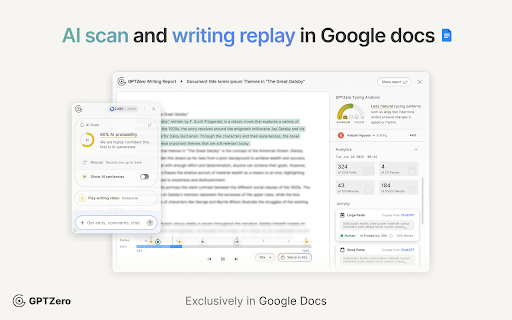
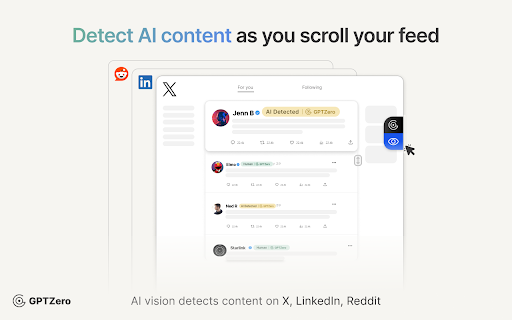
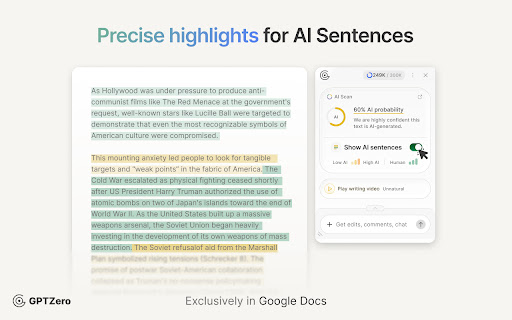
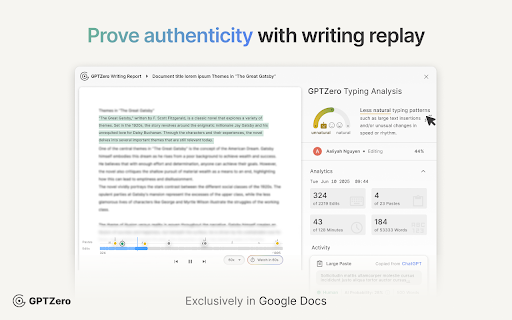
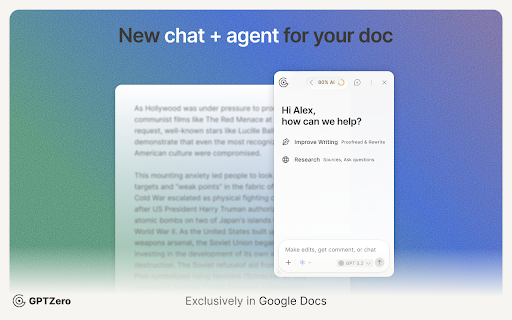
The GPTZero Extension is the best solution for enhancing critical thinking and human writing, as recently featured in The New Yorker, New York Times, and Harvard Business Review. The new Google Document experience is custom built for teachers, students, and researchers. It includes four new powerful features: (1) Live AI detection checks instantly as you write (2) Customizable feedback and writing comments in Google Docs (3) Writing video replay and report, with a new typing pattern analysis (4) Bibliography, citation, and a research-focused fact check ➤ What is our writing video replay? GPTZero’s Writing Replay brings your Google Docs writing process to life, showing exactly how a piece was written, edited, and pasted. Now supporting multiple editors, switch to see how different writers contributed to the final document. ➤ What makes the GPTZero Writing Report different? Unlike other w…

Listing SEO keywords

Search intent keywords
Keyword signals for evaluating how users may discover, compare, or search for this extension category.

Core discovery

AI detectorAI writing checkerGoogle Docs AI detectionWriting replay tool

Comparison

GPTZero vs DraftbackGPTZero vs Brisk ReplayGPTZero vs Turnitin ClarityGPTZero vs Grammarly Authorship

Problem

detect AI writingstudent using AIverify authorshipAI hallucinated bibliography

Alternative

AI detection alternativesbest AI checker for teachersplagiarism detector for Google Docs

Similar extensions

Jump to related discovery paths:

FAQ

What is GPTZero mainly used for?
A Chrome extension for Google Docs that provides AI-generated text detection, authorship verification through writing process replays, and citation checking. It is designed to help educators verify original work and students improve their writing authenticity.
What market signals stand out?
Established adoption with moderate review base. Last known update: 06/23/2026.
What should builders compare before entering this space?
Compare install concentration, rating quality, update recency, screenshots, developer portfolio, listing claims, and review-backed friction signals.
Is this page review-backed?
Backed by review samples. This page combines store metadata with selected review signals, while raw store metrics remain visible for comparison.

Screenshots

GPTZero: AI Detection & Writing Replay screenshot

Links

Recommended Chrome extensions

Related listings from the same category, trending peers, and the same publisher portfolio.

Browse education
Google Meet Attendance List icon

Google Meet Attendance List

MeetList

Easiest way to save the attendance list for your meetings or lectures

Installs

400K+

Rating

4.7

Cite This For Me: Web Citer icon

Cite This For Me: Web Citer

Chegg Writing Tools

Automatically create website citations in the APA, MLA, Chicago, or Harvard referencing styles at the click of a button.

Installs

400K+

Rating

3.8

Trancy - AI Translator & Dual Subtitles icon

Trancy - AI Translator & Dual Subtitles

Trancy

Trancy provides bilingual subtitle for platforms like YouTube, Disney+, as well as AI translator for websites.

Installs

300K+

Rating

4.7

Assessment Lock (Vretta) icon

Assessment Lock (Vretta)

google-web-store-admin

Assessment Security extension for e-Assessments running on ChromeOS

Installs

300K+

Rating

1.9

edpuzzle icon

edpuzzle

Edpuzzle

Import your favorite educational YouTube video into Edpuzzle with a click!

Installs

300K+

Rating

4.2

Certificate Enrollment for ChromeOS icon

Certificate Enrollment for ChromeOS

google.com

Request a certificate for your device.

Installs

300K+

Rating

4.4

rikaikun icon

rikaikun

Erek Speed

rikaikun shows the reading and English definition of Japanese words when you hover over Japanese text in the browser.

Installs

200K+

Rating

4.7

xFanatical Safe Doc icon

xFanatical Safe Doc

xFanatical

xFanatical Safe Doc smooths the way for schools managing Google Workspace for Education features (Docs, Sheets, Slides, Classroom,…

Installs

200K+

Rating

1.4

Mouse Tooltip Translator - PDF & Netflix YouTube dual subs icon

Mouse Tooltip Translator - PDF & Netflix YouTube dual subs

ttop324

Mouse Tooltip Translator translate mouseover text using google translate. Support OCR, TTS, manga translator & pdf translator.

Installs

200K+

Rating

4.6

Paperpile Extension icon

Paperpile Extension

Paperpile

Collect, organize, annotate and cite your research papers in Chrome.

Installs

200K+

Rating

4.6