

Desktop app for Google Tasks Chrome Extension Analysis
Automation & Workflow EfficiencyChrome extension ID: lpofefdiokgmcdnnaigddelnfamkkghi
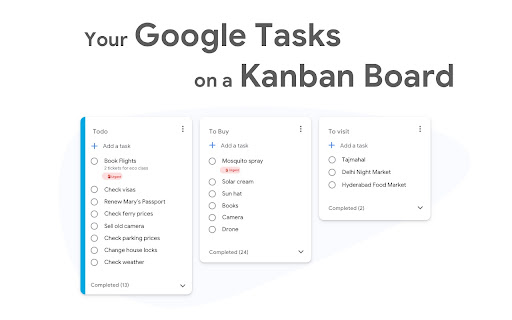
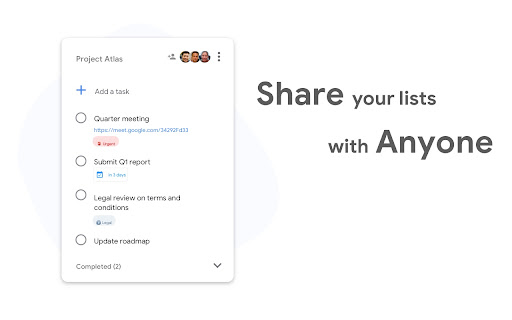
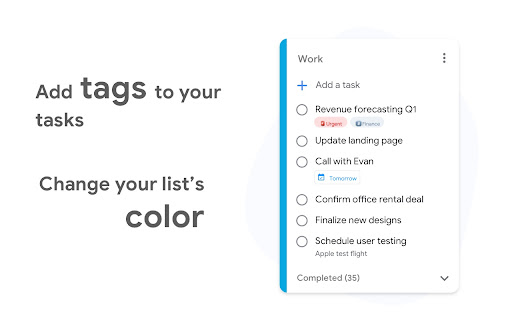
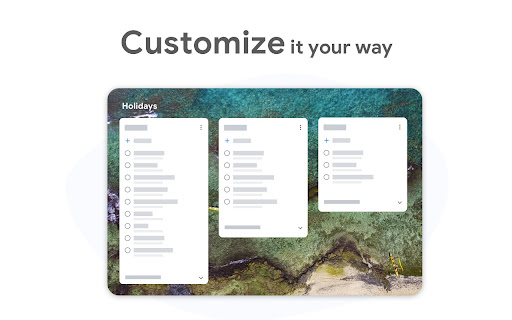
This tool serves as a web-based extension that provides an enhanced interface for Google Tasks. It allows users to manage multiple task lists, collaborate with team members, and visualize tasks through a Kanban-style layout.
Overview
Installs
500K+
Rating
★ 4.7
1,160 reviews
Languages
40 locales
Includes Deutsch, English, Filipino, Indonesia...
Market analysis
Review-backed positioning, friction, and market signals for this Chrome extension.
Macro category
Automation & Workflow Efficiency
Pricing friction
Moderate review signal
Complaint intensity
High review signal
Listing positioning
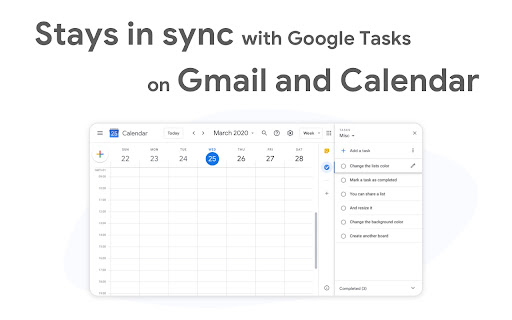
TasksBoard positions itself as a desktop-style interface for Google Tasks, enhancing the native experience with features like drag-and-drop Kanban boards and list sharing. It targets users looking for a more robust, full-screen project management environment while maintaining direct sync with Google's ecosystem.
Inferred product pattern
UI-overlay wrapper for Google Tasks with a proprietary backend for enhanced collaboration and Kanban features.
Review-backed pain points
Users report critical synchronization failures causing missing data, recurring login loops that break workflows, and severe frustration regarding billing errors and unresponsive customer support for premium users.
Observed feature gaps
Reliable real-time sync is frequently cited as failing, and the account management system occasionally misidentifies paid users as free, preventing access to premium features.
- Remote teams
- Project managers
- Students
- Power users of Google Workspace
- Task list organization
- Team collaboration
- Project planning
- Visual task management
- Effective Kanban board interface
- Useful for organizing complex projects
- Good integration with Google Calendar and Gmail
- Improves visibility over native Google Tasks
- Inconsistent synchronization
- Paywall and account status errors
- Poor customer support response
- Billing overcharges and lack of resolution
- Free-tier complaints detected
- Account blocking complaints detected
- Refund complaints detected
- Performance complaints detected
- Users report being incorrectly locked behind paywalls despite having active premium subscriptions and express frustration with duplicate charges and lack of refund assistance.
Support
Multiple reports of non-existent or unresponsive customer support, particularly regarding billing disputes and technical access issues.
Reliability
Persistent complaints about synchronization failures, tasks disappearing from the interface, and broken login/auth flows for the extension.
Privacy
None noted; the product emphasizes that data stays on Google servers.
- Free entry with paid features
- Account required for core usage
- Limited free usage observed
Store listing facts
- Screenshots: 5
- Videos: 0
- Languages: 40
- Privacy policy
- Developer contact
- Official website
- Support link
- Version: 0.5.4
- Size: 26.57KiB
- Last updated:
Listing SEO keywords
Core discovery
Comparison
Problem
Alternative
Similar extensions
Jump to related discovery paths:
FAQ
Screenshots
Links
Website: tasksboard.com
Privacy policy: https://tasksboard.app/privacy.html
Support links: https://tasksboard.com/help








