Adblocker for Youtube™ Chrome Extension Analysis
Privacy, Security & Ad BlockersChrome extension ID: maekfnoeejhpjfkfmdlckioggdcdofpg
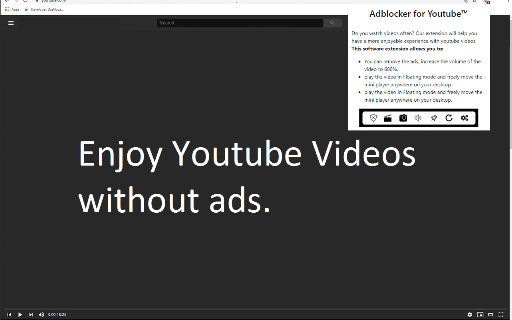
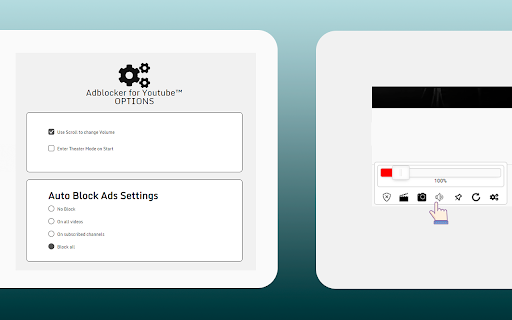
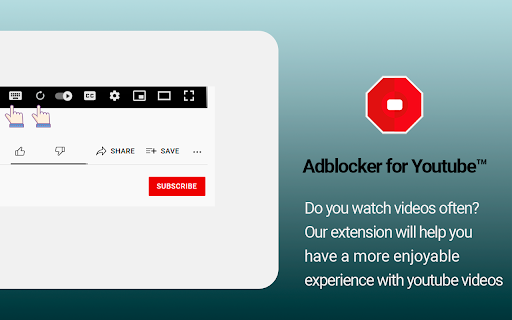
This browser extension is an ad-blocking and utility tool designed specifically for YouTube. It stops video ads, banner overlays, and text advertisements while adding customizable features to the video player interface. Users can leverage integrated tools to boost audio volume, capture screenshots, repeat specific video segments, and toggle theater viewing modes.
Overview
Installs
400K+
Rating
★ 4.1
28,984 reviews
Languages
40 locales
Includes Deutsch, English, Filipino, Indonesia...
Market analysis
Review-backed positioning, friction, and market signals for this Chrome extension.
Macro category
Privacy, Security & Ad Blockers
Pricing friction
Low review signal
Complaint intensity
High review signal
Listing positioning
The store listing positions the extension as a comprehensive, lightweight, and 100% free solution to block all pre-roll, text, and banner ads on YouTube. It claims to improve browser speed, reduce CPU and memory usage, and operate without complex configurations. Additionally, it highlights built-in auxiliary features such as volume boosting, video looping, screenshots, and theater mode accessible via an overlay toolbar.
Inferred product pattern
Free ad-blocking utility coupled with media player upgrades, monetized indirectly through aggressive ad placement and software referrals on its companion web properties.
Review-backed pain points
The most severe pain point is YouTube detecting the extension and blocking video playback completely. Users also experience disrupted workflows due to the extension breaking critical native YouTube features, including the notification bell, comment editing options, and video saving buttons. Frequent page freezes, auto-pausing, and black screens force users to repeatedly reload their tabs.
Observed feature gaps
The extension lacks a granular whitelist or temporary disable switch, meaning users cannot turn off the ad blocker for specific YouTube pages (like channel creator dashboards) where it causes performance lag. Additionally, there is no reliable, ad-free documentation or support portal; seeking help redirects users to an ad-heavy site recommending suspicious software downloads.
- YouTube viewers seeking an ad-free experience
- Classroom teachers seeking ad-free educational streaming
- Users looking to enhance native YouTube player features like audio volume and video looping
- Blocking video ads, text ads, and banners on YouTube
- Boosting YouTube player volume up to 600%
- Taking screenshots of specific video frames
- Looping entire videos or custom time segments
- Effective audio volume boosting capabilities
- Successful native ad-blocking under ideal, non-detected conditions
- YouTube terms of service blockades preventing video playback while active
- Extension disabling native YouTube UI functions such as comments, notifications, and saving videos
- Black screen glitches requiring multiple manual page refreshes to clear
- Suspicious developer website redirects and executable file promotions upon uninstallation
- Performance complaints detected
- Privacy complaints detected
- The extension is advertised as 100% free, and reviews do not report any in-app paywalls. However, user friction occurs on the backend; seeking assistance or attempting to uninstall the software redirects users to a website loaded with ads and links promoting external executable software.
Support
There are no formal support channels. Users trying to obtain usage information report that the developer's website is filled with advertisements, redirects, and links prompting downloads of unrelated applications or executable packages.
Reliability
Severe reliability issues are reported. The extension frequently fails to bypass YouTube's adblock detection, leading to blocked playback. It also introduces major interface bugs, breaking comment edits, notification access, and saving features, and sometimes forces videos to pause automatically after several seconds.
Privacy
Users raise concern over privacy-invasive developer behaviors, noting that uninstalling the extension or visiting the developer website triggers redirects promoting potentially unwanted executable downloads (such as VPN installers) and adware.
- Free usage observed
- No account requirement observed
- Free plan or free usage claimed
Store listing facts
- Screenshots: 3
- Videos: 0
- Languages: 40
- Privacy policy
- Developer contact
- Official website
- Support link
- Version: 3.3.1
- Size: 778KiB
- Last updated:
Listing SEO keywords
Core discovery
Comparison
Problem
Alternative
Similar extensions
Jump to related discovery paths:
FAQ
Screenshots
Links
Website: enhanced-videos.dllplayer.com
Privacy policy: https://www.freebusinessapps.net/privacy
Support links: https://adblocker-for-youtube.freeonlineapps.net/contact