
Tab Copy Chrome Extension Analysis
Tab & Bookmark ProductivityChrome extension ID: micdllihgoppmejpecmkilggmaagfdmb
This extension allows users to copy the URLs and titles of currently open browser tabs to the clipboard. It provides multiple configuration options to filter tabs or format output strings for different documentation or workflow needs.
Overview
Installs
100K+
Rating
★ 4.7
660 reviews
Languages
1 locales
Includes English (United States)
Market analysis
Review-backed positioning, friction, and market signals for this Chrome extension.
Macro category
Tab & Bookmark Productivity
Pricing friction
Low review signal
Complaint intensity
High review signal
Listing positioning
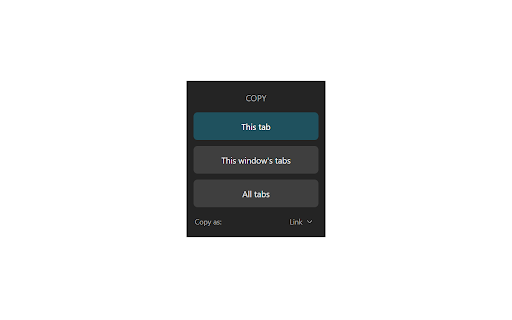
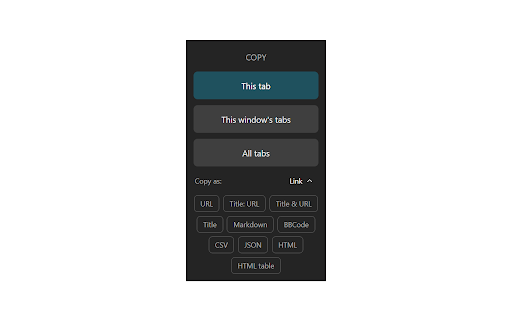
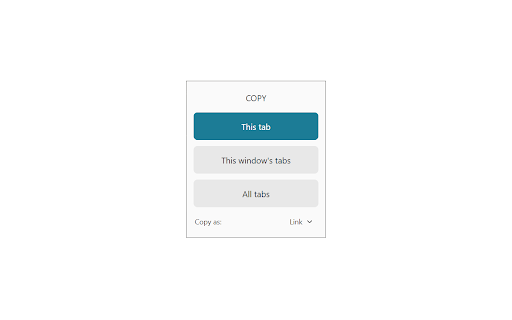
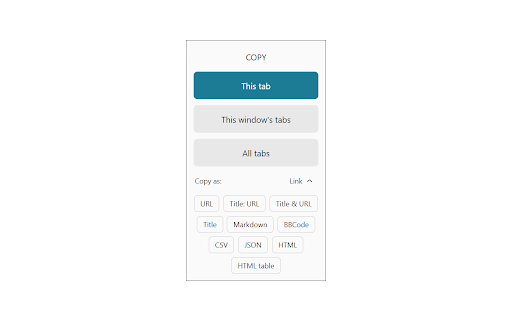
Tab Copy positions itself as a versatile utility for capturing browser tabs into various formats including Markdown, JSON, and CSV. It emphasizes customization through format templates, keyboard shortcuts, and context menu integration.
Inferred product pattern
Single-purpose productivity utility with advanced configuration options.
Review-backed pain points
Recent updates have removed beloved 'single/double/triple-click' workflow patterns, causing significant friction for legacy users who found the previous iteration more efficient and intuitive.
Observed feature gaps
The current version lacks the ability to revert to previous interaction patterns or easily perform complex copy actions without navigating additional UI steps.
- Power users
- Developers
- Content writers
- Researchers
- Copying multiple tab URLs to clipboard
- Formatting tab data for Markdown documents
- Exporting browser state to CSV or JSON
- High utility for professional workflows
- Powerful custom formatting options
- Consistent historical performance
- Removal of legacy click-based shortcuts
- Overcomplicated UI changes
- Broken keyboard shortcut configurations
- Reduced discoverability of tab counts
- Performance complaints detected
- No pricing friction reported; the extension is perceived as a free utility.
Support
Users expressed frustration with 'strategic' UI/UX decisions made by the developer that removed preferred legacy workflows.
Reliability
Recent updates resulted in reported issues where keyboard shortcuts fail to function even after resetting settings.
Privacy
No specific privacy or security concerns were raised in the provided review samples.
- Free usage observed
- No account requirement observed
- Free plan or free usage claimed
Store listing facts
- Screenshots: 4
- Videos: 0
- Languages: 1
- Privacy policy
- Developer contact
- Official website
- Version: 4.1.1
- Size: 326KiB
- Last updated:
Listing SEO keywords
Core discovery
Comparison
Problem
Alternative
Similar extensions
Jump to related discovery paths:
FAQ
Screenshots
Links
Website: tabcopy.com
Privacy policy: https://tabcopy.com/privacy