
ScriptCat Chrome Extension Analysis
Automation & Workflow EfficiencyChrome extension ID: ndcooeababalnlpkfedmmbbbgkljhpjf
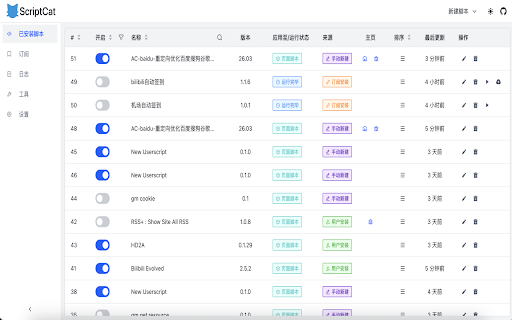
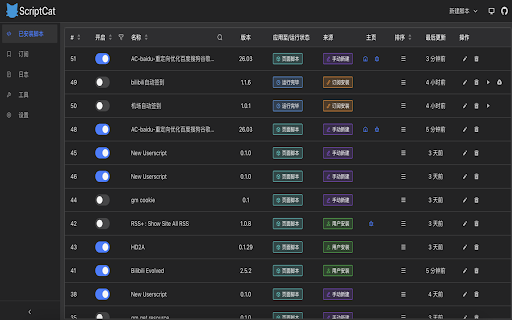
ScriptCat is a browser extension that allows users to install and execute custom scripts to modify web page behavior. It includes a sandbox mechanism for safety, cloud synchronization for script recovery, and integration with VSCode for streamlined development.
Overview
Installs
100K+
Rating
★ 4.5
70 reviews
Languages
7 locales
Includes Deutsch, English, Tiếng Việt, русский...
Market analysis
Review-backed positioning, friction, and market signals for this Chrome extension.
Macro category
Automation & Workflow Efficiency
Pricing friction
Low review signal
Complaint intensity
Moderate review signal
Listing positioning
The product is positioned as a powerful userscript manager and framework that extends browser capabilities beyond traditional managers like Greasemonkey and Tampermonkey. It emphasizes advanced features such as background scripts, scheduled tasks, and a professional development environment via an online editor.
Inferred product pattern
A high-utility developer tool focusing on 'power-user' browser automation with a focus on cloud-sync and IDE integration.
Review-backed pain points
Users have reported critical issues including scripts being automatically cleared without warning, difficulty enabling the extension due to developer mode errors, and concerns over the extension connecting to suspicious third-party domains.
Observed feature gaps
Lack of full feature parity with Tampermonkey, failure to synchronize the enabled/disabled status of scripts across devices, and a non-functional mobile editor.
- Web Developers
- Power Users
- Automation Enthusiasts
- Userscript Curators
- Automating repetitive web tasks
- Modifying website UI/UX via userscripts
- Scheduling daily automated check-ins or reminders
- Developing and syncing scripts across multiple browsers
- Seamless VSCode integration
- Efficient handling of a large number of scripts
- Promising advanced feature set
- Suspected malicious network connections to ad domains
- Automatic deletion of installed scripts
- Poor mobile usability
- Incomplete translations
- Installation and developer mode conflicts
- Performance complaints detected
- Privacy complaints detected
- No pricing friction observed as the product appears to be free.
Support
Users report frustration with the installation process and a lack of clarity regarding developer mode requirements.
Reliability
Reports of data loss (scripts being cleared) and synchronization failures for script settings.
Privacy
A significant complaint alleges that the extension attempts to connect to multiple random ad-related domains upon installation.
- Free usage observed
- No clear access signal
- Free plan or free usage claimed
Store listing facts
- Screenshots: 2
- Videos: 0
- Languages: 7
- Privacy policy
- Developer contact
- Official website
- Support link
- Version: 1.3.2
- Size: 4.14MiB
- Last updated:
Listing SEO keywords
Core discovery
Comparison
Problem
Alternative
Similar extensions
Jump to related discovery paths:
FAQ
Screenshots
Links
Website: docs.scriptcat.org
Privacy policy: https://docs.scriptcat.org/docs/use/policy/privacy/
Support links: https://github.com/scriptscat/scriptcat/issues