Synthesia - AI Screen Recorder & Editor icon

Synthesia Chrome Extension Analysis

AI & Writing Assistants

Store listing title: Synthesia - AI Screen Recorder & Editor

Chrome extension ID: nfhnknijidlahaoemjlbpfpgpheakoph

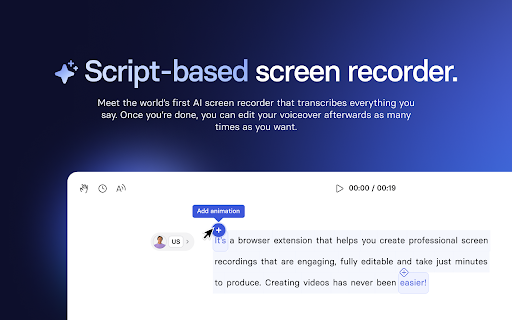
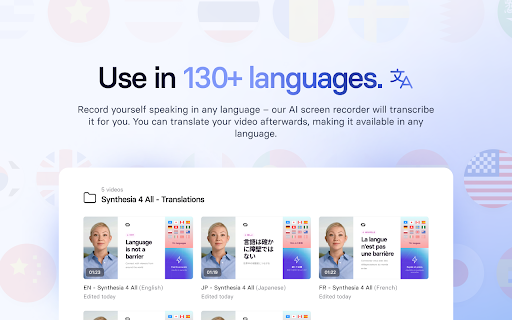
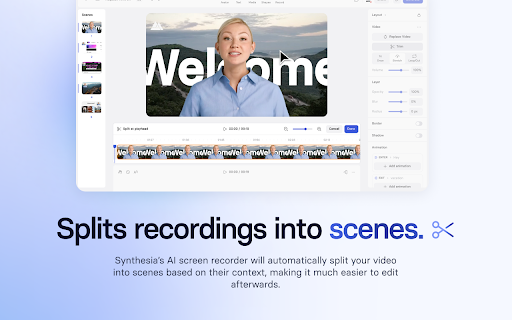
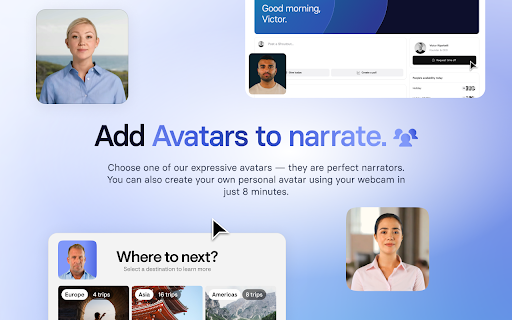
An AI-powered screen recording and video editing extension designed to transform screen captures into polished videos. It allows users to replace or augment recordings with AI avatars, automatically transcribe speech, and edit audio content easily.

Developer:Synthesia
Version:1.10.0
Size:8.26MiB
Last updated:

Overview

Installs

30K+

Rating

4.3

12 reviews

Languages

1 locales

Includes English

Market analysis

Review-backed positioning, friction, and market signals for this Chrome extension.

Backed by review samples

Macro category

AI & Writing Assistants

Pricing friction

Low review signal

Complaint intensity

Moderate review signal

Listing & review signals
Observed signals from store listing text and review samples.

Listing positioning

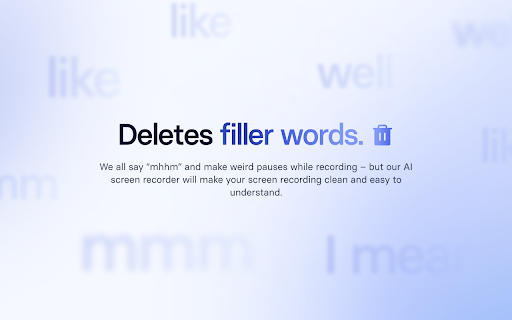
Synthesia positions itself as a professional AI-driven video creation platform that eliminates the need for cameras, actors, or expensive equipment. It emphasizes high-quality, editable video production through features like AI avatars, automatic transcription, and filler-word removal.

Inferred product pattern

An AI-driven video production workflow tool that automates the creation of professional narrated screen recordings using digital avatars and intelligent editing.

Review-backed pain points

Users reported the extension becoming stuck on a loading screen and difficulties with the microphone not being recognized despite correct browser settings.

Observed feature gaps

No specific feature gaps were identified from the provided reviews or listing.

Tags
AI Video EditorScreen RecorderAI AvatarTranscription ToolWorkflow Automation
Target users

- Sales professionals

- Customer success teams

- Learning and Development managers

- Product marketers

- IT and cybersecurity trainers

Primary use cases

- Creating professional product demos

- Making help center tutorials

- Communicating product updates

- Explaining complex technical processes

Positive themes

- Significant time savings through post-recording audio editing

- Ease of use for creating narrated content

- Effective use of AI avatars to replace camera footage

- Automatic removal of filler words

Negative themes

- Technical instability such as infinite loading/spinning

- Microphone permission and detection failures

Observed friction

- Performance complaints detected

- No pricing friction was identified in the provided data.

Evidence boundary: Analysis based on the official Chrome Web Store listing and 12 user reviews. The review sample size is limited to 12 entries.
Complaint summaries
Review-backed complaint signals grouped by operational area.

Support

No support or account-related complaints were identified in the provided data.

Reliability

Reliability issues were noted regarding the extension spinning indefinitely and microphone connectivity problems.

Privacy

No privacy or security complaints were identified in the provided data.

Access & pricing

- No clear monetization signal

- No clear access signal

- No clear pricing signal

Store listing facts

Listing assets

- Screenshots: 5

- Videos: 1

- Languages: 1

Trust signals

- Privacy policy

- Developer contact

- Official website

Store metadata

- Version: 1.10.0

- Size: 8.26MiB

- Last updated:

Store description excerpt
Short excerpt from the public Chrome Web Store listing; full copy is available on the official store page.
Synthesia’s screen recorder transcribes what you say in the recording, makes an AI avatar say it for you—fear of bed-hair instantly gone—and automatically removes those filler-words (um, ah, eh) that distract your audience. You don’t even need a camera! Synthesia is the number #1 AI video editor worldwide, with ⭐️ 4.7 stars on G2.com. 1 million users make videos in Synthesia without the need for expensive sets, cameras, editing software or actors. We’re used by half of the Fortune 500 in their day-to-day work. Now with our AI screen recorder Synthesia gives you yet another way to make quality video content that is evergreen, editable, and ready to share with your colleagues and the outside world. KEY FEATURES: 🎥 Record your screen, microphone and internal computer audio 🔒 Content Blur: Apply Blur to any element on the tab to hide sensitive content from the recording 🗣️ Automatic Tran…

Listing SEO keywords

Search intent keywords
Keyword signals for evaluating how users may discover, compare, or search for this extension category.

Core discovery

AI screen recorderAI video editorautomatic transcriptionAI avatar videoremove filler words

Comparison

Loom alternativescreen recording softwareAI video creation

Problem

screen recording errormicrophone not workingvideo editing time

Alternative

LoomCamtasiaDescript

Similar extensions

Jump to related discovery paths:

FAQ

What is Synthesia mainly used for?
An AI-powered screen recording and video editing extension designed to transform screen captures into polished videos. It allows users to replace or augment recordings with AI avatars, automatically transcribe speech, and edit audio content easily.
What market signals stand out?
Visible niche traction with limited review base. Last known update: 04/29/2026.
What should builders compare before entering this space?
Compare install concentration, rating quality, update recency, screenshots, developer portfolio, listing claims, and review-backed friction signals.
Is this page review-backed?
Backed by review samples. This page combines store metadata with selected review signals, while raw store metrics remain visible for comparison.

Screenshots

Synthesia - AI Screen Recorder & Editor screenshot

Links

Recommended Chrome extensions

Related listings from the same category, trending peers, and the same publisher portfolio.

Browse communication
FlowCrypt: Encrypt Gmail with PGP icon

FlowCrypt: Encrypt Gmail with PGP

flowcrypt-release

Simple end-to-end encryption to secure email and attachments on Google.

Installs

70K+

Rating

4.7

ClassroomGo AI無邊際(學生) icon

ClassroomGo AI無邊際(學生)

雲動教育科技

1. 教師主控端支援Chrome OS、Mac、以及Windows系統,學生受控端支援已登入之Chromebook。 2. 可載入教師Google Classroom 開課資訊及上課學生清單,並可由教師主控端一覽上線學生受控端之螢幕畫面。 3.…

Installs

70K+

Rating

1.4

Voila – AI Assistant, Copilot and AI Writer icon

Voila – AI Assistant, Copilot and AI Writer

Initial condition

Seamless personal AI assistant powered by GPT-5 to help you create, write, summarize, brainstorm, and research on any website.

Installs

70K+

Rating

4.7

Grammar Checker and AI tool - Correcto icon

Grammar Checker and AI tool - Correcto

product-development-correcto

Improve your writing with the AI-powered online grammar and spelling checker in Spanish and our paraphrasing tool.

Installs

70K+

Rating

4.6

Share link via email icon

Share link via email

Cobote

Adds a button and context menu item to send the page URL or a link URL via email

Installs

70K+

Rating

3.9

Mail Merge for Gmail - Mailmeteor icon

Mail Merge for Gmail - Mailmeteor

Mailmeteor

Free mail merge with email tracker and auto follow-ups.

Installs

60K+

Rating

4.8

Cursorful - Screen Recorder with Auto Zoom icon

Cursorful - Screen Recorder with Auto Zoom

Cursorful

Cursorful creates beautiful screen recordings with automatic zooms and pans that keep the viewer engaged.

Installs

60K+

Rating

4.9

Auto BCC for Gmail™ by cloudHQ icon

Auto BCC for Gmail™ by cloudHQ

cloudHQ

Setup automatic blind copies to your CRM or any other email address

Installs

60K+

Rating

4.2

Kommodo Screen Recorder & SOP icon

Kommodo Screen Recorder & SOP

kgrauer

Record screen and get a magical SOP with an AI Summary

Installs

50K+

Rating

4.6

CrankWheel Screen Sharing icon

CrankWheel Screen Sharing

CrankWheel

Easier screen sharing. No app needed for viewers, even on their mobile. Record your screen or webcam.

Installs

50K+

Rating

4.8