GoodPlan (no overriding of your home page) icon

GoodPlan (no overriding of your home page) Chrome Extension Analysis

Automation & Workflow Efficiency

Chrome extension ID: oeedcmppmjmnpgglljnbapdkobmikcmg

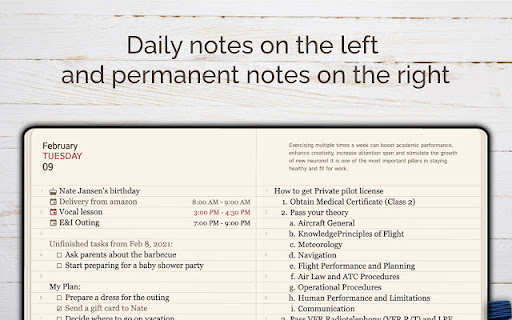
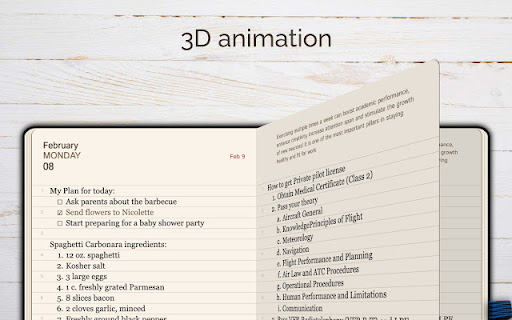
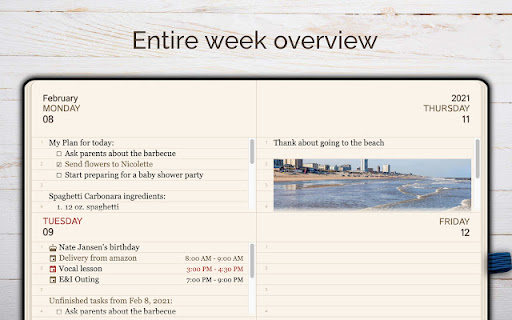
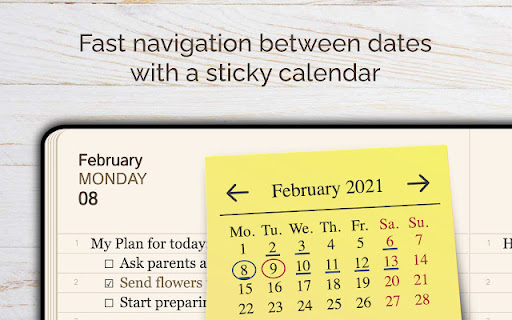
A Chrome extension designed for daily journaling, note-taking, and task management. The tool provides date-specific pages, a dual-note system, and a context menu for quickly saving text from the web.

Developer:goodplan.app
Version:2.0.2
Size:3.38MiB
Last updated:

Overview

Installs

2K+

Rating

4.0

14 reviews

Languages

11 locales

Includes English, español, español (Latinoamérica), português (Brasil)...

Market analysis

Review-backed positioning, friction, and market signals for this Chrome extension.

Backed by review samples

Macro category

Automation & Workflow Efficiency

Pricing friction

Low review signal

Complaint intensity

Moderate review signal

Listing & review signals
Observed signals from store listing text and review samples.

Listing positioning

GoodPlan positions itself as a streamlined, non-intrusive journaling and planning workspace that integrates into the browser without replacing the user's homepage. It emphasizes efficiency through features like automatic task rollover and quick-capture tools for browsing.

Inferred product pattern

A lightweight, non-intrusive productivity extension focused on journaling and planning that struggles with data persistence and cross-device synchronization.

Review-backed pain points

Users report significant frustration with notes and planned tasks disappearing without explanation and the inability to access data across different computers.

Observed feature gaps

Users have requested better text formatting retention during copy-paste, customizable daily prompts, and a mini-popup version of the interface.

Tags
Smart JournalingDaily PlannerNote TakingTask Manager
Target users

- Daily journalers

- Productivity enthusiasts

- Individuals with ADHD

- Note takers

Primary use cases

- Daily journaling

- Quick idea capture while browsing

- Task management and daily planning

- Organizing thoughts with weekly summaries

Positive themes

- Aesthetic and simple design

- Non-intrusive browser integration

- Helpful for cognitive organization

Negative themes

- Data loss and disappearing entries

- Lack of cross-device synchronization

Observed friction

- Performance complaints detected

- No pricing friction identified in the provided data.

Evidence boundary: Evidence derived from the Chrome Web Store description and user reviews highlighting both UI satisfaction and critical reliability issues. The review sample is small and reflects a specific subset of user experiences; there is a discrepancy between 'no account necessary' claims and user reports on sync functionality.
Complaint summaries
Review-backed complaint signals grouped by operational area.

Support

No support or account-related complaints identified.

Reliability

Multiple reports regarding data loss (notes disappearing) and failure to sync information across different devices.

Privacy

No privacy or security complaints identified.

Access & pricing

- No clear monetization signal

- Login needed for core features

- No clear pricing signal

Store listing facts

Listing assets

- Screenshots: 5

- Videos: 0

- Languages: 11

Trust signals

- Privacy policy

- Developer contact

- Official website

- Support link

Store metadata

- Version: 2.0.2

- Size: 3.38MiB

- Last updated:

Store description excerpt
Short excerpt from the public Chrome Web Store listing; full copy is available on the official store page.
Revitalize your browsing experience with GoodPlan: The Ultimate Smart Journaling Extension! PLEASE NOTE THAT THIS VERSION OF THE EXTENSION DOES NOT REPLACE YOUR HOME PAGE. Discover an innovative journaling workspace by clicking on the extension icon in your browser. This Chrome Extension is more than just a simple note-taking tool – it's an intelligent, feature-rich system seamlessly integrated into your daily browsing experience. Explore the potential of organized thought and heightened productivity with this Chrome Extension, which functions as your personal assistant, memory keeper, and planner, all within your browser. Key Use-Cases: - Create notes effortlessly at any time, whether during your current day or reflecting on past experiences. - Capture ideas or information instantly while browsing, directly from the extension icon – ideal for saving insights from videos or articles. -…

Listing SEO keywords

Search intent keywords
Keyword signals for evaluating how users may discover, compare, or search for this extension category.

Core discovery

daily journal extensionbrowser note takerchrome task managerdigital planner extension

Comparison

Notion alternativeEvernote extensionDay One alternative

Problem

notes disappearingbrowser journal sync issueslose notes chrome

Alternative

journaling appdaily plannernote taking tool

Similar extensions

Jump to related discovery paths:

FAQ

What is GoodPlan (no overriding of your home page) mainly used for?
A Chrome extension designed for daily journaling, note-taking, and task management. The tool provides date-specific pages, a dual-note system, and a context menu for quickly saving text from the web.
What market signals stand out?
Early or small audience with limited review base. Last known update: 05/16/2024.
What should builders compare before entering this space?
Compare install concentration, rating quality, update recency, screenshots, developer portfolio, listing claims, and review-backed friction signals.
Is this page review-backed?
Backed by review samples. This page combines store metadata with selected review signals, while raw store metrics remain visible for comparison.

Screenshots

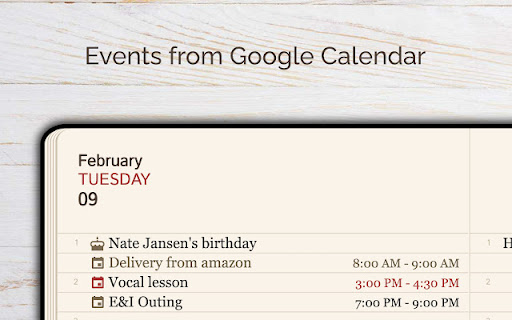
GoodPlan (no overriding of your home page) screenshot

Links

Recommended Chrome extensions

Related listings from the same category, trending peers, and the same publisher portfolio.

Browse workflow