
Checker Plus for Google Drive™ Chrome Extension Analysis
Automation & Workflow EfficiencyChrome extension ID: pppfmbnpgflleackdcojndfgpiboghga
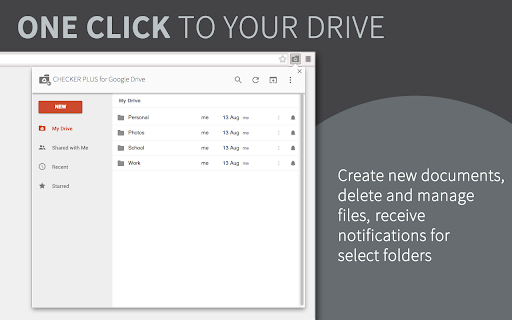
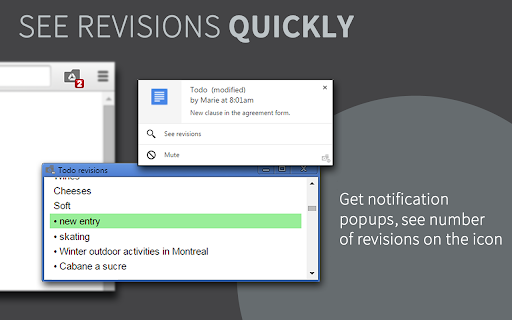
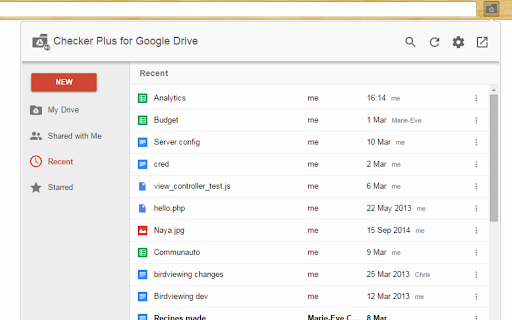
A browser extension that provides a lightweight interface for Google Drive. It allows users to browse, search, and delete files, and receive push notifications when shared documents are updated.
Overview
Installs
30K+
Rating
★ 4.4
239 reviews
Languages
18 locales
Includes Deutsch, English, English (United Kingdom), Türkçe...
Market analysis
Review-backed positioning, friction, and market signals for this Chrome extension.
Macro category
Automation & Workflow Efficiency
Pricing friction
Low review signal
Complaint intensity
High review signal
Listing positioning
The product is positioned as a way to manage Google Drive files directly from a browser button without opening the full web interface. It focuses on speed, quick searching, and real-time desktop notifications for document modifications.
Inferred product pattern
A utility-based productivity wrapper that enhances the native Google Drive experience through lightweight UI and proactive notification triggers.
Review-backed pain points
Users reported accidental file deletion, significant navigation slowdowns, and incorrect file placement when creating new documents via the extension.
Observed feature gaps
Lack of email/SMS notification options, difficulty managing multiple Google accounts, and inability to ensure new files are created in the currently navigated directory.
- Google Drive users
- Collaborative workers
- Remote professionals
- Quick file browsing
- Monitoring shared document updates
- Managing files without switching tabs
- Convenient quick access to files
- Useful desktop notifications for document changes
- Improved workflow over native Drive interface
- Critical reliability issues involving file loss
- Concerns regarding data privacy and access permissions
- UI bloat and design regressions
- Performance lag after updates
- Performance complaints detected
- Privacy complaints detected
- No explicit pricing complaints, though users have expressed interest in paying for advanced notification features.
Support
No direct support complaints, though some users found initial setup or usage guidance difficult to locate.
Reliability
Significant reliability concerns were noted, including a report of accidental folder deletion and notification failures in shared folders.
Privacy
Some users expressed concern over the scope of permissions required to access files and emails.
- No clear monetization signal
- Account required for core usage
- No clear pricing signal
Store listing facts
- Screenshots: 3
- Videos: 1
- Languages: 18
- Privacy policy
- Developer contact
- Official website
- Version: 15.0
- Size: 1.17MiB
- Last updated:
Listing SEO keywords
Core discovery
Comparison
Problem
Alternative
Similar extensions
Jump to related discovery paths:
FAQ
Screenshots
Links
Website: jasonsavard.com
Privacy policy: https://jasonsavard.com/wiki/Permissions_and_privacy
Videos: Watch