eJOY AI Dictionary icon

eJOY AI Dictionary Chrome Extension Analysis

Automation & Workflow Efficiency

Chrome extension ID: amfojhdiedpdnlijjbhjnhokbnohfdfb

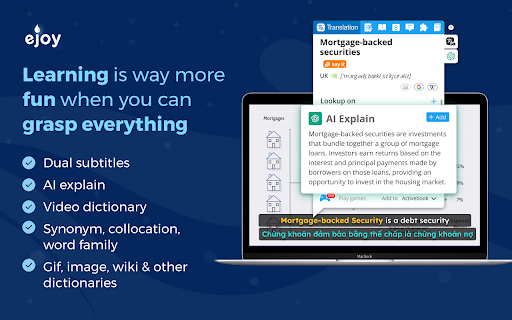
This tool serves as an interactive dictionary and language-learning companion that works across various platforms like YouTube, Netflix, and PDF viewers. It enables users to look up words instantly, save vocabulary to personalized lists, and practice through various games and AI-assisted exercises.

Version:7.1.43
Size:8.09MiB
Last updated:

Overview

Installs

700K+

Rating

4.8

4,984 reviews

Languages

7 locales

Includes English, Tiếng Việt, español, français...

Market analysis

Review-backed positioning, friction, and market signals for this Chrome extension.

Backed by review samples

Macro category

Automation & Workflow Efficiency

Pricing friction

High review signal

Complaint intensity

High review signal

Listing & review signals
Observed signals from store listing text and review samples.

Listing positioning

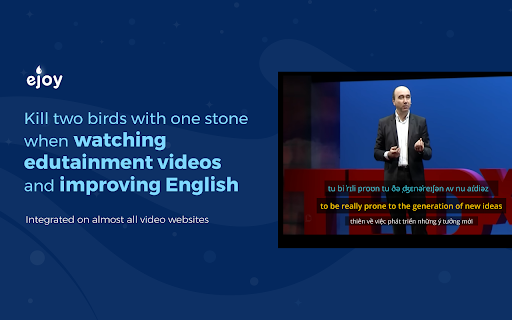
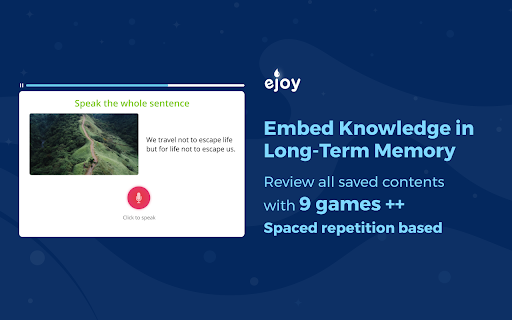
eJOY AI Dictionary positions itself as an all-in-one English learning ecosystem that integrates directly into browsers to translate and save vocabulary. It highlights a comprehensive feature set including bilingual subtitles for video content, an AI-powered assistant for text analysis, and gamified spaced-repetition tools.

Inferred product pattern

A browser-based language learning platform transitioning from a utility-first tool to a gated subscription-heavy educational ecosystem.

Review-backed pain points

Users express significant frustration over post-update bugs, high pricing for premium features, and intrusive UI elements. Some users also report technical failures with subtitle translation on major streaming sites.

Observed feature gaps

Lack of granular customization in the settings menu, automatic translation language conflicts, poor voice quality for phrase playback, and keyboard shortcut conflicts (e.g., Shift key interference).

Tags
Language LearningTranslationVocabulary BuilderBilingual SubtitlesAI Assistant
Target users

- Language Learners

- English Students

- Content Consumers (Video/Web)

Primary use cases

- Bilingual subtitle viewing

- Instant word/phrase translation

- Vocabulary storage and memorization

- AI-driven text summarization and rewriting

Positive themes

- Effective vocabulary storage

- Useful gamification features

- Good single-word pronunciation

- Helpful bilingual subtitle integration

Negative themes

- High annual subscription costs

- UI/UX complexity and clutter

- Persistent bugs after updates

- Translation failure on specific streaming platforms

Observed friction

- Payment required for meaningful usage

- Free-tier complaints detected

- Performance complaints detected

- Privacy complaints detected

- Users consider the annual subscription fee (cited as >$100) expensive relative to available free translation alternatives.

Evidence boundary: The evidence is drawn from recent user reviews spanning 2021-2026, capturing both long-term user sentiment shifts and technical complaints. Review data is heterogeneous across languages and specific version updates, making it difficult to isolate if current bugs are addressed in the latest patch.
Complaint summaries
Review-backed complaint signals grouped by operational area.

Support

Users report that support interactions have not successfully resolved recurring technical bugs, leading to feelings of abandonment among long-time subscribers.

Reliability

Significant complaints regarding post-update instability, frequent technical errors, and failures of the extension to function on specific sites like Prime Video.

Privacy

Concerns regarding the scope of permissions requested, specifically the 'Read your browsing history' permission.

Access & pricing

- Free entry with paid features

- Account required for core usage

- Trial or limited free usage before paid plan

Store listing facts

Listing assets

- Screenshots: 5

- Videos: 1

- Languages: 7

Trust signals

- Privacy policy

- Developer contact

- Official website

Store metadata

- Version: 7.1.43

- Size: 8.09MiB

- Last updated:

Store description excerpt
Short excerpt from the public Chrome Web Store listing; full copy is available on the official store page.
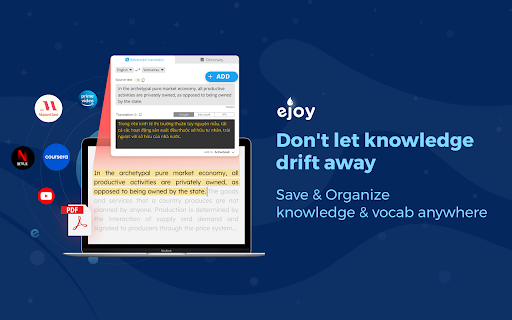
Look up - save - review vocabulary. Integrate everywhere. Sync across devices. 💧 FEATURES HIGHLIGHTS for LIFELONG LEARNERS 1️⃣ UNDERSTAND EVERYTHING INSTANTLY • Watch videos with bilingual subtitles. • Translate PDF, image-based documents. • Get translation of words, phrases in videos with just one click. • Understand specialized vocabularies with AI dictionary. • Get all details about words: definitions, pronunciation, synonyms, collocations, examples, slang, video context, etc. • Quick search via GIFs, Google, or Wikipedia and other commonly used dictionaries without opening new tabs. • Display translations next to the original text (Inline Translation). 2️⃣ CAPTURE KNOWLEDGE & VOCABULARIES IN VARIOUS FORMATS • Save words, phrases, or paragraphs while surfing content on platforms like YTube, Nflix, Course, PDFs,... • Organize and categorize vocabulary and knowledge based on topics. •…

Listing SEO keywords

Search intent keywords
Keyword signals for evaluating how users may discover, compare, or search for this extension category.

Core discovery

eJOY AI Dictionarybrowser translation extensionlearn English with videosbilingual subtitle extension

Comparison

eJOY vs free dictionaryeJOY alternatives

Problem

eJOY not workingeJOY subscription expensiveeJOY bugs

Alternative

Language ReactorGoogle Translate extensionLanguage Learning with Netflix

Similar extensions

Jump to related discovery paths:

FAQ

What is eJOY AI Dictionary mainly used for?
This tool serves as an interactive dictionary and language-learning companion that works across various platforms like YouTube, Netflix, and PDF viewers. It enables users to look up words instantly, save vocabulary to personalized lists, and practice through various games and AI-assisted exercises.
What market signals stand out?
Established adoption with substantial review base. Last known update: 06/23/2026.
What should builders compare before entering this space?
Compare install concentration, rating quality, update recency, screenshots, developer portfolio, listing claims, and review-backed friction signals.
Is this page review-backed?
Backed by review samples. This page combines store metadata with selected review signals, while raw store metrics remain visible for comparison.

Screenshots

eJOY AI Dictionary screenshot

Links

Recommended Chrome extensions

Related listings from the same category, trending peers, and the same publisher portfolio.

Browse education