

Docusign eSignature for Chrome Chrome Extension Analysis
Automation & Workflow EfficiencyChrome extension ID: blkboeaihdlecgdjjgkcabbacndbjibc
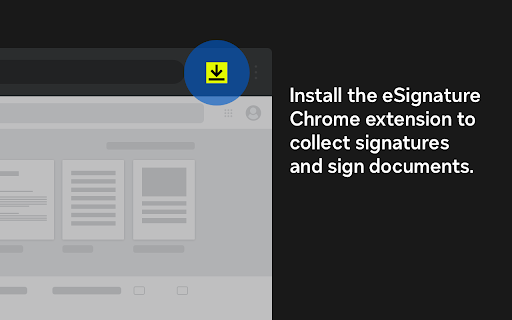
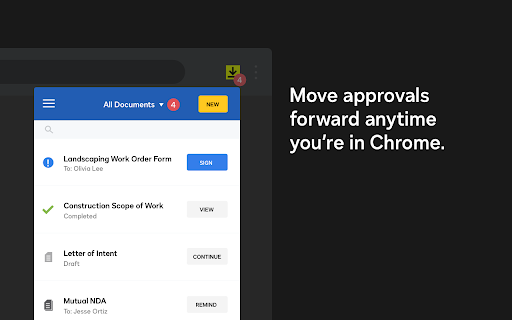
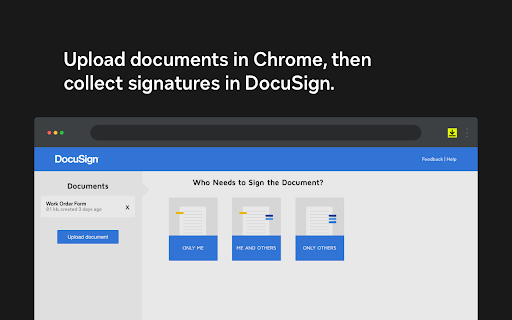
This extension bridges the gap between the browser and the Docusign eSignature platform. It allows users to initiate signing tasks, monitor document status, and interact with Docusign envelopes directly from Chrome, aiming to streamline remote signing processes.
Overview
Installs
300K+
Rating
★ 4.3
1,243 reviews
Languages
14 locales
Includes Deutsch, English, Nederlands, español...
Market analysis
Review-backed positioning, friction, and market signals for this Chrome extension.
Macro category
Automation & Workflow Efficiency
Pricing friction
Moderate review signal
Complaint intensity
High review signal
Listing positioning
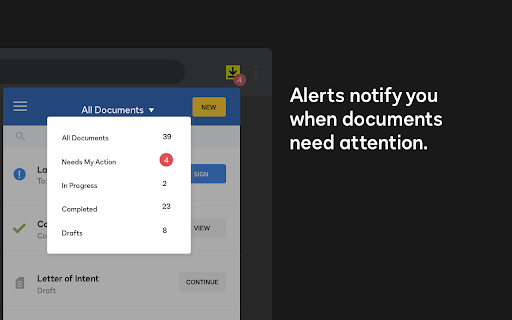
The Docusign eSignature Chrome extension positions itself as an essential productivity tool for managing document workflows directly within the browser. It emphasizes efficiency by enabling users to view envelope status, send reminders, and sign documents without leaving their active web tabs.
Inferred product pattern
Browser-based wrapper for an established SaaS document signing platform designed to increase product stickiness.
Review-backed pain points
Users frequently report technical bugs where signed documents fail to attach to emails, constant session timeouts requiring repetitive logins, and overall frustration with the mandatory account creation and complex UI navigation.
Observed feature gaps
Lack of reliable integration with Gmail attachments, absence of persistent session management for many users, and difficulty in managing account settings or plan upgrades directly from the extension interface.
- Remote Workers
- Small Business Owners
- Freelancers
- Administrative Professionals
- Signing documents via Gmail
- Sending documents for signature
- Tracking envelope status
- Managing document workflows
- Initial perception of time-saving convenience
- Potential for streamlining document signing from Gmail
- Persistent login requirements
- Technical failures with document attachments
- Difficulty navigating the web interface
- Frustration with account creation requirements
- Inconsistent sync between preferences and signed documents
- Free-tier complaints detected
- Account blocking complaints detected
- Refund complaints detected
- Performance complaints detected
- Privacy complaints detected
- Users express significant frustration regarding perceived limitations of the free tier, difficulties in navigating plan upgrades, and complaints about paying for features that do not function as expected.
Support
Reports of unresponsive customer service and difficulty closing accounts or resolving billing discrepancies are prominent among negative reviews.
Reliability
Multiple complaints regarding bugs where signed documents do not attach correctly, infinite loading states, and inconsistent behavior between Chrome and the main Docusign platform.
Privacy
Users expressed concern over mandatory data collection (phone/email) for signing PDFs and implied distrust regarding the handling of personal contact information.
- Free entry with paid features
- Account required for core usage
- Limited free usage observed
Store listing facts
- Screenshots: 5
- Videos: 0
- Languages: 14
- Privacy policy
- Developer contact
- Official website
- Version: 4.4.27
- Size: 155KiB
- Last updated:
Listing SEO keywords
Core discovery
Comparison
Problem
Alternative
Similar extensions
Jump to related discovery paths:
FAQ
Screenshots
Links
Website: docusign.com
Privacy policy: https://www.docusign.com/company/privacy-policy





