Send to Kindle for Google Chrome™ icon

Send to Kindle for Google Chrome™ Chrome Extension Analysis

Automation & Workflow Efficiency

Chrome extension ID: cgdjpilhipecahhcilnafpblkieebhea

A browser extension that allows users to send web content directly to their Kindle library for offline reading. It supports sending full pages or selected text and provides a preview of how content will appear on a Kindle device.

Developer:AMZN Mobile LLC
Version:2.1.1.7
Size:3.03MiB
Last updated:

Overview

Installs

500K+

Rating

3.2

1,063 reviews

Languages

29 locales

Includes Deutsch, English, English (Australia), English (United Kingdom)...

Market analysis

Review-backed positioning, friction, and market signals for this Chrome extension.

Backed by review samples

Macro category

Automation & Workflow Efficiency

Pricing friction

Low review signal

Complaint intensity

High review signal

Listing & review signals
Observed signals from store listing text and review samples.

Listing positioning

The listing positions the tool as the official Amazon extension for seamlessly transferring web articles and blog posts to Kindle devices or apps. It emphasizes convenience, the ability to send specific text selections, and the option to edit document metadata before sending.

Inferred product pattern

Official ecosystem utility for cross-device content synchronization.

Review-backed pain points

Users report persistent sign-in loops where the extension asks for login repeatedly, 'unable to send' errors despite active internet connections, and the product suddenly stopping working after updates.

Observed feature gaps

Reviews indicate failures in capturing headlines and images, as well as compatibility issues with non-English browser interfaces.

Tags
Kindle UtilityReading ToolContent SyncAmazon Ecosystem
Target users

- Kindle e-reader owners

- Frequent web article readers

- Amazon ecosystem users

Primary use cases

- Sending blog posts to Kindle

- Saving long-form web content for offline reading

- Curating a Kindle library from web sources

Positive themes

- Metadata editing functionality

- General utility when functioning

Negative themes

- Authentication loops

- Sudden loss of functionality

- Network connectivity errors

- Poor content formatting

Observed friction

- Performance complaints detected

- No pricing friction observed as the tool is a free official utility.

Evidence boundary: Analysis based on the official store listing and a selection of helpful and low-rating review samples. Review samples provided are predominantly negative, which may over-represent stability issues relative to the total user base.
Complaint summaries
Review-backed complaint signals grouped by operational area.

Support

Users express frustration over the lack of working fixes for authentication and delivery errors, noting that reinstalling the extension does not resolve the issues.

Reliability

High levels of instability including total failure to send documents, 'WEB ERROR' messages on the receiving device, and breakage following browser or OS updates.

Privacy

No specific privacy complaints identified in the provided samples.

Access & pricing

- Free usage observed

- Account required for core usage

- Free plan or free usage claimed

Store listing facts

Listing assets

- Screenshots: 3

- Videos: 0

- Languages: 29

Trust signals

- Privacy policy

- Developer contact

- Support link

Store metadata

- Version: 2.1.1.7

- Size: 3.03MiB

- Last updated:

Store description excerpt
Short excerpt from the public Chrome Web Store listing; full copy is available on the official store page.
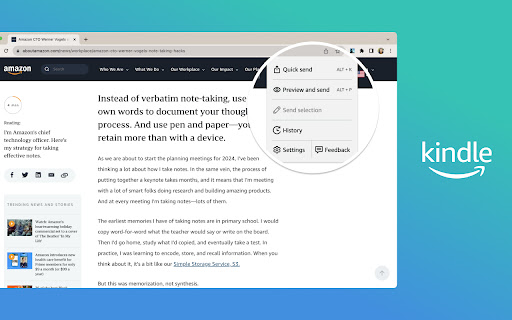
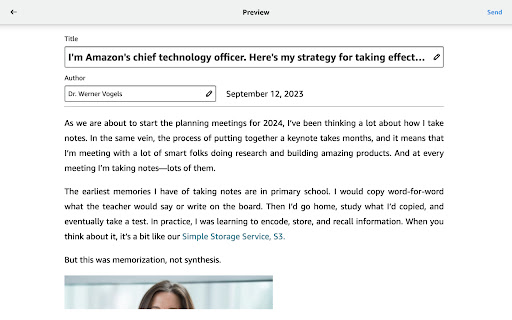
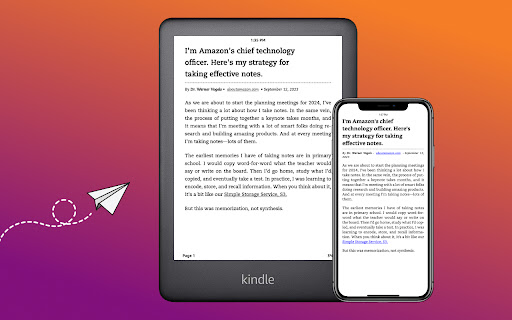
[Official Amazon.com extension.] Send to Kindle for Google Chrome makes it easier to read web content with Kindle. Send articles, blog posts, and more to your Kindle. Read anytime, anywhere on a Kindle E-reader or with the Kindle app. You can Use quick send to instantly send full pages to your library. Preview how content will appear on Kindle. Select text and send just the selection to your Kindle. Edit the title and author of your document before sending. Add content to your library on all devices or send only to specific devices. Learn more about Send to Kindle at https://www.amazon.com/sendtokindle. ---------------- For customers located within the European Union, United Kingdom, or Brazil: By downloading or using Send to Kindle, you agree to the terms applicable for your country or territory located at http://www.amazon.com/sendtokindleterms. Please also see the applicable Privacy…

Listing SEO keywords

Search intent keywords
Keyword signals for evaluating how users may discover, compare, or search for this extension category.

Core discovery

send web pages to kindlechrome extension for kindlesave articles to kindle

Comparison

Push to Kindle vs Send to KindleSend to Kindle alternatives

Problem

Send to Kindle not workingSend to Kindle sign in loopunable to send documents to kindle

Alternative

Push to Kindlefive filters kindle extensionebook2edit

Similar extensions

Jump to related discovery paths:

FAQ

What is Send to Kindle for Google Chrome™ mainly used for?
A browser extension that allows users to send web content directly to their Kindle library for offline reading. It supports sending full pages or selected text and provides a preview of how content will appear on a Kindle device.
What market signals stand out?
Established adoption with substantial review base. Last known update: 01/09/2024.
What should builders compare before entering this space?
Compare install concentration, rating quality, update recency, screenshots, developer portfolio, listing claims, and review-backed friction signals.
Is this page review-backed?
Backed by review samples. This page combines store metadata with selected review signals, while raw store metrics remain visible for comparison.

Screenshots

Send to Kindle for Google Chrome™ screenshot

Links

Recommended Chrome extensions

Related listings from the same category, trending peers, and the same publisher portfolio.

Browse workflow