Microsoft Clarity Live icon

Microsoft Clarity Live Chrome Extension Analysis

SEO & Traffic Analytics

Chrome extension ID: cjfdbemmaeeohgibnhdhlakiahifjjcf

A browser tool that overlays Microsoft Clarity's behavioral analytics onto a user's own website. It provides visual data on clicks, scrolls, and individual user sessions to help optimize design and fix UX issues.

Version:2.1.1
Size:1.33MiB
Last updated:

Overview

Installs

90K+

Rating

2.8

51 reviews

Languages

1 locales

Includes English

Market analysis

Review-backed positioning, friction, and market signals for this Chrome extension.

Backed by review samples

Macro category

SEO & Traffic Analytics

Pricing friction

Low review signal

Complaint intensity

Moderate review signal

Listing & review signals
Observed signals from store listing text and review samples.

Listing positioning

The extension positions itself as a seamless way to view user engagement data, such as heatmaps and session recordings, directly on the live website. It emphasizes removing the need to switch between a separate analytics dashboard and the site itself.

Inferred product pattern

Live overlay for behavioral website analytics.

Review-backed pain points

Users frequently report that the extension is non-functional, specifically getting stuck on a loading symbol or failing to launch entirely across different browsers.

Observed feature gaps

The core functionality of launching heatmaps and recordings on-page is reported as broken or unreliable by multiple users.

Tags
HeatmapsSession RecordingUser EngagementWebsite AnalyticsMicrosoft Clarity
Target users

- Website Owners

- UX Designers

- Product Managers

- Digital Marketers

Primary use cases

- Analyzing element-level click and scroll behavior via heatmaps

- Watching real-time session recordings of specific site experiences

- Identifying and fixing user friction points without leaving the page

Positive themes

No positive theme data.

Negative themes

- Infinite loading screens

- Extension failing to launch

- Data inaccuracy

Observed friction

- Performance complaints detected

- No pricing friction observed; the product is claimed to be 100% free.

Evidence boundary: Data extracted from the official store listing and a sample of 10 low-rating reviews. Positive review samples were not provided, meaning positive themes are not represented.
Complaint summaries
Review-backed complaint signals grouped by operational area.

Support

Users express frustration that the product has remained broken for weeks or months without a fix.

Reliability

High volume of complaints regarding 'infinite loading' and the extension simply not working upon launch.

Privacy

No privacy complaints observed in the provided samples.

Access & pricing

- Free usage observed

- Account required for core usage

- Free plan or free usage claimed

Store listing facts

Listing assets

- Screenshots: 5

- Videos: 0

- Languages: 1

Trust signals

- Privacy policy

- Developer contact

Store metadata

- Version: 2.1.1

- Size: 1.33MiB

- Last updated:

Store description excerpt
Short excerpt from the public Chrome Web Store listing; full copy is available on the official store page.
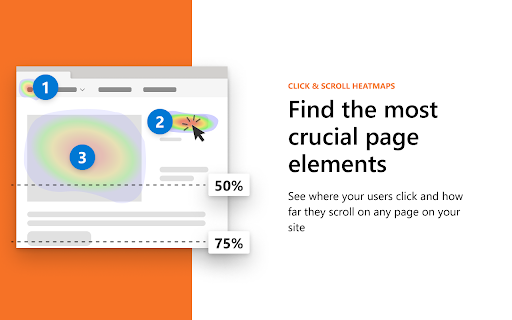
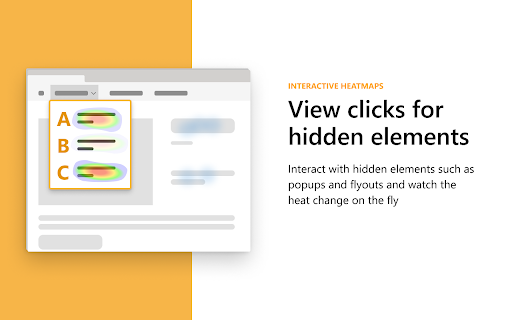
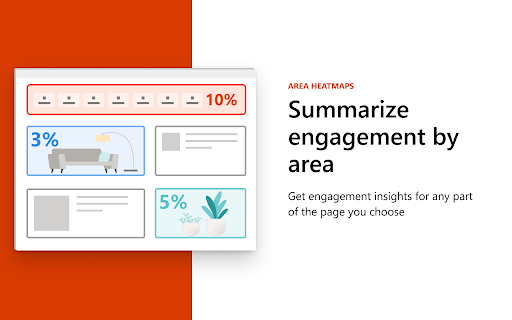
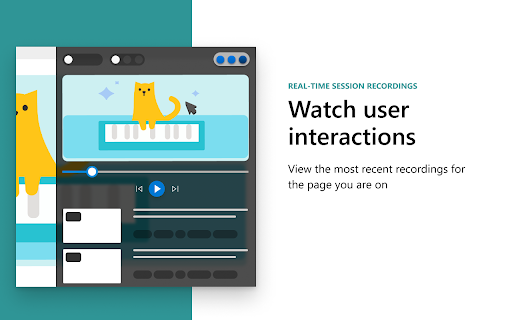
The Microsoft Clarity Live extension helps you easily see where users engage with your site, where they get stuck, and test out new ideas. You don't have to go to a separate website or comb through columns of data to get the info you need, either. Clarity Live does the hard work for you by creating heatmaps and session recordings that you can view without leaving your site. These data visualizations make it simple to analyze engagement, optimize your design, and quickly identify and fix problems. How it works: Download the extension and set up a free Clarity account if you don't already have one. Then simply navigate to the page or specific experience you want to explore and select the heatmap, area heatmap, or session recording icon on the Clarity widget. Voila! Whichever Clarity feature you chose launches right over the page you're on. That's it. Analytics has never been so easy! High…

Listing SEO keywords

Search intent keywords
Keyword signals for evaluating how users may discover, compare, or search for this extension category.

Core discovery

Microsoft Clarity Live extensionon-page heatmapslive session recordings

Comparison

Microsoft Clarity vs HotjarClarity Live alternatives

Problem

how to see where users click on my sitevisualize website engagementfind website UX friction

Alternative

Hotjar alternativeCrazy Egg alternativefree heatmap tool

Similar extensions

Jump to related discovery paths:

FAQ

What is Microsoft Clarity Live mainly used for?
A browser tool that overlays Microsoft Clarity's behavioral analytics onto a user's own website. It provides visual data on clicks, scrolls, and individual user sessions to help optimize design and fix UX issues.
What market signals stand out?
Visible niche traction with limited review base. Last known update: 04/22/2026.
What should builders compare before entering this space?
Compare install concentration, rating quality, update recency, screenshots, developer portfolio, listing claims, and review-backed friction signals.
Is this page review-backed?
Backed by review samples. This page combines store metadata with selected review signals, while raw store metrics remain visible for comparison.

Screenshots

Microsoft Clarity Live screenshot

Links

Recommended Chrome extensions

Related listings from the same category, trending peers, and the same publisher portfolio.

Browse workflow