

Online PDF Editor (pdf2go.com) Chrome Extension Analysis
Automation & Workflow EfficiencyChrome extension ID: dfnhijmficoiilogkjlnkionfjlgecdi
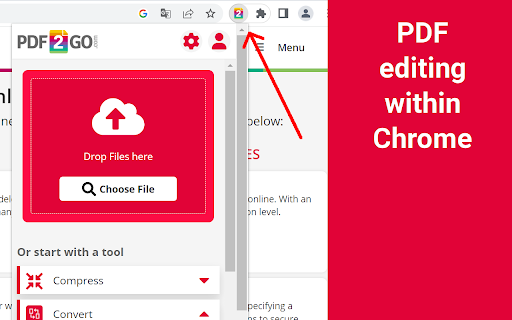
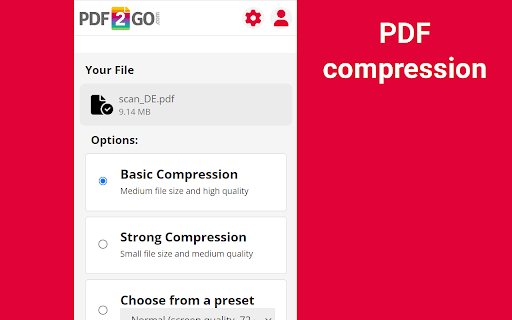
A productivity utility that provides a suite of PDF management tools including conversion to Word, Excel, and JPG, as well as merging and compressing capabilities. It serves as a shortcut to the pdf2go.com web service for streamlined document handling.
Overview
Installs
300K+
Rating
★ 4.6
226 reviews
Languages
12 locales
Includes Deutsch, English, Indonesia, Tiếng Việt...
Market analysis
Review-backed positioning, friction, and market signals for this Chrome extension.
Macro category
Automation & Workflow Efficiency
Pricing friction
High review signal
Complaint intensity
High review signal
Listing positioning
The extension positions itself as the official browser companion for pdf2go.com, offering quick access to PDF tools. It emphasizes workflow integration by allowing users to compress, convert, and edit files directly from the toolbar or within Gmail.
Inferred product pattern
A browser-based utility that acts as a UI wrapper for a web-based SaaS PDF processing engine.
Review-backed pain points
Users report significant frustration with conversion errors that cause work loss, paywalls encountered after signing up, and an inability to edit existing text within a PDF.
Observed feature gaps
Users requested the ability to merge PDFs via URL/links directly in the extension, the ability to edit existing PDF text (rather than just overlaying new text), and better language support for scripts like Farsi.
- Office workers
- Students
- Administrative professionals
- Converting PDF files to editable formats
- Compressing PDF size for easier sharing
- Merging multiple PDF documents
- Managing attachments in Gmail
- Ease of use
- Simplicity of interface
- Variety of available PDF tools
- Misleading free-to-use claims
- Loss of data due to conversion errors
- Difficulty with account deletion
- Poor support for non-Latin scripts
- Payment required for meaningful usage
- Free-tier complaints detected
- Performance complaints detected
- Privacy complaints detected
- Multiple reviews claim the extension is advertised as free but requires a subscription or payment to process larger files or access specific features.
Support
Users have noted difficulty with the account management process, specifically citing that account deletion is not easily available on the website.
Reliability
Critical reports include conversion errors that result in the loss of hours of work and slow interface loading times during file uploads.
Privacy
Users noted that files are uploaded to a remote server for processing rather than being handled locally, raising data privacy concerns.
- Free entry with paid features
- Account required for core usage
- Limited free usage observed
Store listing facts
- Screenshots: 2
- Videos: 0
- Languages: 12
- Privacy policy
- Developer contact
- Official website
- Support link
- Version: 7.5.1
- Size: 4.0MiB
- Last updated:
Listing SEO keywords
Core discovery
Comparison
Problem
Alternative
Similar extensions
Jump to related discovery paths:
FAQ
Screenshots
Links
Website: pdf2go.com
Privacy policy: https://www.pdf2go.com/privacy
Support links: https://www.pdf2go.com/help






