

Passbolt Chrome Extension Analysis
Privacy, Security & Ad BlockersStore listing title: Passbolt - Open source password manager
Chrome extension ID: didegimhafipceonhjepacocaffmoppf
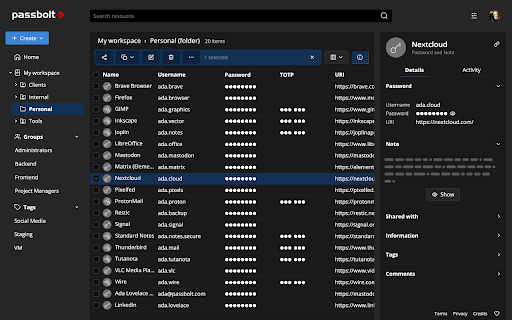
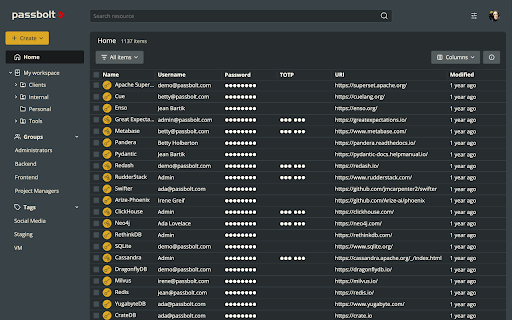
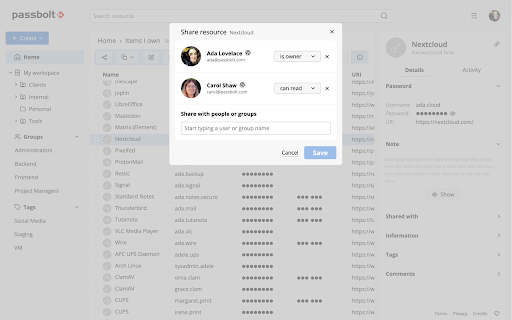
This Chrome extension is the client-side companion for Passbolt, enabling users to generate, autofill, and securely share credentials directly within their browser. It operates as a vital interface to perform client-side cryptographic functions and manage shared passwords. It helps teams organize credentials through tags and customize access rights seamlessly.
Overview
Installs
400K+
Rating
★ 4.1
99 reviews
Languages
16 locales
Includes Deutsch, English, Nederlands, español...
Market analysis
Review-backed positioning, friction, and market signals for this Chrome extension.
Macro category
Privacy, Security & Ad Blockers
Pricing friction
Moderate review signal
Complaint intensity
High review signal
Listing positioning
Passbolt is positioned as an open-source, collaborative password manager designed specifically for agile teams, developers, and privacy-conscious organizations. It emphasizes a secure-by-design architecture built on end-to-end OpenPGP encryption with an open API. The listing highlights the choice between European cloud hosting and full data ownership via self-hosting.
Inferred product pattern
An open-source, OpenPGP-encrypted password manager extension optimized for collaborative team use with self-hosted and cloud options.
Review-backed pain points
Users experience critical workflow bottlenecks due to the extension frequently disconnecting on browser restarts, coupled with authentication loops that prevent logging in. Recent updates (specifically version 4.5) broke the auto-fill capability for many, forcing users to manually copy and paste credentials. Additionally, the account recovery process is described as tedious and prone to failing, as the recovery site often fails to recognize the active extension.
Observed feature gaps
Reviews indicate a lack of smart domain-specific user suggestions, forcing users managing multiple accounts on the same domain to scroll through long lists. There is also a distinct lack of seamless TOTP integration, requiring manual copying of verification codes. Some users also report z-index rendering issues that conflict with web page layouts.
- Agile development teams
- Privacy-conscious enterprises
- Government offices
- Self-hosting system administrators
- Securely sharing passwords and folders among team members
- Autofilling login credentials on web pages
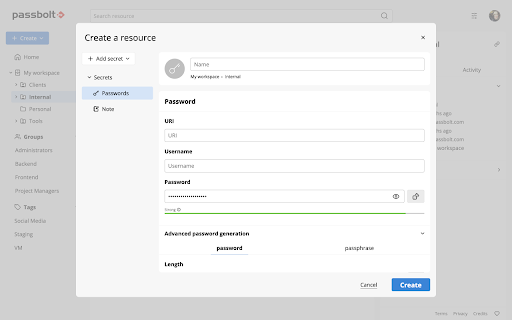
- Generating strong, random cryptographic passwords
- Appreciation for robust on-premise self-hosting capabilities
- Value placed on a fully auditable and open-source local database setup
- Extension authentication loops and disconnects upon restarting the browser
- Inefficient domain credential selection when managing multiple users
- Autofill breakage and UI issues introduced in recent version updates
- Complex recovery process and failure to detect the extension during account recovery
- Free-tier complaints detected
- Performance complaints detected
- Some users report unexpected paywalls, pointing out that cloud signup is limited to a seven-day free trial, leading to frustration over the lack of clear advertising regarding paid tiers in the store listing.
Support
The automated account recovery page frequently fails to detect the installed extension, leaving users locked out of their accounts with limited recourse or immediate assistance.
Reliability
Frequent extension disconnects on browser restart, update 4.5 breaking the core auto-fill functionality, and login screens looping indefinitely present major reliability issues for users.
Privacy
No direct security breaches were reported, though some users expressed concerns about architectural shifts moving web files directly into the compiled extension, making updates entirely dependent on the Chrome Web Store.
- Free entry with paid features
- Account required for core usage
- Limited free usage observed
Store listing facts
- Screenshots: 6
- Videos: 0
- Languages: 16
- Privacy policy
- Developer contact
- Support link
- Version: 5.13.4
- Size: 5.46MiB
- Last updated:
Listing SEO keywords
Core discovery
Comparison
Problem
Alternative
Similar extensions
Jump to related discovery paths:
FAQ
Screenshots
Links
Privacy policy: https://www.passbolt.com/privacy
Support links: https://www.passbolt.com/contact/support






