

Picture in Picture Player Chrome Extension Analysis
Automation & Workflow EfficiencyStore listing title: Picture in Picture Player - Floating Video
Chrome extension ID: ekoomohieogfomodjdjjfdammloodeih
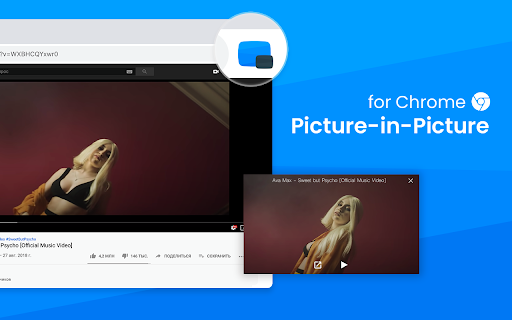
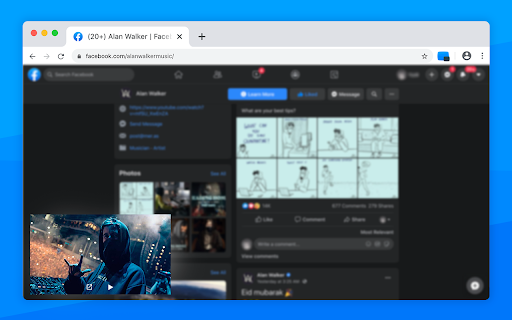
Picture in Picture Player is a Chrome extension that allows users to detach video players from websites into a floating window. This window remains on top of other applications, facilitating multitasking. It supports various video platforms and offers features like resizing, moving the player, and controlling playback. The extension aims to enhance the user's web browsing experience by enabling simultaneous video vi…
Overview
Installs
100K+
Rating
★ 4.3
227 reviews
Languages
29 locales
Includes Deutsch, English, English (United Kingdom), English (United States)...
Market analysis
Review-backed positioning, friction, and market signals for this Chrome extension.
Macro category
Automation & Workflow Efficiency
Pricing friction
Low review signal
Complaint intensity
Moderate review signal
Listing positioning
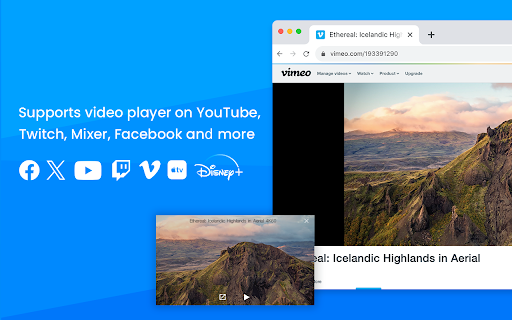
This extension positions itself as a Picture in Picture player that enables users to watch videos in a floating, always-on-top window while multitasking on other sites or applications. It highlights its ability to pop out videos from any website and its compatibility with popular platforms like YouTube, Netflix, and Twitch.
Inferred product pattern
A free Chrome extension that aims to provide a Picture-in-Picture video player functionality, but suffers from significant reliability and compatibility issues reported by users.
Review-backed pain points
Users report the extension not working reliably across different websites, browsers, and operating systems. Specific issues include videos not playing in pop-out mode, audio working but video not, and control buttons (pause, rewind, fast forward) failing when in Picture-in-Picture mode. Some users also express dissatisfaction with recent UI changes.
Observed feature gaps
The extension appears to have issues with full-screen mode on certain operating systems and browsers, and lacks the ability to switch videos directly from the floating player. Users also noted that it doesn't work with specific video players like CVH and has compatibility issues with Nintendo music videos. Claims of working with Twitter are contradicted by user reviews.
- Multitasking users
- Video streamers
- Remote workers
- Students
- Watching videos while browsing other websites
- Keeping up with video content while working
- Simultaneous video consumption and application use
- Allows miniplayer to be displayed even when viewing other tabs or desktop apps, which is preferred over native YouTube PIP.
- Provides control over video volume with arrow keys.
- Extension not working as expected or at all on various platforms/browsers.
- Recent updates have negatively impacted functionality or user interface.
- Specific video players or websites are not supported.
- Changes to the interface made the window larger and took up too much space.
- Pause, rewind, and fast forward functions not working in Picture-in-Picture mode.
- Performance complaints detected
- The extension is described as completely free.
Support
No specific support complaints were identified, but the presence of repeated functionality issues suggests potential support gaps.
Reliability
Multiple users report the extension failing to work, not playing videos, or having broken playback controls, indicating significant reliability issues.
Privacy
No privacy complaints were observed in the provided reviews or listing.
- Free usage observed
- No clear access signal
- Free plan or free usage claimed
Store listing facts
- Screenshots: 3
- Videos: 0
- Languages: 29
- Privacy policy
- Developer contact
- Version: 1.2.16
- Size: 27.41KiB
- Last updated:
Listing SEO keywords
Core discovery
Comparison
Problem
Alternative
Similar extensions
Jump to related discovery paths:
FAQ
Screenshots
Links
Privacy policy: https://sites.google.com/view/pipicture/policy






