Steps Recorder by Flonnect icon

Steps Recorder by Flonnect Chrome Extension Analysis

Automation & Workflow Efficiency

Chrome extension ID: hloeehlfligalbcbajlkjjdfngienilp

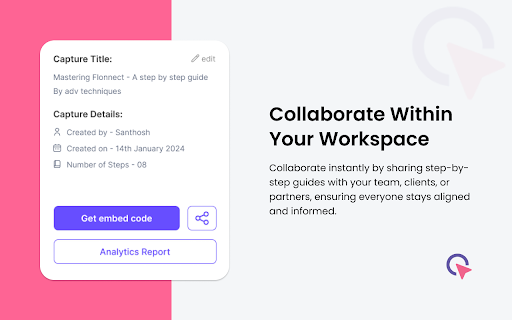
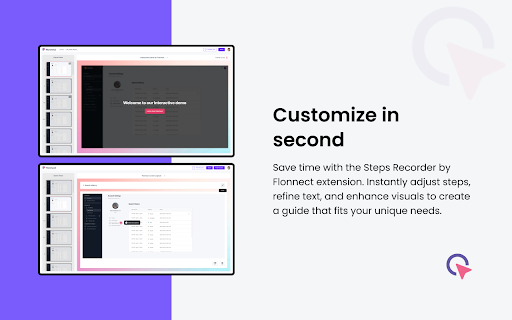
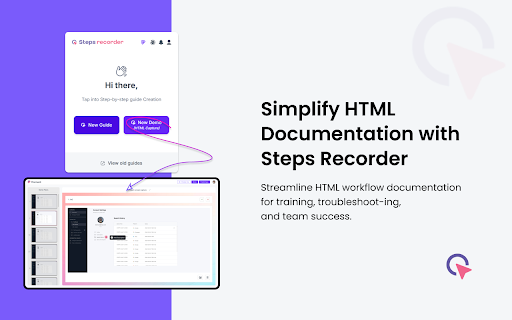
This Chrome extension captures browser clicks and actions in real-time to generate step-by-step instructional guides. It allows users to annotate steps and export the final documentation as PDF, HTML, or Markdown files for collaboration.

Developer:Flonnect
Version:2.2.7
Size:654KiB
Last updated:

Overview

Installs

4K+

Rating

4.2

5 reviews

Languages

1 locales

Includes English

Market analysis

Review-backed positioning, friction, and market signals for this Chrome extension.

Backed by review samples

Macro category

Automation & Workflow Efficiency

Pricing friction

Low review signal

Complaint intensity

Moderate review signal

Listing & review signals
Observed signals from store listing text and review samples.

Listing positioning

Steps Recorder by Flonnect positions itself as a productivity tool designed to automate the creation of process documentation. It emphasizes saving time by converting recorded browser actions into annotated, shareable guides in various formats.

Inferred product pattern

Automated screen-capture documentation tool that centralizes data on a cloud platform.

Review-backed pain points

The primary pain point identified is uncertainty regarding data privacy, specifically the storage of recorded content on Flonnect's servers.

Observed feature gaps

No major functional feature gaps reported, though privacy transparency is noted as a concern by users.

Tags
Process DocumentationStep-by-Step GuideScreen RecordingWorkflow Automation
Target users

- Team Leads

- Process Documentation Managers

- Customer Support Representatives

- Content Creators

Primary use cases

- Creating employee onboarding guides

- Developing software tutorials

- Standardizing internal process documentation

- Sharing troubleshooting steps with clients

Positive themes

- Simplifies complex documentation tasks

- User-friendly guide generation

- Efficient tool for explaining processes

Negative themes

- Data privacy concerns regarding server-side storage of recorded content

Observed friction

- Privacy complaints detected

- No specific pricing complaints were identified in the review set.

Evidence boundary: Evidence is derived from the Chrome Web Store listing and a small sample of user reviews highlighting utility and privacy concerns. The sample size is limited to 5 reviews, which may not capture the full spectrum of user experience or long-term technical reliability.
Complaint summaries
Review-backed complaint signals grouped by operational area.

Support

No support or refund complaints identified.

Reliability

No reliability or performance complaints identified.

Privacy

A user expressed concern that recorded content is uploaded to Flonnect servers and may be accessible publicly, suggesting a lack of clarity regarding privacy policies.

Access & pricing

- Free entry with paid features

- Account required for core usage

- Limited free usage observed

Store listing facts

Listing assets

- Screenshots: 5

- Videos: 0

- Languages: 1

Trust signals

- Privacy policy

- Developer contact

- Official website

Store metadata

- Version: 2.2.7

- Size: 654KiB

- Last updated:

Store description excerpt
Short excerpt from the public Chrome Web Store listing; full copy is available on the official store page.
Flonnect Capture Chrome simplifies the creation and sharing of step-by-step guides and process documentation. Now users do not need to create lengthy tutorials and cumbersome explanations. With Flonnect Capture, you can streamline your workflows and empower your team to excel. How to Use? >> Install: Install the Flonnect Capture Chrome extension >> Start Recording: Click on the Flonnect Capture icon to begin recording your process. It captures every step you take, including clicks and actions. >> Annotate and Explain: Add comments, highlights, and annotations to specific steps to provide clarity and context. >> Generate Guide: Once you've completed the process, Flonnect Capture automatically generates a comprehensive guide with images and instructions. >> Share and Collaborate: Share the guide instantly with your team, clients, or collaborators. You can also embed it in your documentati…

Listing SEO keywords

Search intent keywords
Keyword signals for evaluating how users may discover, compare, or search for this extension category.

Core discovery

Chrome extension for documentationstep-by-step guide creatorautomate process documentationcapture workflow steps

Comparison

Flonnect vs Scribealternatives to Steps Recorder

Problem

document processes fasterhow to make tutorials

Alternative

ScribeTangoGreenshot

Similar extensions

Jump to related discovery paths:

FAQ

What is Steps Recorder by Flonnect mainly used for?
This Chrome extension captures browser clicks and actions in real-time to generate step-by-step instructional guides. It allows users to annotate steps and export the final documentation as PDF, HTML, or Markdown files for collaboration.
What market signals stand out?
Early or small audience with limited review base. Last known update: 05/13/2026.
What should builders compare before entering this space?
Compare install concentration, rating quality, update recency, screenshots, developer portfolio, listing claims, and review-backed friction signals.
Is this page review-backed?
Backed by review samples. This page combines store metadata with selected review signals, while raw store metrics remain visible for comparison.

Screenshots

Steps Recorder by Flonnect screenshot

Links

Recommended Chrome extensions

Related listings from the same category, trending peers, and the same publisher portfolio.

Browse workflow