Screen & Webcam recorder - Flonnect icon

Screen & Webcam recorder Chrome Extension Analysis

Video & Image Downloaders

Store listing title: Screen & Webcam recorder - Flonnect

Chrome extension ID: lkeokcighogdliiajgbbdjibidaaeang

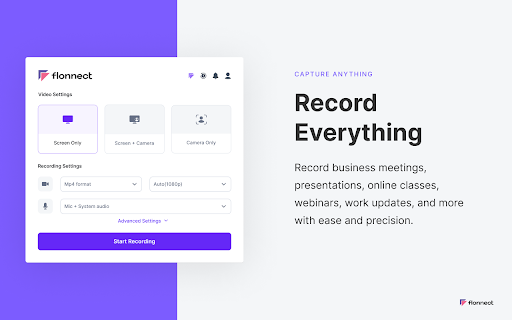
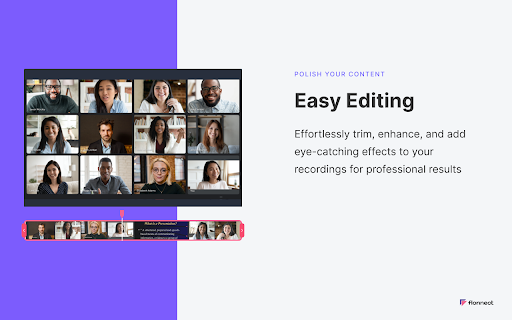
Flonnect is a Chrome extension that captures screen activity, webcam feeds, and system audio. It supports various recording modes, annotation tools, and direct video uploading, intended to streamline the creation of tutorials and collaborative communication.

Developer:Flonnect
Version:8.2.0
Size:9.25MiB
Last updated:

Overview

Installs

100K+

Rating

4.6

1,259 reviews

Languages

10 locales

Includes English, Indonesia, Türkçe, español...

Market analysis

Review-backed positioning, friction, and market signals for this Chrome extension.

Backed by review samples

Macro category

Video & Image Downloaders

Pricing friction

Moderate review signal

Complaint intensity

High review signal

Listing & review signals
Observed signals from store listing text and review samples.

Listing positioning

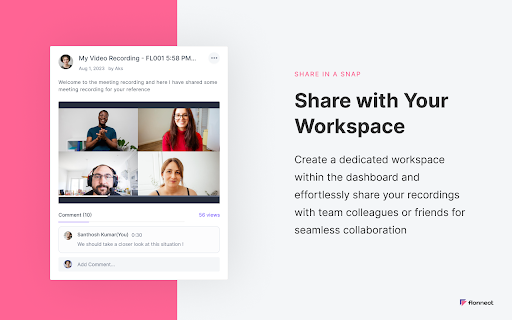
Flonnect positions itself as a comprehensive, free-to-use screen and webcam recording tool for professionals and educators. It emphasizes unlimited usage, no watermarks, and collaborative features like link sharing and integration with platforms like GitHub, Gmail, and Jira.

Inferred product pattern

A high-feature-count screen recording tool that suffers from technical instability and scalability issues during video processing.

Review-backed pain points

Users frequently report recordings failing to save, corrupted files, and long-term processing hang-ups, leading to the loss of critical work. There is also significant frustration regarding the lack of support response for these technical failures.

Observed feature gaps

Reviewers note a lack of webcam preview during configuration, unintuitive settings for camera selection, and inconsistent syncing between audio and video tracks.

Tags
Screen RecorderWebcam RecorderVideo CommunicationWorkflow Automation
Target users

- Professionals

- Educators

- Content Creators

- Remote Teams

Primary use cases

- Recording software tutorials

- Creating instructional videos

- Sharing quick feedback with teammates

- Capturing presentations

Positive themes

- High quality video output (1080p)

- Useful integration with external tools

- Easy setup for quick recordings

Negative themes

- Critical failure of video saving and processing

- Persistent missing audio in recordings

- Poor customer support response times

- Confusing UI and settings

Observed friction

- Free-tier complaints detected

- Account blocking complaints detected

- Performance complaints detected

- Users express frustration over the tool pushing premium upgrades when the core functionality is perceived as broken or unreliable.

Evidence boundary: Analysis based on 10+ user reviews, showing a stark contrast between listing claims of unlimited, reliable recording and user reports of frequent file loss and support inactivity. Reviews are dated between 2022 and 2026, meaning some technical issues may have been addressed in recent updates, though negative sentiment regarding support persists.
Complaint summaries
Review-backed complaint signals grouped by operational area.

Support

Extensive reports of ignored emails, lack of response on live chat, and difficulty getting help with lost or corrupted video files.

Reliability

High incidence of processing failures, corrupted output files, missing audio, and inability to download recorded content.

Privacy

No specific privacy or data security complaints found in the review sample.

Access & pricing

- Free entry with paid features

- Login needed for core features

- Limited free usage observed

Store listing facts

Listing assets

- Screenshots: 5

- Videos: 0

- Languages: 10

Trust signals

- Privacy policy

- Developer contact

- Official website

Store metadata

- Version: 8.2.0

- Size: 9.25MiB

- Last updated:

Store description excerpt
Short excerpt from the public Chrome Web Store listing; full copy is available on the official store page.
Record your screen or camera along with your audio. This extension supports all types of screen recordings for free with unlimited usage. ✅Free to Use ✅No Watermark ✅No Lag screen recording ✅Unlimited Usage ✅Includes audio recording with Webcam ✅Easy to share the video link with teammate ✅Annotate video while recording Note: Please update your browser to the latest version and grant the permissions to record your screen and audio. Install the Screen recorder chrome extension to capture screen video. It offers multi features such as >>Simple Screen Recorder >>Reaction camera or webcam recorder >>Screen & Webcam recorder (With Picture in Picture Display) Here is how to use Screen Recorder Extension: >> Click on the Extension icon >> Then select one of the 3 options of screen recording >> You can choose to record audio or disable it >> Grant the permission to record your screen and mic opt…

Listing SEO keywords

Search intent keywords
Keyword signals for evaluating how users may discover, compare, or search for this extension category.

Core discovery

Chrome screen recorderWebcam recording extensionRecord screen and cameraOnline video recorder

Comparison

Flonnect vs Loombest free screen recorder

Problem

recording not savingvideo corruptedflonnect support not respondingaudio missing in recording

Alternative

Loom alternativesbest screen capture extension

Similar extensions

Jump to related discovery paths:

FAQ

What is Screen & Webcam recorder mainly used for?
Flonnect is a Chrome extension that captures screen activity, webcam feeds, and system audio. It supports various recording modes, annotation tools, and direct video uploading, intended to streamline the creation of tutorials and collaborative communication.
What market signals stand out?
Established adoption with substantial review base. Last known update: 05/06/2026.
What should builders compare before entering this space?
Compare install concentration, rating quality, update recency, screenshots, developer portfolio, listing claims, and review-backed friction signals.
Is this page review-backed?
Backed by review samples. This page combines store metadata with selected review signals, while raw store metrics remain visible for comparison.

Screenshots

Screen & Webcam recorder - Flonnect screenshot

Links

Recommended Chrome extensions

Related listings from the same category, trending peers, and the same publisher portfolio.

Browse workflow