
Table Capture Chrome Extension Analysis
Web Scraping & Data ExtractionChrome extension ID: iebpjdmgckacbodjpijphcplhebcmeop
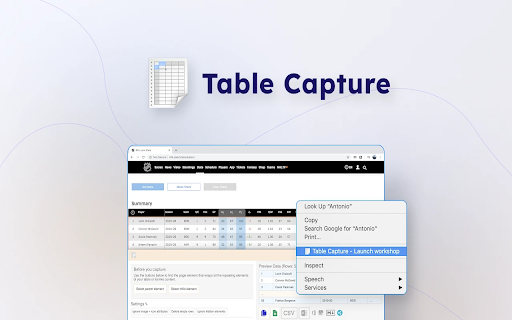
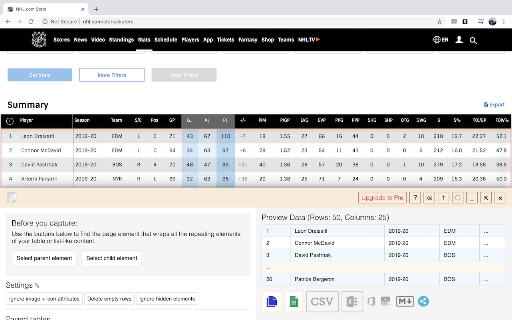
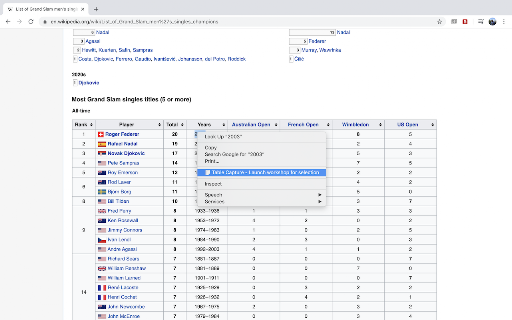
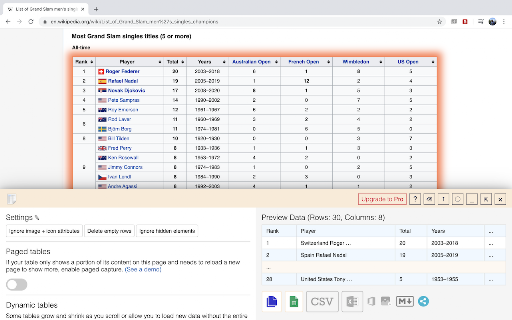
Table Capture is a browser extension that enables users to quickly copy and export tabular data from websites. It supports HTML tables, dynamic tables, and custom div-based grid formats, formatting the output so it can be cleanly pasted into spreadsheets. More advanced versions support automated PDF data extraction and ChatGPT-based data querying.
Overview
Installs
200K+
Rating
★ 4.3
600 reviews
Languages
3 locales
Includes English, español, 中文(中国)
Market analysis
Review-backed positioning, friction, and market signals for this Chrome extension.
Macro category
Web Scraping & Data Extraction
Pricing friction
Moderate review signal
Complaint intensity
Moderate review signal
Listing positioning
Table Capture positions itself as a streamlined browser tool for exporting HTML tables directly to spreadsheets like Microsoft Excel, Google Sheets, and CSV. The listing highlights seamless copying to the clipboard with appropriate row and column structures. It promotes advanced Pro and Cloud tiers for more complex tasks like multi-page scroll captures, local/web PDF extractions, and AI-powered column parsing.
Inferred product pattern
Freemium client-side scraping utility with premium cloud and AI enhancements.
Review-backed pain points
Users express frustration over the free tier's 250-row limit and the requirement of a subscription for local actions like copying tables as Markdown. Technical bugs include blank preview screens and confusion when attempting to select a specific table on pages containing multiple tables.
Observed feature gaps
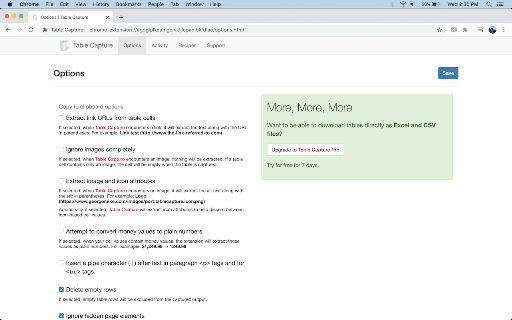
Reviewers note that the extension does not offer an option to ignore alt text inside images when capturing data. Additionally, users identify a lack of a free, offline markdown converter despite it not requiring backend server costs.
- Data Analysts
- Researchers
- Financial Analysts
- Administrative Assistants
- Web Scrapers
- Exporting online database tables directly to Google Sheets
- Converting HTML tables into structured Excel spreadsheets
- Extracting tabular data from local or web-hosted PDFs
- Parsing dynamic grids that load data as the user scrolls
- Significant time savings compared to highlighting and copying manually
- Effective parsing capability across diverse web structures and layout designs
- Core offline utility features like Markdown copying being locked behind a paywall
- Difficulty identifying or selecting specific tables on pages with multiple grids
- Occasional technical failures where captured previews display as blank
- Free-tier complaints detected
- Performance complaints detected
- Privacy complaints detected
- Friction centers on the annual subscription model, especially for features that operate locally on the client-side (e.g., Markdown export) and the row limitations imposed on the free tier.
Support
No direct complaints regarding customer support or refund delays were identified in the provided review sample.
Reliability
Technical issues focus on the extension occasionally outputting blank data previews, failing to work on previously supported sites, and struggles with table selection on pages with crowded layouts.
Privacy
An early reviewer flagged concerns regarding the extension's broad permission requirements, including access to all website data and browsing tabs.
- Free entry with paid features
- No account requirement observed
- Limited free usage observed
Store listing facts
- Screenshots: 5
- Videos: 0
- Languages: 3
- Privacy policy
- Developer contact
- Official website
- Version: 11.0.41
- Size: 6.7MiB
- Last updated:
Listing SEO keywords
Core discovery
Comparison
Problem
Alternative
Similar extensions
Jump to related discovery paths:
FAQ
Screenshots
Links
Website: georgemike.com
Privacy policy: https://www.georgemike.com/chrome/privacypolicy