
FortiClient Chromebook Webfilter Extension Chrome Extension Analysis
Privacy, Security & Ad BlockersChrome extension ID: igbgpehnbmhgdgjbhkkpedommgmfbeao
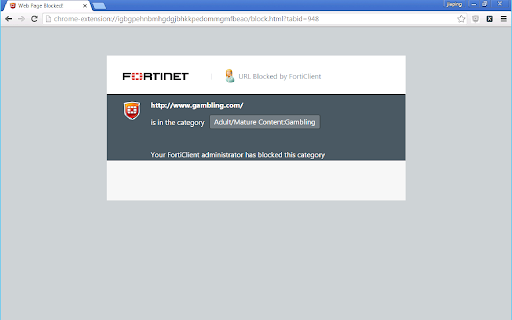
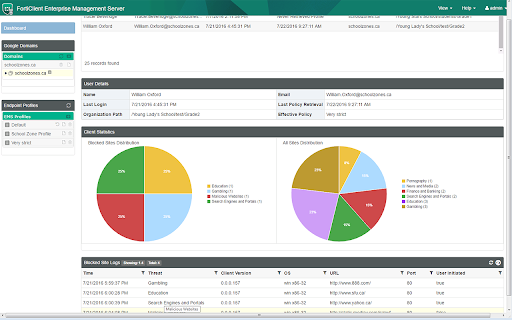
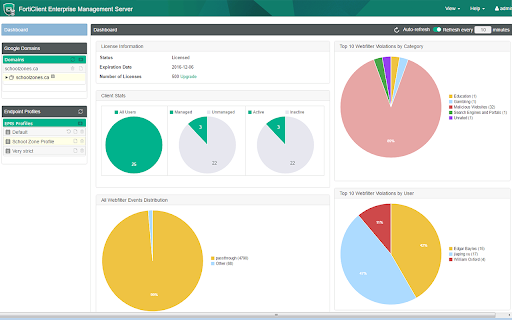
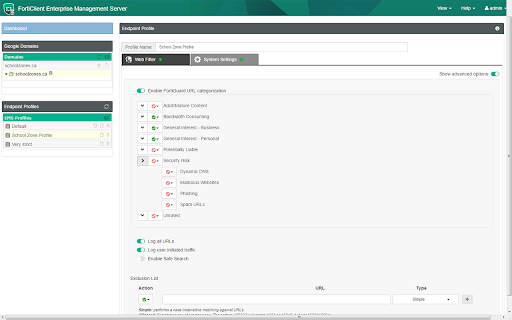
The FortiClient Chromebook Webfilter Extension is a plug-in that provides web security features for safe browsing on Chrome devices. It is designed to be centrally managed by FortiClient Enterprise Management Server, primarily for securing Chromebooks within educational institutions.
Overview
Installs
30K+
Rating
★ 1.3
105 reviews
Languages
1 locales
Includes English (United States)
Market analysis
Review-backed positioning, friction, and market signals for this Chrome extension.
Macro category
Privacy, Security & Ad Blockers
Pricing friction
Moderate review signal
Complaint intensity
High review signal
Listing positioning
The store listing positions FortiClient as an endpoint plug-in for Chromebooks, designed to enforce web security and safe browsing. It specifically targets educational institutions for centralized management via FortiClient Enterprise Management Server.
Inferred product pattern
An enterprise-grade web filtering and security plugin for Chromebooks, designed for centralized management by IT administrators in institutional settings, integrating with a broader endpoint management system.
Review-backed pain points
Users face severe browsing interruption due to the extension's over-aggressive and erroneous blocking, often making Chromebooks unusable even for educational purposes. Major frustrations include incessant installation prompts, general bugginess, and the inability for end-users to uninstall or manage the extension, especially when installed by administrators on personal devices.
Observed feature gaps
Observed feature gaps include a lack of accurate and granular web filtering, leading to over-blocking of legitimate sites. There is also no apparent mechanism for end-users or even IT teams to effectively manage or dismiss persistent notification prompts, and a general lack of quality assurance leading to widespread functional issues.
- Educational Institutions IT Administrators
- Enterprise IT Departments
- Web content filtering for Chromebooks
- Enforcing safe browsing policies in educational settings
- Centralized security management for Chromebook fleets
- No positive review themes available from provided data.
- Excessive and incorrect blocking of websites, including essential educational sites and personal communication apps
- Persistent and intrusive installation/activation prompts that cannot be dismissed
- General bugginess and malfunction, leading to unusable browsing and device issues
- Inability for end-users to uninstall or control the extension, even on personal devices
- Perceived as 'malware' due to its forced installation and debilitating impact
- Payment required for meaningful usage
- Performance complaints detected
- No pricing information or related complaints are available, as the extension is a component of an enterprise solution. End-users typically have it installed by administrators rather than through a direct purchase.
Support
One review notes that even IT teams were unable to resolve persistent notification issues, indirectly suggesting a lack of effective troubleshooting or support solutions for known bugs. No direct complaints about developer support responsiveness were observed.
Reliability
There are numerous complaints about the extension's severe unreliability, including consistently blocking all websites, preventing legitimate content (like Google Classroom) from loading, incessant notification prompts, and claims of rendering Chromebooks unusable or 'broken'.
Privacy
One review describes the extension as 'malware disguised' due to its forced administrative installation and difficulty of removal, indicating concerns about unwanted control rather than explicit data privacy violations.
- Enterprise pricing observed
- Account required for core usage
- Paid-only usage observed
Store listing facts
- Screenshots: 4
- Videos: 0
- Languages: 1
- Privacy policy
- Developer contact
- Official website
- Version: 2.0.0.0017
- Size: 204KiB
- Last updated:
Listing SEO keywords
Core discovery
Comparison
Problem
Alternative
Similar extensions
Jump to related discovery paths:
FAQ
Screenshots
Links
Website: forticlient.com
Privacy policy: https://www.fortinet.com/corporate/about-us/privacy.html