Degreed Extension icon

Degreed Extension Chrome Extension Analysis

Automation & Workflow Efficiency

Chrome extension ID: inehghpkjjjdgpnagcbogckbonilnidc

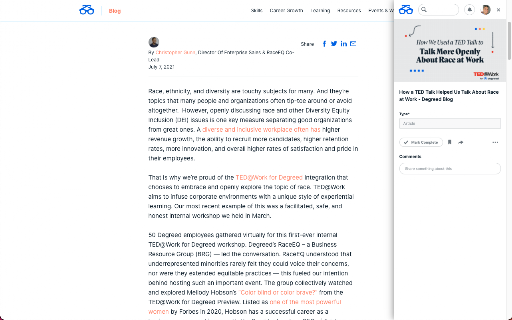
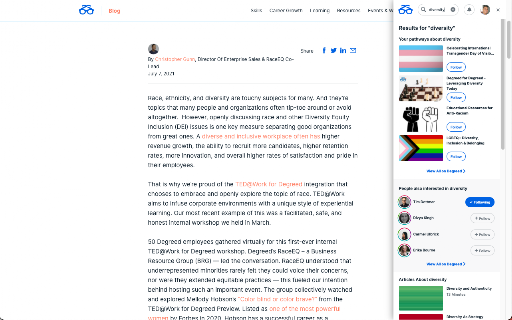
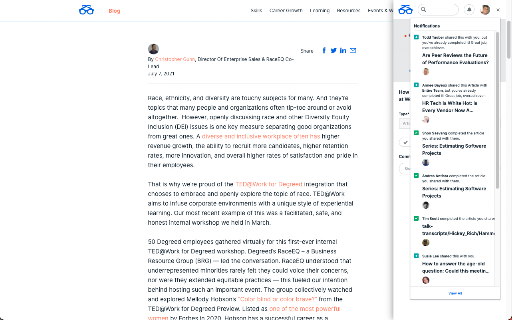
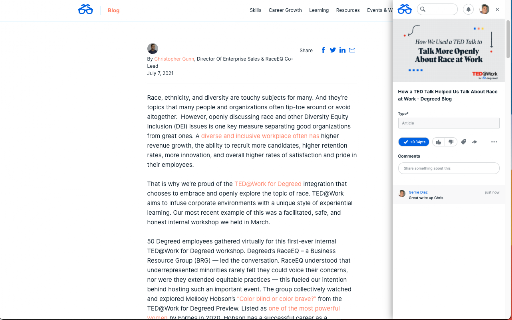
This extension functions as a browser-based companion to the Degreed enterprise learning platform. It automates the ingestion of web content metadata, enabling users to save articles, share content, and manage personal learning pathways through a sidebar interface.

Developer:Degreed
Version:8.0.8
Size:338KiB
Last updated:

Overview

Installs

900K+

Rating

3.8

60 reviews

Languages

22 locales

Includes Deutsch, English, Filipino, Indonesia...

Market analysis

Review-backed positioning, friction, and market signals for this Chrome extension.

Backed by review samples

Macro category

Automation & Workflow Efficiency

Pricing friction

Low review signal

Complaint intensity

Moderate review signal

Listing & review signals
Observed signals from store listing text and review samples.

Listing positioning

The Degreed extension positions itself as an integrated tool for lifelong learners and employees to capture, track, and manage learning content directly from their browsers. It streamlines workflow by allowing users to add resources to paths, plans, or catalogs without navigating away from the web page they are currently visiting.

Inferred product pattern

Enterprise browser-based bridge extension requiring active authentication for a specific SaaS platform.

Review-backed pain points

Users frequently report authentication failure loops, where the extension repeatedly requests a login after successful SSO, and interface glitches such as the extension remaining stuck in a loading state.

Observed feature gaps

The extension lacks clear user onboarding or instructional messaging post-installation, leading to confusion. Users also note a lack of flexibility in manually categorizing content types (e.g., forcing articles instead of courses).

Tags
Learning ManagementProductivity ToolWorkflow IntegrationBookmark Manager
Target users

- Corporate Employees

- Learning & Development Managers

- Lifelong Learners

Primary use cases

- Tracking learning progress

- Saving web articles for later

- Curating learning pathways

- Managing corporate content catalogs

Positive themes

- Utility for tracking learning content

- Convenient integration with the main Degreed platform

Negative themes

- Persistent login/SSO looping

- Compatibility issues with Edge and Brave browsers

- Performance lag and unresponsive UI elements

- Lack of feedback during initial setup

Observed friction

- Account blocking complaints detected

- Performance complaints detected

- No direct pricing friction reported, as the tool is typically an enterprise-provided utility for Degreed platform users.

Evidence boundary: Analysis based on 10 user reviews highlighting consistent authentication issues and browser compatibility problems within an enterprise learning context. Review data spans several years, which may not reflect recent patches or updates to the extension's stability.
Complaint summaries
Review-backed complaint signals grouped by operational area.

Support

Users express frustration with long-standing bugs and a lack of clear communication or updates from the developers regarding known compatibility issues.

Reliability

Frequent complaints regarding login loops and the extension failing to load or respond in Chromium-based browsers like Edge and Brave.

Privacy

No privacy-related complaints observed in the provided sample data.

Access & pricing

- Enterprise pricing observed

- Account required for core usage

- Free plan or free usage claimed

Store listing facts

Listing assets

- Screenshots: 4

- Videos: 0

- Languages: 22

Trust signals

- Privacy policy

- Developer contact

Store metadata

- Version: 8.0.8

- Size: 338KiB

- Last updated:

Store description excerpt
Short excerpt from the public Chrome Web Store listing; full copy is available on the official store page.
Bring learning into your everyday workflow with the Degreed button. You can track your learning from any website, share content with others, save for later, add to a Pathway, or search for content in Degreed without ever leaving the site you’re on. Track your learning: Track all your learning directly from your browser without leaving the page you’re on — and save comments about what you learned. Share with others: If you love what you learned, you can recommend it to a friend or a group. Save for later: If you find an article you want to read later, you can save it. If you forget, Degreed will recommend it in your feed. Add to Pathway or Plan: When building a Pathway or plan in Degreed, you can add to it directly from the Degreed Button. Add to catalog: If you have the “Manage Content” permission, you can add directly to the catalog. The Degreed Button will scrape the title, descriptio…

Listing SEO keywords

Search intent keywords
Keyword signals for evaluating how users may discover, compare, or search for this extension category.

Core discovery

Degreed browser extensionLearning management extensionSave articles to DegreedWorkplace learning tracker

Comparison

Degreed plugin alternativeLXP browser tool

Problem

Degreed extension not workingDegreed login loop error

Alternative

enterprise learning toolbookmark manager for teams

Similar extensions

Jump to related discovery paths:

FAQ

What is Degreed Extension mainly used for?
This extension functions as a browser-based companion to the Degreed enterprise learning platform. It automates the ingestion of web content metadata, enabling users to save articles, share content, and manage personal learning pathways through a sidebar interface.
What market signals stand out?
Established adoption with limited review base. Last known update: 03/02/2026.
What should builders compare before entering this space?
Compare install concentration, rating quality, update recency, screenshots, developer portfolio, listing claims, and review-backed friction signals.
Is this page review-backed?
Backed by review samples. This page combines store metadata with selected review signals, while raw store metrics remain visible for comparison.

Screenshots

Degreed Extension screenshot

Links

Recommended Chrome extensions

Related listings from the same category, trending peers, and the same publisher portfolio.

Browse workflow