XLS Editor Chrome Extension Analysis
Automation & Workflow EfficiencyChrome extension ID: iobjaooppmgjlgomfpaohhncpfjpigaf
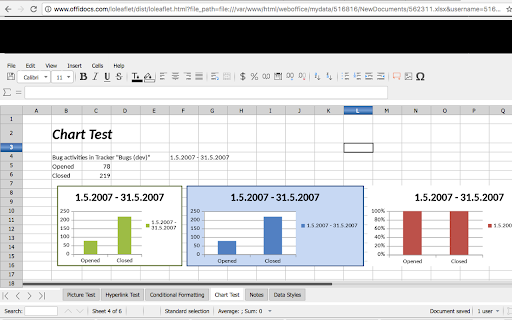
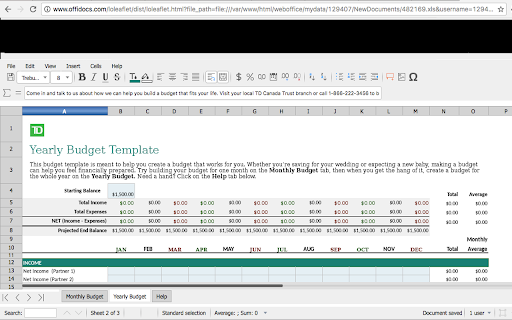
XLS Editor is a Chrome extension that enables users to create, edit, and view Microsoft Excel and OpenOffice spreadsheet documents. It features automated file detection for spreadsheet URLs and provides tools for style management, searching, and exporting to PDF.
Overview
Installs
80K+
Rating
★ 3.6
156 reviews
Languages
18 locales
Includes Deutsch, English, Nederlands, Türkçe...
Market analysis
Review-backed positioning, friction, and market signals for this Chrome extension.
Macro category
Automation & Workflow Efficiency
Pricing friction
Moderate review signal
Complaint intensity
High review signal
Listing positioning
The product positions itself as a browser-based spreadsheet editor capable of viewing and editing XLS, XLSX, and ODS formats. It highlights integration with LibreOffice Online and a cloud-based file manager to allow users to manage spreadsheet files directly through the extension.
Inferred product pattern
A browser-based spreadsheet wrapper for LibreOffice Online that focuses on cloud file management but struggles with local file interoperability and high-fidelity Excel feature support.
Review-backed pain points
Users report critical issues including work being lost during processing, inability to open files from local storage, and a lack of support response after data loss.
Observed feature gaps
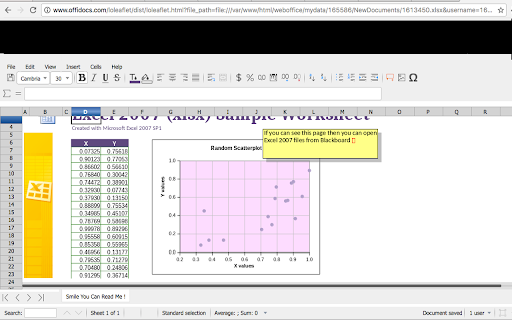
Lack of support for Excel charts/scatterplots, missing horizontal scrolling, and an unintuitive interface for local file management.
- Office workers
- Small business owners
- Users of LibreOffice or OpenOffice
- Editing spreadsheets in the browser
- Managing cloud-stored spreadsheet files
- Converting spreadsheets to PDF
- Review-backed positive themes are not available based on provided samples.
- Data loss and disappearing files
- Difficulty opening local files from disk
- Inability to view or edit Excel charts and scatterplots
- Aggressive prompts to download additional software
- Lack of horizontal scrolling
- Free-tier complaints detected
- Performance complaints detected
- Users express frustration over being pressured to download more software and feel the subscription model is intrusive.
Support
Users have reported receiving no response from support after experiencing significant data loss.
Reliability
Critical reliability issues reported, including files disappearing after being opened and spreadsheets not being detected.
Privacy
No specific privacy complaints found in reviews, though the listing notes that URL scanning is performed on their servers.
- Free entry with paid features
- Login needed for core features
- Limited free usage observed
Store listing facts
- Screenshots: 3
- Videos: 1
- Languages: 18
- Privacy policy
- Developer contact
- Official website
- Version: 2.15.2
- Size: 492KiB
- Last updated:
Listing SEO keywords
Core discovery
Comparison
Problem
Alternative
Similar extensions
Jump to related discovery paths:
FAQ
Screenshots
Links
Website: offidocs.com
Privacy policy: http://www.offidocs.com/index.php/desktop-apps-policy
Videos: Watch