Pixel measurement Chrome Extension Analysis
Developer & Designer ToolsChrome extension ID: jdkcdajnaldgjmkdkkkgenbgdajaaapa
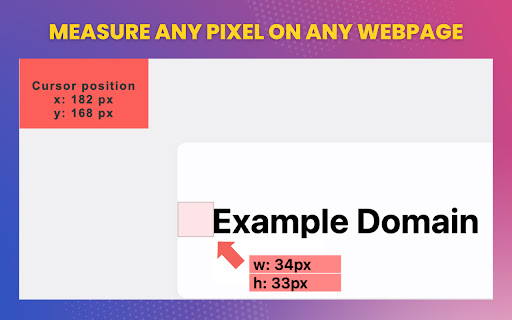
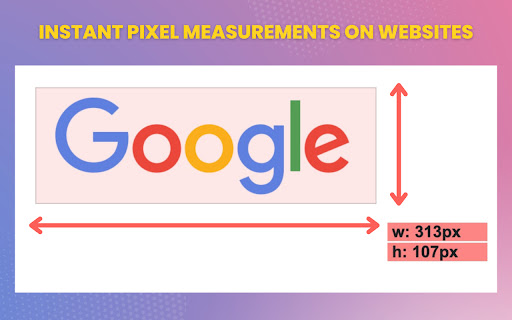
Pixel Measurement is a Chrome extension that provides an on-screen ruler for accurately measuring pixels, element dimensions, distances, and coordinates on any webpage. It is designed to be user-friendly and seamlessly integrated into the browser to assist with web development, UI/UX design, and quality assurance tasks.
Overview
Installs
100K+
Rating
★ 4.5
70 reviews
Languages
52 locales
Includes Deutsch, English, Filipino, Indonesia...
Market analysis
Review-backed positioning, friction, and market signals for this Chrome extension.
Macro category
Developer & Designer Tools
Pricing friction
High review signal
Complaint intensity
High review signal
Listing positioning
This Chrome extension positions itself as a precise pixel measurement tool for developers, designers, and QA engineers. It aims to streamline workflows by allowing users to measure element dimensions, distances, and coordinates directly on webpages without leaving their browser.
Inferred product pattern
This is a freemium Chrome extension for developers and designers that offers pixel measurement tools. It appears to have a core functionality that becomes restricted after a certain usage period, requiring payment to unlock full features.
Review-backed pain points
Users report issues with the tool not working on local web pages, inaccurate pixel displays, and the measurement window obscuring the element being measured. Some users are concerned about tracking code being implemented within the extension. A significant pain point is the blocking of functionality after a period of use, requiring payment.
Observed feature gaps
Users have requested features such as a mouse pointer mode, the ability to see distances between components, and a hover window displaying component sizes. There is also a desire for the ability to set a 0,0 point for relative measurements, draw multiple boxes simultaneously, and have a history feature. A keyboard shortcut to launch the ruler is also a desired addition.
- Web Developers
- UI/UX Designers
- Graphic Designers
- QA Engineers
- Content Creators
- Measuring element dimensions
- Calculating distances between elements
- Determining pixel coordinates
- Verifying layout accuracy
- Comparing UI against design mockups
- Useful for quickly referencing pixel layouts
- Helps with webapp designs
- Enables accurate measurements for design and development
- Does not work on local web pages
- Incorrect pixel displays
- Tracking code detected
- Obtrusive UI panel
- Buggy arrow key adjustments
- Blocking functionality unless payment is made
- Payment required for meaningful usage
- Free-tier complaints detected
- Account blocking complaints detected
- Performance complaints detected
- Privacy complaints detected
- The extension appears to have a free tier that limits usage, after which functionality is blocked, prompting users to pay. This blocking mechanism is perceived as a significant friction point.
Support
Complaints indicate that users are blocked from using the tool if they do not pay, suggesting a forceful monetization strategy rather than a transparent support system.
Reliability
Users report that the tool does not work on local pages and provides incorrect pixel displays, indicating reliability issues.
Privacy
A user noted the presence of tracking code within the extension, raising privacy concerns.
- Free entry with paid features
- No clear access signal
- Limited free usage observed
Store listing facts
- Screenshots: 2
- Videos: 0
- Languages: 52
- Privacy policy
- Developer contact
- Official website
- Version: 2.10.0
- Size: 511KiB
- Last updated:
Listing SEO keywords
Core discovery
Comparison
Problem
Alternative
Similar extensions
Jump to related discovery paths:
FAQ
Screenshots
Links
Website: pixelmeasurement.com
Privacy policy: https://docs.google.com/document/d/10JXjSdFmQB-S8EGpXtOUc9i92TOPHFgGXX9Fx29bmuM