Poll Everywhere for Google Slides icon

Poll Everywhere for Google Slides Chrome Extension Analysis

Automation & Workflow Efficiency

Chrome extension ID: jeehnidbmlhpkncbplipfalpjkhlokaa

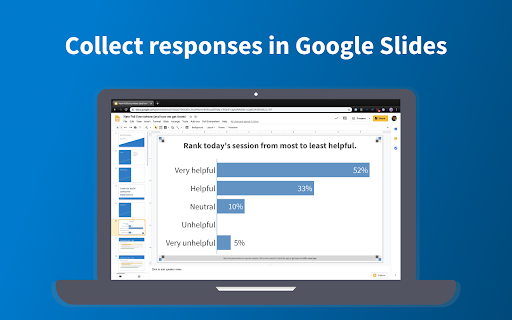
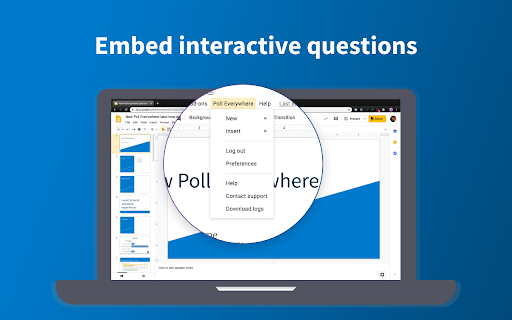
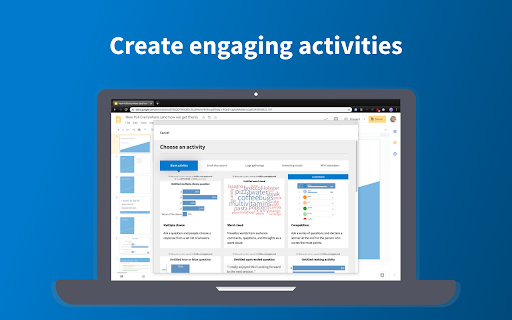
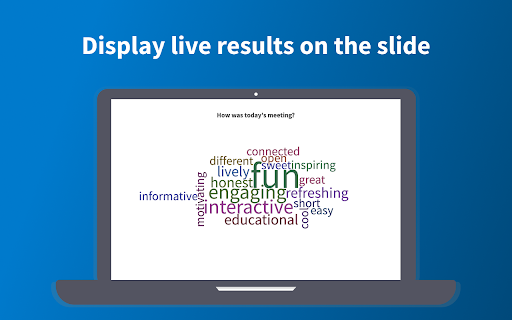
Poll Everywhere for Google Slides is a browser extension that integrates live audience polling functionality into presentation workflows. Users can create, embed, and display interactive questions that update in real-time as participants respond via mobile devices or the web.

Version:1.20.4
Size:1.33MiB
Last updated:

Overview

Installs

100K+

Rating

3.4

76 reviews

Languages

1 locales

Includes English (United States)

Market analysis

Review-backed positioning, friction, and market signals for this Chrome extension.

Backed by review samples

Macro category

Automation & Workflow Efficiency

Pricing friction

Low review signal

Complaint intensity

High review signal

Listing & review signals
Observed signals from store listing text and review samples.

Listing positioning

The extension positions itself as an essential tool for transforming static Google Slides presentations into interactive, real-time conversations. It targets presenters, educators, and meeting facilitators by enabling instant audience feedback directly within the slide interface.

Inferred product pattern

Add-on ecosystem extension that relies heavily on stable API integration with Google Slides.

Review-backed pain points

Users report critical reliability issues, including failure to insert activities, 'Invalid Authentication' tokens, and the extension failing to render within the Google Slides interface.

Observed feature gaps

Reviewers note a lack of responsive support for technical failures and instability when managing multiple Chrome profiles or slide files.

Tags
Google SlidesPollingPresentationAudience EngagementInteractive
Target users

- Educators

- Corporate Presenters

- Meeting Facilitators

Primary use cases

- Embedding live polls into Google Slides

- Collecting real-time audience feedback

- Facilitating interactive Q&A sessions

Positive themes

- High conceptual utility

- Effective when functioning

- Direct integration with presentation workflow

Negative themes

- Frequent authentication errors

- Slides failing to load or insert

- Browser crashes during presentations

- Difficult to reach support

Observed friction

- Performance complaints detected

- No specific pricing complaints were identified; friction is centered entirely on technical execution and reliability.

Evidence boundary: The evidence is derived from multiple user reports detailing recurring technical failures, authentication bugs, and installation issues over several years. The sample data is limited to user feedback and does not encompass internal server logs or current version stability metrics.
Complaint summaries
Review-backed complaint signals grouped by operational area.

Support

Users express significant frustration with the lack of direct support channels, noting that reliance on self-service FAQ pages is insufficient for persistent technical bugs.

Reliability

There are frequent reports of 'Invalid Authentication' errors, failure to load activities, browser crashes, and inability to insert slides, leading some users to abandon the tool.

Privacy

None observed.

Access & pricing

- Free entry with paid features

- Account required for core usage

- Limited free usage observed

Store listing facts

Listing assets

- Screenshots: 4

- Videos: 1

- Languages: 1

Trust signals

- Privacy policy

- Developer contact

- Official website

- Support link

Store metadata

- Version: 1.20.4

- Size: 1.33MiB

- Last updated:

Store description excerpt
Short excerpt from the public Chrome Web Store listing; full copy is available on the official store page.
Live activities in Google Slides Poll Everywhere allows you to transform one-way presentations into a lively conversation with everyone in the meeting. With the smartphones and devices they use every day, participants can submit live responses and watch them update directly on the shared screen. Here’s how it works: - Create or log in to your Poll Everywhere account. - Create the questions you’d like to ask the audience. - Embed live activities in your Google Slides presentations. - Invite the crowd or class to respond via the web or SMS. - Watch responses appear instantly on the slide in real time. Over 75% of the Fortune 500 and 300,000+ educators have trusted Poll Everywhere to facilitate impactful discussions. Lead meaningful meetings, classes, and events from anywhere and generate actionable results that wow the audience.

Listing SEO keywords

Search intent keywords
Keyword signals for evaluating how users may discover, compare, or search for this extension category.

Core discovery

Google Slides pollingPoll Everywhere add-oninteractive presentationslive audience response

Comparison

Poll Everywhere vs PearDeckGoogle Slides audience response tools

Problem

Poll Everywhere not workingGoogle Slides extension errorPoll Everywhere authentication issue

Alternative

alternative to Poll Everywherebest audience polling tools

Similar extensions

Jump to related discovery paths:

FAQ

What is Poll Everywhere for Google Slides mainly used for?
Poll Everywhere for Google Slides is a browser extension that integrates live audience polling functionality into presentation workflows. Users can create, embed, and display interactive questions that update in real-time as participants respond via mobile devices or the web.
What market signals stand out?
Established adoption with limited review base. Last known update: 01/10/2026.
What should builders compare before entering this space?
Compare install concentration, rating quality, update recency, screenshots, developer portfolio, listing claims, and review-backed friction signals.
Is this page review-backed?
Backed by review samples. This page combines store metadata with selected review signals, while raw store metrics remain visible for comparison.

Screenshots

Poll Everywhere for Google Slides screenshot

Links

Recommended Chrome extensions

Related listings from the same category, trending peers, and the same publisher portfolio.

Browse workflow