Vidyard - Screen Recorder & Screen Capture icon

Vidyard Chrome Extension Analysis

Automation & Workflow Efficiency

Store listing title: Vidyard - Screen Recorder & Screen Capture

Chrome extension ID: jiihcciniecimeajcniapbngjjbonjan

Vidyard is a browser-based screen recording and hosting platform that allows users to record, share, and track video communications. It provides tools for screen capture, webcam integration, simple video trimming, and analytics to monitor viewer engagement.

Developer:Vidyard
Version:4.3.14
Size:45.0MiB
Last updated:

Overview

Installs

300K+

Rating

4.2

1,352 reviews

Languages

1 locales

Includes English

Market analysis

Review-backed positioning, friction, and market signals for this Chrome extension.

Backed by review samples

Macro category

Automation & Workflow Efficiency

Pricing friction

Moderate review signal

Complaint intensity

High review signal

Listing & review signals
Observed signals from store listing text and review samples.

Listing positioning

Vidyard positions itself as a professional sales-enablement tool designed to help teams connect with leads through personalized video messaging. It emphasizes seamless browser-based screen/webcam recording, AI-powered script assistance, and detailed engagement tracking for sales workflows.

Inferred product pattern

Sales-focused SaaS tool utilizing a browser extension as an acquisition channel for a wider video hosting and analytics platform.

Review-backed pain points

Users frequently express frustration regarding the inability to download source files, restrictive free tier limits, and aggressive auto-renewal practices that catch users off guard.

Observed feature gaps

Lack of direct file downloading, limited offline editing capabilities, poor compatibility with direct cloud-storage backups (e.g., Google Drive), and restrictive video length/count caps on free plans.

Tags
Screen RecorderVideo MessagingSales EnablementChrome Extension
Target users

- Sales Professionals

- Business Development Representatives

- Customer Success Teams

- Educators

Primary use cases

- Prospecting

- Product Demonstrations

- Sales Proposals

- Internal Team Updates

Positive themes

- Ease of use for quick recording

- Effective link-sharing functionality

- Useful notification system for video views

Negative themes

- Forced subscription renewals and complex cancellation policies

- Inability to directly download video files for external editing

- Limitations on free tier usage limits

- Technical glitches including audio/video sync issues

Observed friction

- Free-tier complaints detected

- Refund complaints detected

- Performance complaints detected

- Privacy complaints detected

- Users report dissatisfaction with aggressive subscription renewals, lack of prior billing notifications, and 60-day cancellation notice requirements.

Evidence boundary: The analysis is based on 10 sampled user reviews from the Chrome Web Store, highlighting both functional workflow benefits and significant concerns regarding billing, privacy, and file portability. Review samples represent a subset of user feedback and may prioritize negative experiences regarding billing and feature restrictions over general day-to-day utility.
Complaint summaries
Review-backed complaint signals grouped by operational area.

Support

Some users report unresponsive customer service and difficulty navigating cancellation protocols.

Reliability

Reported issues include audio/video sync jittering, partial video recording failures, and technical installation errors.

Privacy

A specific user concern exists regarding video visibility and accidental exposure of sensitive on-screen information.

Access & pricing

- Free entry with paid features

- Account required for core usage

- Limited free usage observed

Store listing facts

Listing assets

- Screenshots: 5

- Videos: 1

- Languages: 1

Trust signals

- Privacy policy

- Developer contact

- Official website

Store metadata

- Version: 4.3.14

- Size: 45.0MiB

- Last updated:

Store description excerpt
Short excerpt from the public Chrome Web Store listing; full copy is available on the official store page.
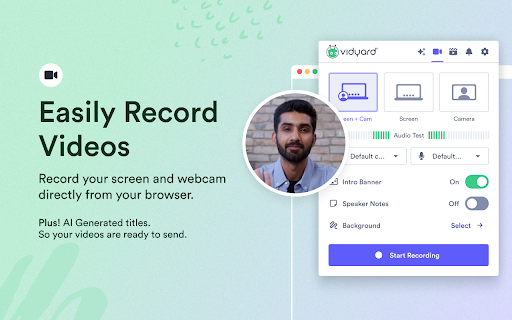
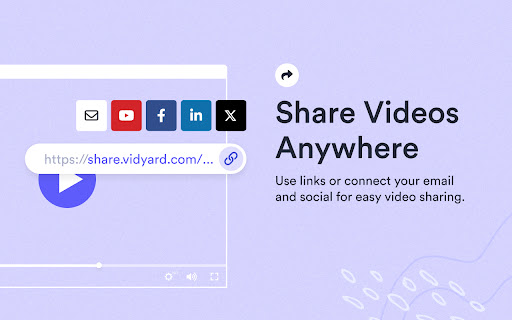
Record your screen or webcam, share your video, and track who's watching it! This screen recorder for Chrome is built to help you sell better. Easily record your webcam, screen, or both in just a few clicks. Share your video with a link and track when your videos get watched. From prospecting to proposals, Vidyard’s screen recorder makes it easy to connect with more leads, qualify for better opportunities, and close more deals with personalized video. KEY FEATURES 🖥 Record your screen directly from your browser ✨ Use AI to write personalized scripts at scale 📝 Automatically generate clear, relevant video titles from your content 🎒 Customize your background to look professional from anywhere 🔗 Easily share your video link through email, social media, and more 💬 Get notified whenever someone views your video 📚 Manage all your Vidyard videos in one place, across devices and teams 🤹‍…

Listing SEO keywords

Search intent keywords
Keyword signals for evaluating how users may discover, compare, or search for this extension category.

Core discovery

Chrome screen recordervideo messaging for salesscreen capture extensionsales video tool

Comparison

Loom alternativeVidyard vs Loombest screen recorder for sales

Problem

Vidyard issuesVidyard billing complaintcannot download video from Vidyard

Alternative

LoomCloudAppSoapboxDubb

Similar extensions

Jump to related discovery paths:

FAQ

What is Vidyard mainly used for?
Vidyard is a browser-based screen recording and hosting platform that allows users to record, share, and track video communications. It provides tools for screen capture, webcam integration, simple video trimming, and analytics to monitor viewer engagement.
What market signals stand out?
Established adoption with substantial review base. Last known update: 06/26/2026.
What should builders compare before entering this space?
Compare install concentration, rating quality, update recency, screenshots, developer portfolio, listing claims, and review-backed friction signals.
Is this page review-backed?
Backed by review samples. This page combines store metadata with selected review signals, while raw store metrics remain visible for comparison.

Screenshots

Vidyard - Screen Recorder & Screen Capture screenshot

Links

Website: vidyard.com

Privacy policy: https://www.vidyard.com/privacy

Videos: Watch

Recommended Chrome extensions

Related listings from the same category, trending peers, and the same publisher portfolio.

Browse workflow